15% Off Selected iFixit Tools — Limited Time
Free Shipping on Domestic Orders $75+

LG Xenon Front Case/Screen Replacement

What you need

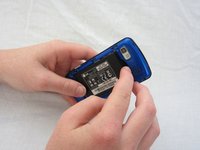
  1. LG Xenon Front Case/Screen Replacement, Back Case: step 1, image 1 of 1
    • Turn the phone so the back side is face up.

    Ask FixBot
    Add Comment

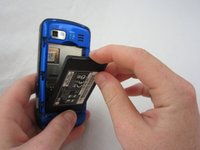
  2. LG Xenon Front Case/Screen Replacement: step 2, image 1 of 2 LG Xenon Front Case/Screen Replacement: step 2, image 2 of 2
    • Use your thumb to press on the small ridge at the bottom of the phone, then push upward to slide off the back casing.

    Ask FixBot

    Add Comment

  3. LG Xenon Front Case/Screen Replacement, Battery: step 3, image 1 of 2 LG Xenon Front Case/Screen Replacement, Battery: step 3, image 2 of 2
    • Use your index finger to pull the top of the battery out from the top center divot. Then pull the battery towards yourself to remove it from the compartment.

    Ask FixBot

    Add Comment

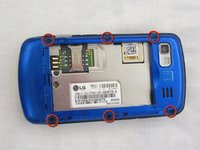
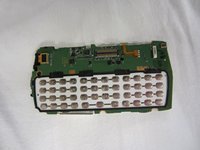
  4. LG Xenon Front Case/Screen Replacement, Motherboard: step 4, image 1 of 2 LG Xenon Front Case/Screen Replacement, Motherboard: step 4, image 2 of 2
    • Use a Phillips #00 screwdriver to remove the six 2.4mm screws, which secure the back panel.

    Ask FixBot
    Add Comment

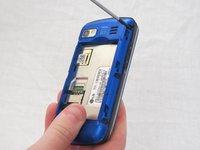
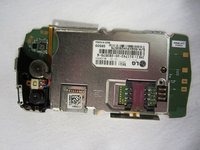
  5. LG Xenon Front Case/Screen Replacement: step 5, image 1 of 1
    • Push a spudger or small tool under the inner edge of the back panel and gently pry upward to separate it from the main body.

    Ask FixBot
    Add Comment

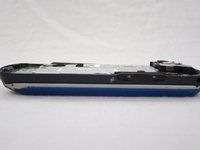
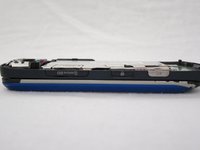
  6. LG Xenon Front Case/Screen Replacement: step 6, image 1 of 2 LG Xenon Front Case/Screen Replacement: step 6, image 2 of 2
    • Pop off the camera, lock, and volume buttons from the side of the phone using tweezers.

    Ask FixBot

    Add Comment

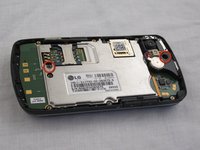
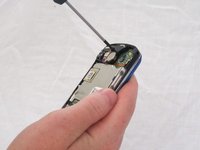
  7. LG Xenon Front Case/Screen Replacement: step 7, image 1 of 2 LG Xenon Front Case/Screen Replacement: step 7, image 2 of 2
    • Use the Phillips #00 screwdriver to remove the two 3mm screws, which secure the motherboard.

    Ask FixBot

    Add Comment

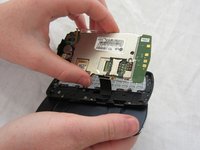
  8. LG Xenon Front Case/Screen Replacement: step 8, image 1 of 2 LG Xenon Front Case/Screen Replacement: step 8, image 2 of 2
    • Carefully lift and remove the motherboard from the main body.

    • The connector cable will still be attached to the motherboard. Any damage to the connector cable may permanently disable the phone.

    Ask FixBot

    Add Comment

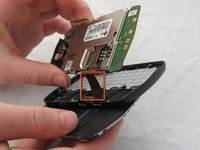
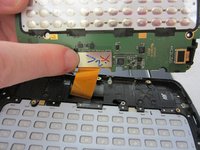
  9. LG Xenon Front Case/Screen Replacement: step 9, image 1 of 2 LG Xenon Front Case/Screen Replacement: step 9, image 2 of 2
    • Carefully unclip the metal tab to separate the connector cable from the motherboard.

    Ask FixBot

    Add Comment

  10. LG Xenon Front Case/Screen Replacement: step 10, image 1 of 2 LG Xenon Front Case/Screen Replacement: step 10, image 2 of 2
    • Once the connector cable is detached from the motherboard, you have successfully removed the motherboard from the phone.

    Ask FixBot

    Add Comment
  11. LG Xenon Front Case/Screen Replacement, Keyboard: step 11, image 1 of 1
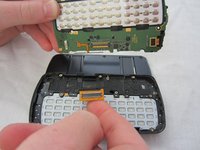
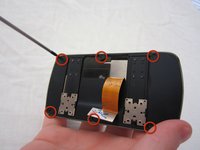
    • Turn the motherboard over and carefully remove the keypad from the motherboard.

    • The keyboard may be sitting loosely in the case (not attached to the motherboard). Carefully remove keyboard from case.

    Ask FixBot

    Add Comment

  12. LG Xenon Front Case/Screen Replacement, LCD: step 12, image 1 of 1
    • After removing the motherboard and keyboard, unscrew eight 1.6mm Phillips #00 screws in the middle of the phone.

    Ask FixBot

    Add Comment

  13. LG Xenon Front Case/Screen Replacement: step 13, image 1 of 1
    • Remove slider piece.

    • Pay close attention that you don’t lose the spring.

    • Carefully remove the spring.

    Ask FixBot

    Add Comment

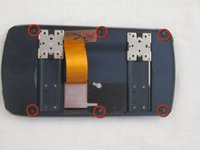
  14. LG Xenon Front Case/Screen Replacement: step 14, image 1 of 2 LG Xenon Front Case/Screen Replacement: step 14, image 2 of 2
    • Remove six 2.25mm Phillips #00 screws along the outside of the case.

    Ask FixBot

    Add Comment

  15. LG Xenon Front Case/Screen Replacement: step 15, image 1 of 2 LG Xenon Front Case/Screen Replacement: step 15, image 2 of 2
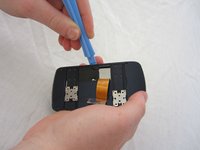
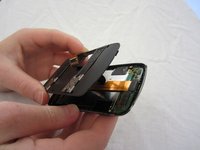
    • Using the plastic opening tool, carefully open and remove the case. Slide the tool along the edge and pry upwards to open.

    Ask FixBot

    Add Comment

  16. LG Xenon Front Case/Screen Replacement: step 16, image 1 of 1
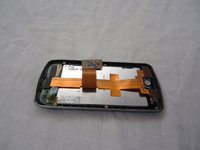
    • Remove the black electrical tape holding the LCD to the screen.

    Ask FixBot

    Add Comment

  17. LG Xenon Front Case/Screen Replacement: step 17, image 1 of 1
    • Un-clasp the small tab in the top right corner.

    Ask FixBot

    Add Comment

  18. LG Xenon Front Case/Screen Replacement: step 18, image 1 of 3 LG Xenon Front Case/Screen Replacement: step 18, image 2 of 3 LG Xenon Front Case/Screen Replacement: step 18, image 3 of 3
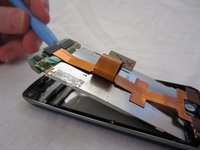
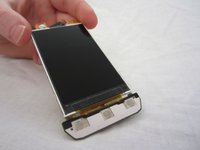
    • Unhook the LCD from tabs on the bottom using the plastic opening tool.

    • Remove the LCD. Be careful, the LCD screen is fragile.

    Ask FixBot

    Add Comment

  19. LG Xenon Front Case/Screen Replacement, Front Case/Screen: step 19, image 1 of 2 LG Xenon Front Case/Screen Replacement, Front Case/Screen: step 19, image 2 of 2
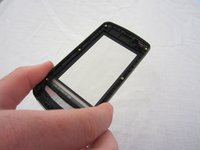
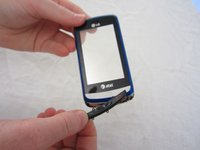
    • Once you have removed the LCD, the front case/screen will be left.

    • If necessary, you may remove the call/mute/hang up button.

    Ask FixBot

    Add Comment

Conclusion

To reassemble your device, follow these instructions in reverse order.

Cancel: I did not complete this guide.

One other person completed this guide.

Micaela Saqui

Member since: 04/19/12

78 Reputation

7 Guides authored

Team

Cal Poly, Team 9-41, Regan Spring 2012 Member of Cal Poly, Team 9-41, Regan Spring 2012

CPSU-REGAN-S12S9G41

5 Members

19 Guides authored

0 Guide Comments

Add Comment

View Statistics:

Past 24 Hours: 1

Past 7 Days: 14

Past 30 Days: 42

All Time: 1,484