
LG X Style Front Facing Camera Replacement

Cole Kearse and 5 other contributors
Last updated on May 7, 2024
Views: 512
View statistics:
- Past 24 Hours:
- 2
- Past 7 Days:
- 17
- Past 30 Days:
- 67
- All Time:
- 512
Comments: 0
No one has left comments on this guide. Will you be first?
Go to guide commentsCompleted: 0 1
No one has marked this guide "completed." Will you be the first?
1 person has marked this guide "completed." It's you — great job!
Favorites: 0 1
No one has favorited (and subscribed to) this guide. Will you be the first?
1 person has favorited (and subscribed to) this guide — and that's you!
Introduction
Go to step 1 ↓Often times people drop their phones, which leads to cracks and breaks. Rather than replacing the whole phone, just replace the piece that is broken. This guide will walk you through the steps on how to replace the front facing camera on the LG X Style smartphone. Replacing the camera will help when it stops working, or it has a cracked lens. Though a cracked lens does not always show signs of dysfunction, it can become more cracked overtime and cause blurry photos. Replacing the camera will prevent this, along with most other issues. This task requires no special skills except for a steady hand and a watchful eye. With broken components, there is concern of injury as you might cut your fingers. Please use caution and good luck!
What you need
Tools


-
-
-
Power down the device and make sure that it is turned off.
-
Insert the plastic opening tool into the bracket space on the back bottom left of the phone.
-
Gently twist tool clockwise until the back case pops open [this will create a small gap].
-
Slide the tool along the gap around the entire device.
 Ask FixBot
-
-
-
Insert the plastic opening tool into the indent below the battery, and pry up to lift and remove the battery.
-
-
-
-
-
-
Create a gap with plastic opening tool by applying pressure between glass screen and plastic edge of device.
-
Slide prying tool around entire device beginning toward the top.
-
Lift off and remove the screen from the device.
-
-
-
-
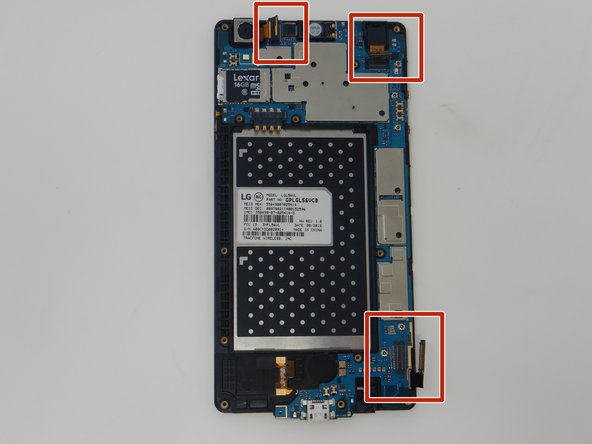
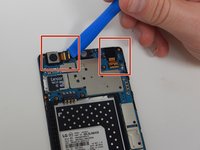
Using the plastic opening tool, carefully slide the edge of the tool under the press fit cable connections and lift up to disconnect. Do this for all three ribbon cables.
-
-
-
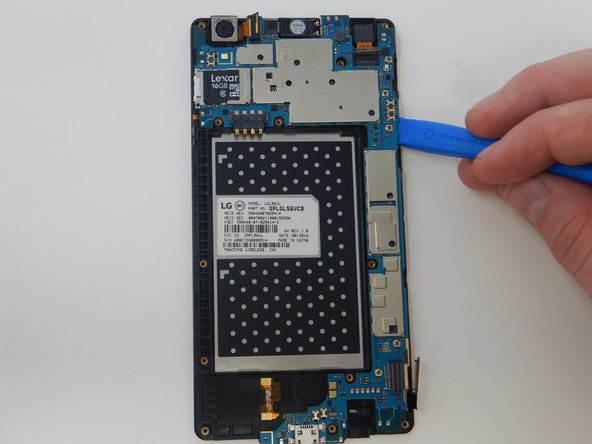
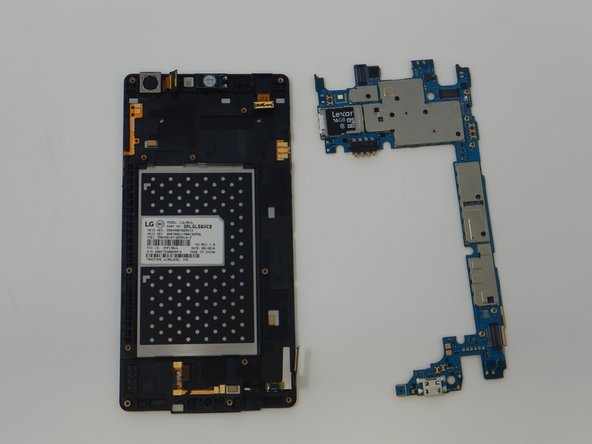
Using the iFixit opening tool, remove the motherboard from the screen by inserting the opening tool under the edge of the motherboard and lifting up.
-
-
-
-
Tool used on this step:Tweezers$4.99
-
Using the nylon tipped reverse tweezers, remove the front facing camera.
-
-






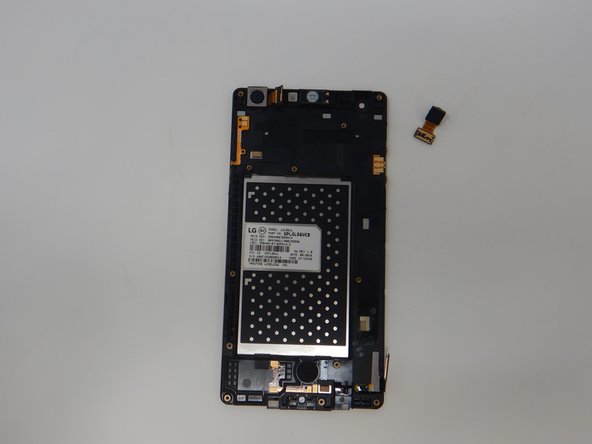


To reassemble your device, follow these instructions in reverse order.

Team

The Citadel Military College of South Carolina, Team S1-G20, Eggleston Fall 2019 Member of The Citadel Military College of South Carolina, Team S1-G20, Eggleston Fall 2019
CMCSC-EGGLESTON-F19S1G20
3 Members
36 Guides authored
