
LG Versa Touch Screen Replacement

Stefan Yap and 2 other contributors
Last updated on Jan 28, 2014
Views: 7K
View statistics:
- Past 24 Hours:
- 1
- Past 7 Days:
- 10
- Past 30 Days:
- 36
- All Time:
- 6,965
Comments: 0
No one has left comments on this guide. Will you be first?
Go to guide commentsCompleted: 0 1
No one has marked this guide "completed." Will you be the first?
1 person has marked this guide "completed." It's you — great job!
Favorites: 0 1
No one has favorited (and subscribed to) this guide. Will you be the first?
1 person has favorited (and subscribed to) this guide — and that's you!
Introduction
Go to step 1 ↓Also look at the LG Versa VX9600 Teardown for help disassembling your phone.
What you need


-
-
-
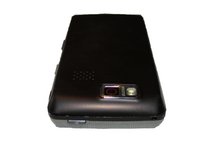
LG Versa has a 3" touchscreen with a call, power, and clr button on the front.
-
On left side you will find the volume control buttons and camera button. Also, the charger port.
-
On the other side you will find the microSD or microSDHC slot.
-
-
-
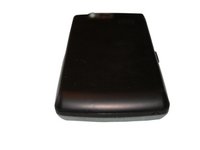
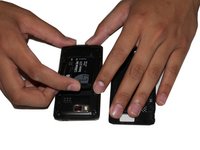
On the right hand side of the LG Versa there is a latch to open up the back of the cell phone. Push the latch up and lift off the back of the phone exposing the battery.
-
-
-
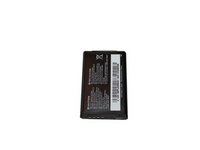
Simply insert your finger in between the slot and the battery and push down and up to remove the battery.
-
-
-
Six Phillips screws holding down the battery housing (Circled in the picture). Unscrew the six screws and put them aside.
-
-
-
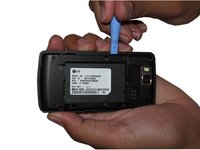
Insert a safe prying tool between the slot between the front screen housing and the battery housing to remove the battery housing.
-
-
Tool used on this step:Tweezers$4.99
-
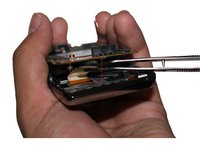
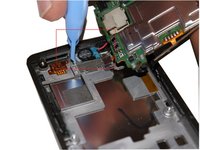
In the bottom right corner of the logic board, disconnect the button connector with tweezers or a prying tool.
-
-
-
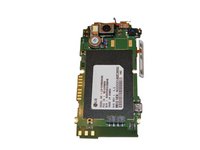
Use a prying tool to safely lift up the logic board from the logic board housing
-
The logic board is connected to the speaker and the LCD screen from the back. Do not lift the logic board too high or you will have to replace the LCD screen and the speaker.
-
-
-
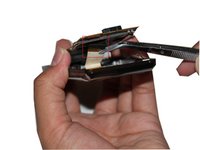
The LCD screen is connected to the bottom of the logic board. Once you lift the logic board use tweezers or a safe prying tool to disconnect the ribbon wire from the LCD screen to the logic board.
-
-
-
Lift the logic board carefully and use a safe prying tool and tweezers to remove the speaker.
-
The speaker is attached to the housing with a rubber adhesive be careful not to rip the wire from the logic board and the speak apart
-
-
-
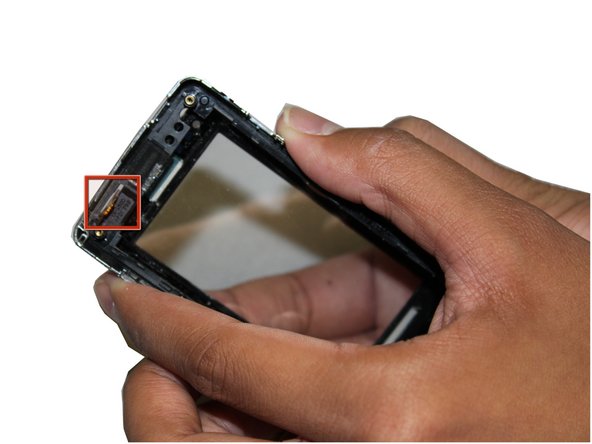
In the top right corner of the housing use a pry tool to disconnect the touch screen digitizer connector from the housing.
-
-
-
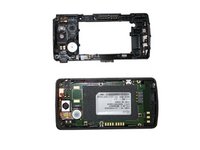
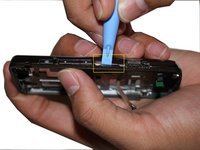
Removing the logic board housing from the front housing is the most difficult part of the tear down.
-
Start on the side with the volume control buttons and use a safe pry tool to separate both housings.
-
-
-
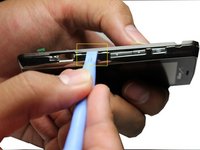
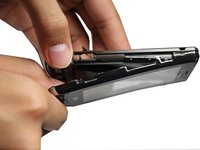
Use the safe pry tool around the perimeter of the phone until you are able to separate both housing apart.
-
Remove the Lock, Volume, and Front buttons from the housing.
-
-
-
-
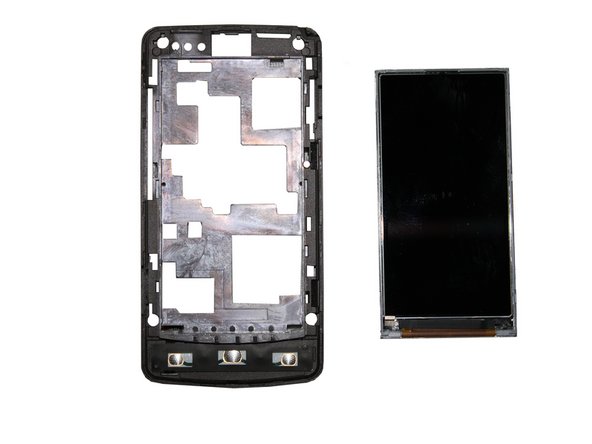
Simply lift the LCD screen from the logic board housing to remove the LCD screen.
-
-
-
-
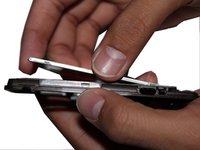
Use a safe prying tool and pry around the perimeter until the screen is separated from the housing.
-
-
-
Using your thumbs, push the glass screen off the housing and pull the screen off.
-
Be carful to not rip the ribbon cable while taking the screen off. There is a hole in the top left corner of the housing where the ribbon cable should be pulled out.
-
-
-
Put the ribbon cable through the hold and place your new touch screen inside the housing.
-
-

 Ask FixBot




















To reassemble your device, follow these instructions in reverse order.

Team

University of Maryland, Team 1-1, Calloway Spring 2011 Member of University of Maryland, Team 1-1, Calloway Spring 2011
UMD-CALLOWAY-S11S1G1
2 Members
36 Guides authored
