
LG VX5300 outer LCD screen replacement

Ashley and
Last updated on May 7, 2024
Views: 948
View statistics:
- Past 24 Hours:
- 0
- Past 7 Days:
- 4
- Past 30 Days:
- 37
- All Time:
- 948
Comments: 1
1 guide comment.
Go to guide commentsCompleted: 0 1
No one has marked this guide "completed." Will you be the first?
1 person has marked this guide "completed." It's you — great job!
Favorites: 0 1
No one has favorited (and subscribed to) this guide. Will you be the first?
1 person has favorited (and subscribed to) this guide — and that's you!
Inconsistent Images
Updating the images on this guide to be more consistent with the prerequisites would increase its awesomeness.
Needs Better Images
Better photos will improve this guide. Help out by taking, editing, or uploading new ones!
Better Introduction
Improve this guide by completing or revising its introduction.
What you need
Tools


-
-
-
Remove the rubber stoppers from the four corners of the front screen.
 Ask FixBot
-
-
-
To pry open the face plate, place the iFixit Opener tool in the crease of the phone.
-
-
-
-
-
-
Carefully lift off the black frame around the LCD screen and set it aside.
-
-
Tool used on this step:Tweezers$4.99
-
Lift the speaker out by using tweezers.
-
Next, lift the battery out using the tweezers.
-
-
-
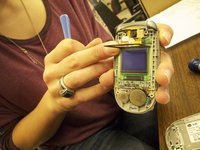
Using tweezers, carefully disconnect the orange ribbon from the computer chip.
-
-
-
Remove the LCD screen and replace with a new one.
-
Finally, replace the battery and the speaker.
-
-


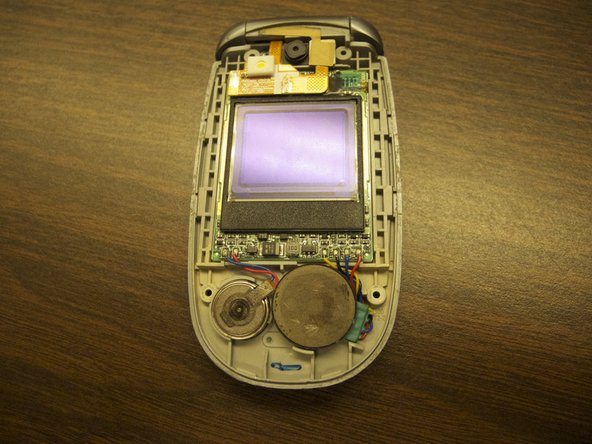


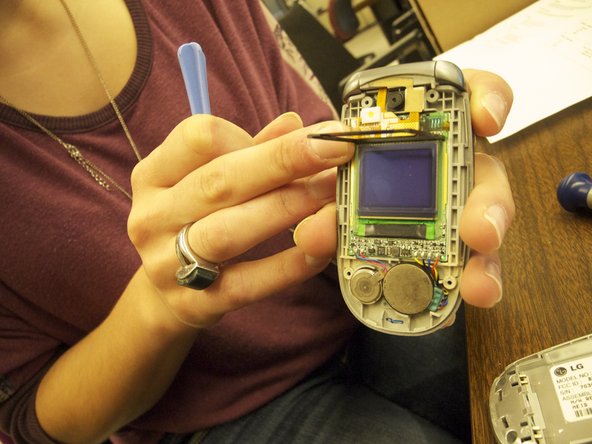


To reassemble your device, follow these instructions in reverse order.

Team

Ohio State, Team 1-1, Buehl Spring 2013 Member of Ohio State, Team 1-1, Buehl Spring 2013
OSU-BUEHL-S13S1G1
3 Members
48 Guides authored
1 Guide Comment
Thanks for the instructions. By chance, do you know how to replace the motherboard? Where is the mother board
