
LG Optimus G Battery Replacement

Eneider Colina and one other contributor
Last updated on Jan 7, 2016
Views: 5.9K
View statistics:
- Past 24 Hours:
- 1
- Past 7 Days:
- 20
- Past 30 Days:
- 105
- All Time:
- 5,889
Comments: 5
5 guide comments.
Go to guide commentsCompleted: 7 8
7 people have marked this guide "completed." Will you be next?
8 people have marked this guide "completed." Including you — great job!
Favorites: 11 12
11 people have favorited (and subscribed to) this guide. Will you be next?
12 people have favorited (and subscribed to) this guide — including you!
Confusing Text
Some of this guide's text is confusing, duplicated, or off-topic. Clarify it by editing!
Community-Contributed Guide
An awesome member of our community made this guide. It was not created by iFixit staff.
Better Introduction
Improve this guide by completing or revising its introduction.
Introduction
Go to step 1 ↓This guide explain step by step how to replace the battery of your LG Optimus G with a couple of tools.
What you need
Tools


-
-
-
Remove the 2 screws holding the back cover using a T5 screwdriver.
-
Use a guitar pick or a plastic opening tool to free the clips on the top and each side of the back cover.
-
-
-
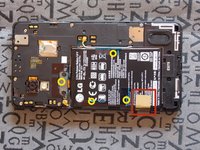
Remove the tape over the battery, the screws and the antenna connector cord.
-
-
-
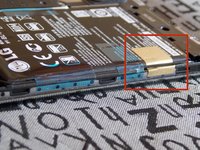
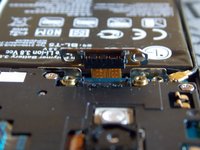
Remove the the screws securing the battery cable connector.
-
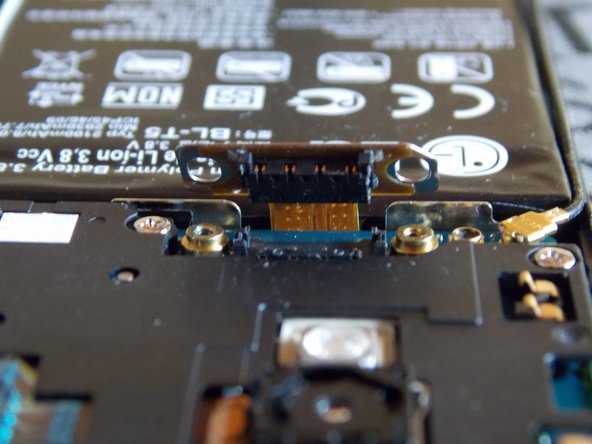
Disconnect the battery cable.
-
-
-
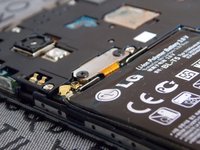
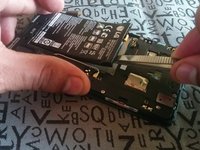
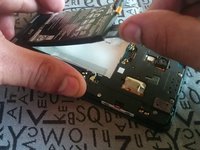
The battery is held down by some adhesive.
-
Carefully heat the battery to loosen the adhesive holding it to the case.
-
-


 Ask FixBot







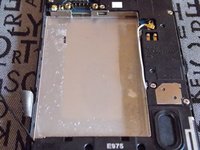
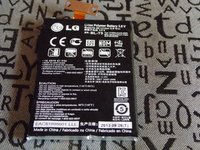
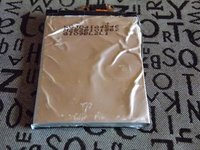
To reassemble your device, follow these instructions in reverse order.
Cancel: I did not complete this guide.
7 other people completed this guide.

5 Guide Comments
I’m not using a heat gun, it´s a hairdryer; on this case the hairdryer hardly exceeds the 60°C and that is enough to remove the battery. If you want to buy a heat gun you must be careful not to use more than 50 °
Thank you so much for this wonderful article it helped me replace my battery. I bought my replacement battery from here:-
