15% Off Selected iFixit Tools — Limited Time
Free Shipping on Domestic Orders $75+

LG L1200 Inner LCD Screen Replacement

What you need

  1. LG L1200 Inner LCD Screen Replacement, Inner LCD Screen: step 1, image 1 of 1
    • Make sure you remove the battery by lifting the tab on the back of the phone before opening the case.

    • Flip open the phone and locate the four screw covers.

    Ask FixBot
    Add Comment

  2. LG L1200 Inner LCD Screen Replacement: step 2, image 1 of 1
    • Remove all four screw covers by using an IPod opening tool. They should come off relatively easy.

    Ask FixBot

    Add Comment

  3. LG L1200 Inner LCD Screen Replacement: step 3, image 1 of 1
    • Using a T6 Torx screwdriver, remove all four screws.

    Ask FixBot

    Add Comment

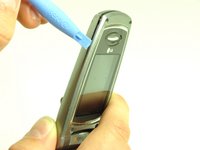
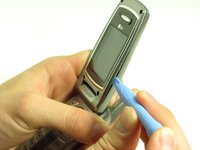
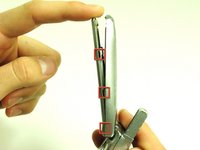
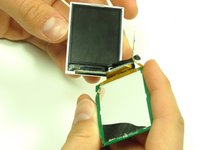
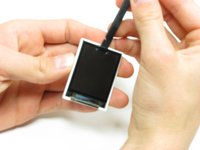
  4. LG L1200 Inner LCD Screen Replacement: step 4, image 1 of 3 LG L1200 Inner LCD Screen Replacement: step 4, image 2 of 3 LG L1200 Inner LCD Screen Replacement: step 4, image 3 of 3
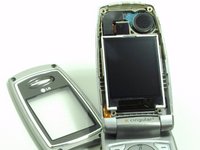
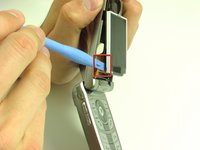
    • Once the screws are removed, use an IPod opening tool to separate the front cover from the inner screen cover.

    • Run the Ipod opening tool down both sides,disconnecting the tabs that hold the covers together.

    Ask FixBot
    Add Comment

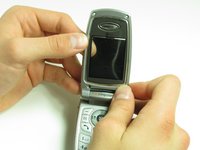
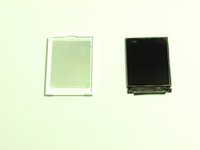
  5. LG L1200 Inner LCD Screen Replacement: step 5, image 1 of 2 LG L1200 Inner LCD Screen Replacement: step 5, image 2 of 2
    • Pull the inner screen cover towards you and up in order to separate it from the front cover.

    Ask FixBot
    Add Comment

  6. LG L1200 Inner LCD Screen Replacement: step 6, image 1 of 1
    • Remove the tape from the bottom of the LCD screen.

    Ask FixBot

    Add Comment

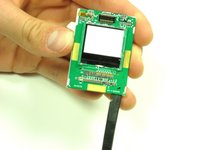
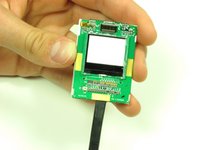
  7. LG L1200 Inner LCD Screen Replacement: step 7, image 1 of 3 LG L1200 Inner LCD Screen Replacement: step 7, image 2 of 3 LG L1200 Inner LCD Screen Replacement: step 7, image 3 of 3
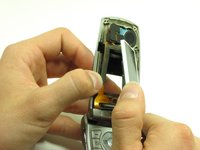
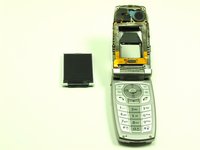
    • Carefully lift the LCD screen and peel it from the gold ribbon. The sticky connection runs all the way around the LCD screen.

    Ask FixBot

    Add Comment

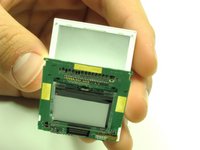
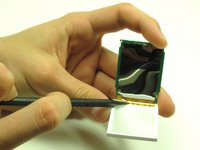
  8. LG L1200 Inner LCD Screen Replacement: step 8, image 1 of 3 LG L1200 Inner LCD Screen Replacement: step 8, image 2 of 3 LG L1200 Inner LCD Screen Replacement: step 8, image 3 of 3
    • Flip the screen over so that you can see the outer LCD screen and the circuit board.

    • Insert spudger in the bottom right corner.

    • Lift up and move the spudger across the bottom.

    • The third photo is rotated 180 degrees.

    Ask FixBot

    Add Comment

  9. LG L1200 Inner LCD Screen Replacement: step 9, image 1 of 2 LG L1200 Inner LCD Screen Replacement: step 9, image 2 of 2
    • Use the pointy side of the spudger to peel off the interior tape.

    • Flip the assembly over and peel the circuit board from the screen.

    Ask FixBot

    Add Comment

  10. LG L1200 Inner LCD Screen Replacement: step 10, image 1 of 2 LG L1200 Inner LCD Screen Replacement: step 10, image 2 of 2
    • Use the spudger to remove the LCD screen from its backing.

    Ask FixBot

    Add Comment

Conclusion

To reassemble your device, follow these instructions in reverse order.

Cancel: I did not complete this guide.

Joshua Herrmann

Member since: 04/16/10

8 Reputation

8 Guides authored

Team

Cal Poly, Team 6-14, Maness Spring 2010 Member of Cal Poly, Team 6-14, Maness Spring 2010

CPSU-MANESS-S10S6G14

4 Members

16 Guides authored

0 Guide Comments

Add Comment

View Statistics:

Past 24 Hours: 0

Past 7 Days: 9

Past 30 Days: 36

All Time: 2,550