LG K40 Battery Replacement

  1. LG K40 Battery Replacement, Separating the back: step 1, image 1 of 2 LG K40 Battery Replacement, Separating the back: step 1, image 2 of 2
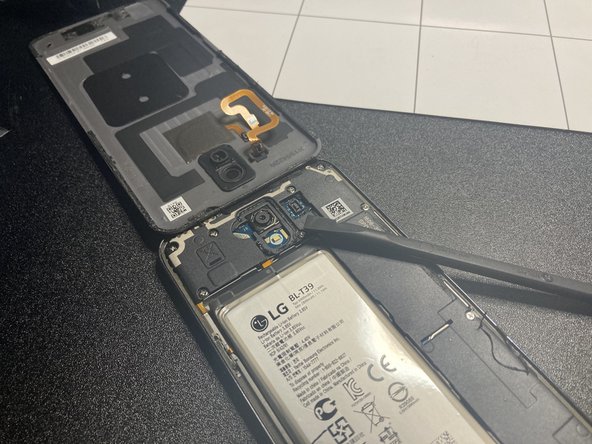
    • Use an opening pick to separate the back panel from the phone.

  2. LG K40 Battery Replacement: step 2, image 1 of 2 LG K40 Battery Replacement: step 2, image 2 of 2
    • Pull the back panel away.

  3. LG K40 Battery Replacement: step 3, image 1 of 2 LG K40 Battery Replacement: step 3, image 2 of 2
    • Watch out, there is a touch sensor cable still attached to the main board.

  4. LG K40 Battery Replacement, Unscrew: step 4, image 1 of 1
    • Unscrew all screws pictured.

  5. LG K40 Battery Replacement, Remove plastic cover: step 5, image 1 of 3 LG K40 Battery Replacement, Remove plastic cover: step 5, image 2 of 3 LG K40 Battery Replacement, Remove plastic cover: step 5, image 3 of 3
    • Remove the black plastic as pictured.

  6. LG K40 Battery Replacement, Disconnect battery: step 6, image 1 of 1
    • Disconnect the battery.

  7. LG K40 Battery Replacement, Remove battery: step 7, image 1 of 3 LG K40 Battery Replacement, Remove battery: step 7, image 2 of 3 LG K40 Battery Replacement, Remove battery: step 7, image 3 of 3
    • Caution: Don't jab the battery with any sharp tools. A punctured battery may leak dangerous chemicals or catch fire.

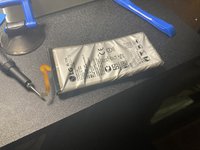
    • Pry up the battery. This will require a lot of force, but fortunately, there aren’t any cables under it.

    • Look at that carnage…

    • You can use adhesive softener to make the job of removing the battery easier.

Conclusion

To reassemble your device, follow these instructions in reverse order.

One other person completed this guide.

guardian10

Member since: 03/10/22

10,514 Reputation

15 Guides authored

Team

Kid fixers Member of Kid fixers

Community

202 Members

291 Guides authored

0 Guide Comments

Add Comment

View Statistics:

Past 24 Hours: 0

Past 7 Days: 4

Past 30 Days: 52

All Time: 1,271