
LG Intuition Volume Buttons Replacement

Thomas Morrissey and
Last updated on Dec 21, 2018
Views: 609
View statistics:
- Past 24 Hours:
- 1
- Past 7 Days:
- 14
- Past 30 Days:
- 57
- All Time:
- 609
Comments: 0
No one has left comments on this guide. Will you be first?
Go to guide commentsCompleted: 0 1
No one has marked this guide "completed." Will you be the first?
1 person has marked this guide "completed." It's you — great job!
Favorites: 0 1
No one has favorited (and subscribed to) this guide. Will you be the first?
1 person has favorited (and subscribed to) this guide — and that's you!
What you need
Tools


Introduction
Go to step 1 ↓If the phone's volume will not increase/decrease or the buttons are not functioning properly, use this guide to replace your volume buttons.
-
-
-
Remove the two 7mm screws holding the back panel of the phone using the P5 bit and magnetic driver.
-
-
-
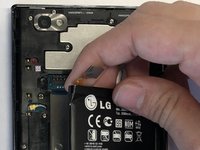
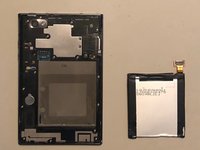
Carefully use the plastic opening tool to pry the back panel of the phone from the front screen. This will expose the battery and other parts.
-
-
-
-
Use the Phillips #0 screwdriver to remove the 5mm screw holding the metal bracket that protects the battery's ribbon cable.
-
-
-
Carefully use the plastic opening tool to pry the ribbon cable connecting the battery to the motherboard of the phone.
-
-
-
-
Remove the thirteen 5mm screws holding the plastic shield covering the motherboard using the Phillips #00 screwdriver.
-
-
-
Carefully use the plastic opening tool to pry the plastic shield from the motherboard. This will expose the motherboard and ribbon cables for each component.
-
-
-
-
-
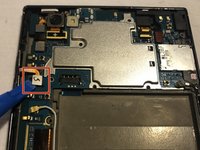
Carefully use the plastic opening tool to pry the ribbon cable connecting the battery to the motherboard of the phone.
-
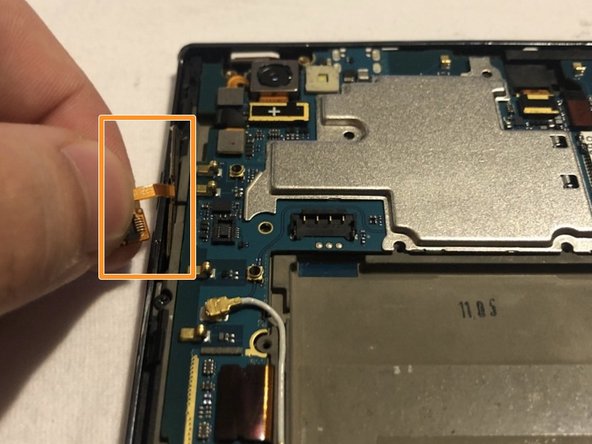
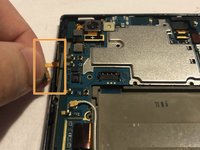
Slowly pull the ribbon cable upward releasing the volume buttons from the phone.
-
-

 Ask FixBot




To reassemble your device, follow these instructions in reverse order.

Team

UMass Dartmouth, Team S3-G4, Peak Fall 2018 Member of UMass Dartmouth, Team S3-G4, Peak Fall 2018
UMASSD-PEAK-F18S3G4
3 Members
72 Guides authored
