15% Off Selected iFixit Tools — Limited Time
Free Shipping on Domestic Orders $75+

LG GW910 Keyboard Replacement

What you need

  1. LG GW910 Keyboard Replacement, Motherboard: step 1, image 1 of 2 LG GW910 Keyboard Replacement, Motherboard: step 1, image 2 of 2
    • Remove the back cover by firmly pressing the triangle and push upwards.

    • Lift the bottom section to remove the cover.

    Ask FixBot

    Add Comment

  2. LG GW910 Keyboard Replacement: step 2, image 1 of 2 LG GW910 Keyboard Replacement: step 2, image 2 of 2
    • Remove the battery by lifting from the bottom.

    Ask FixBot

    Add Comment

  3. LG GW910 Keyboard Replacement: step 3, image 1 of 1
    • Remove six 3mm PH000 screws.

    Ask FixBot

    Add Comment

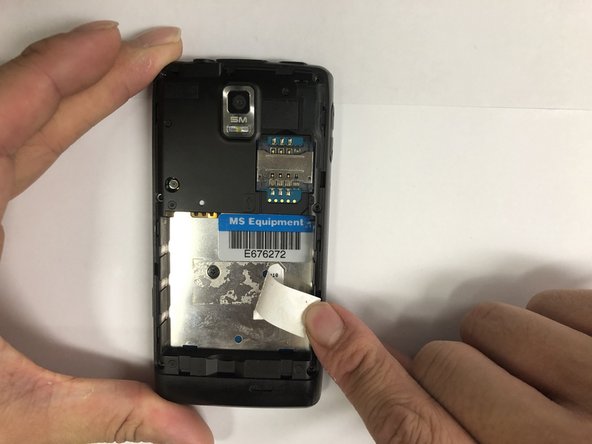
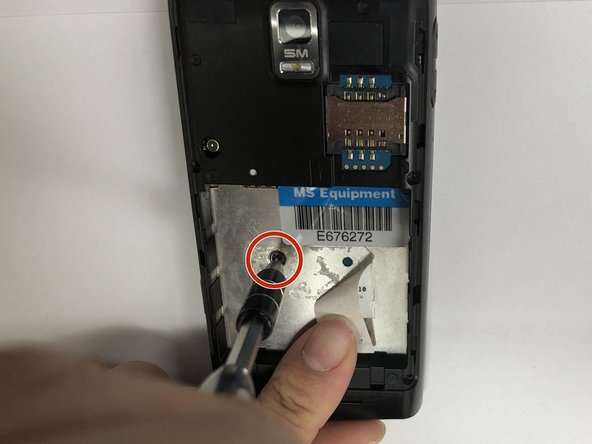
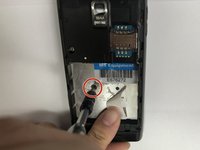
  4. LG GW910 Keyboard Replacement: step 4, image 1 of 3 LG GW910 Keyboard Replacement: step 4, image 2 of 3 LG GW910 Keyboard Replacement: step 4, image 3 of 3
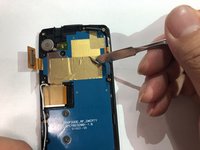
    • Peel off the sticker with the metal spudger.

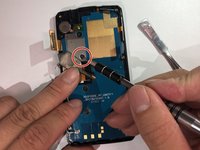
    • Remove one 1mm PH000 screw.

    Ask FixBot

    Add Comment

  5. LG GW910 Keyboard Replacement: step 5, image 1 of 1
    • Pry open all four sides of the back-frame gently, using the metal spudger.

    • The back-frame should come out easily.

    • Volume button and shutter button may fall out during the process.

    Ask FixBot

    Add Comment

  6. LG GW910 Keyboard Replacement: step 6, image 1 of 1
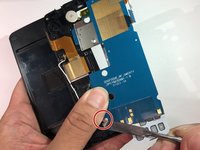
    • Pry off the connector using the iFixit opening tool to remove the communication board.

    Ask FixBot

    Add Comment

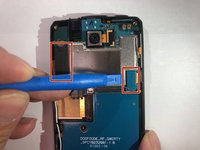
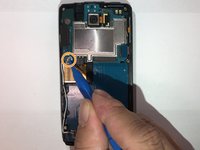
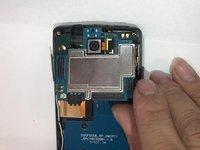
  7. LG GW910 Keyboard Replacement: step 7, image 1 of 3 LG GW910 Keyboard Replacement: step 7, image 2 of 3 LG GW910 Keyboard Replacement: step 7, image 3 of 3
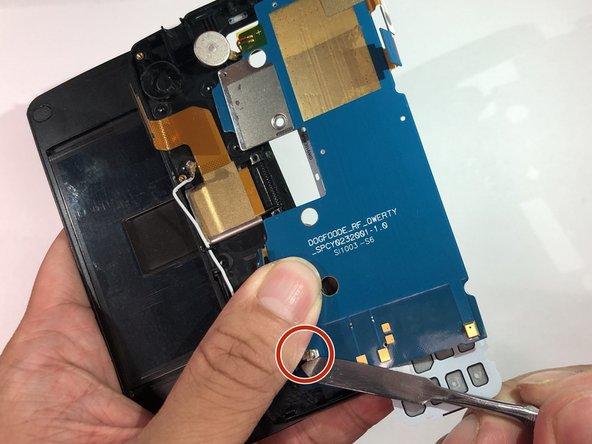
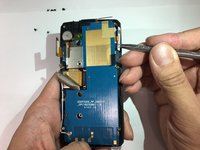
    • Pry off the connectors using the iFixit opening tool.

    • Disconnect the antenna using the iFixit opening tool.

    • The motherboard should be able to be removed easily.

    Ask FixBot

    Add Comment

  8. LG GW910 Keyboard Replacement, Keyboard: step 8, image 1 of 1
    • Remove six 1mm PH00 screws.

    Ask FixBot

    Add Comment

  9. LG GW910 Keyboard Replacement: step 9, image 1 of 2 LG GW910 Keyboard Replacement: step 9, image 2 of 2
    • Peel off the tape to expose the hidden screw.

    • Remove one 1mm PH000 screw.

    • Replacement tape might be needed.

    Ask FixBot

    Add Comment

  10. LG GW910 Keyboard Replacement: step 10, image 1 of 2 LG GW910 Keyboard Replacement: step 10, image 2 of 2
    • Pry off the board from the side using the metal spudger tool.

    • Disconnect the antenna.

    Ask FixBot

    Add Comment

  11. LG GW910 Keyboard Replacement: step 11, image 1 of 1
    • Remove the keyboard assembly from the main frame.

    • The keyboard cover is loose.

    • Make sure to pull the small keyboard battery out with the whole assembly

    Ask FixBot

    Add Comment

Conclusion

To reassemble your device, follow these instructions in reverse order.

Cancel: I did not complete this guide.

One other person completed this guide.

Jonas Ke

Member since: 11/06/18

492 Reputation

3 Guides authored

Team

IUPUI, Team S1-G6, Hovde Fall 2018 Member of IUPUI, Team S1-G6, Hovde Fall 2018

IUPUI-HOVDE-F18S1G6

3 Members

6 Guides authored

0 Guide Comments

Add Comment

View Statistics:

Past 24 Hours: 0

Past 7 Days: 6

Past 30 Days: 21

All Time: 355