Free Shipping on Domestic Orders $75+

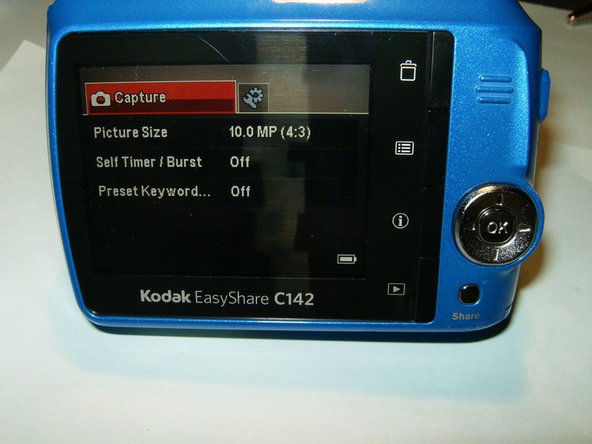
Kodak EasyShare C142 LCD Replacement

Views: 3K

View statistics:

Past 24 Hours:
3
Past 7 Days:
21
Past 30 Days:
107
All Time:
3,006
Comments: 0

No one has left comments on this guide. Will you be first?

Go to guide comments
Completed: 0

No one has marked this guide "completed." Will you be the first?

Favorites: 1

1 person has favorited (and subscribed to) this guide. Will you be next?

Time Required: 15 - 30 minutes
Difficulty: Easy
Action Shots

Be an action hero! This guide needs images that better demonstrate how to perform specific actions.

Needs More Images

A few more images would make this guide's procedures crystal clear.

Slice and Dice

The steps in this guide should be split up and made into a series of prerequisite guides.

Community-Contributed Guide

An awesome member of our community made this guide. It was not created by iFixit staff.

Kodak EasyShare C142 LCD Replacement

Introduction

Go to step 1 ↓

In order to complete the replacement, you will need a Phillips #00 Screwdriver as well as a replacement LCD for the camera already.

What you need

Parts

Tools

    1. Kodak EasyShare C142 LCD Replacement, LCD: step 1, image 1 of 3 Kodak EasyShare C142 LCD Replacement, LCD: step 1, image 2 of 3 Kodak EasyShare C142 LCD Replacement, LCD: step 1, image 3 of 3
      • Remove the batteries and memory card from the camera.

      • Remove a total of four screws on either side of the camera.

      Ask FixBot

      Add Comment

    2. Kodak EasyShare C142 LCD Replacement: step 2, image 1 of 3 Kodak EasyShare C142 LCD Replacement: step 2, image 2 of 3 Kodak EasyShare C142 LCD Replacement: step 2, image 3 of 3
      • Remove the two (2) screws from the bottom of the camera.

      • Split the case from the battery compartment carefully until the rear case is separated from the rest of the camera, as shown in the third image.

      Ask FixBot

      Add Comment

    3. Kodak EasyShare C142 LCD Replacement: step 3, image 1 of 3 Kodak EasyShare C142 LCD Replacement: step 3, image 2 of 3 Kodak EasyShare C142 LCD Replacement: step 3, image 3 of 3
      • Carefully slide the LCD out of its holder until the connector is visible. Open the clip on the connector by pulling it with your fingernail to the right of the screen.

      • Remove the damaged LCD and insert the replacement.

      • After clipping the connector again, reassemble the camera using the six (6) previously removed screws.

      Ask FixBot

      Add Comment

Conclusion

To reassemble your device, follow these instructions in reverse order.

Cancel: I did not complete this guide.

oldturkey03

Member since: 09/29/10

862,549 Reputation

123 Guides authored

0 Guide Comments

Add Comment

View Statistics:

Past 24 Hours: 3

Past 7 Days: 21

Past 30 Days: 107

All Time: 3,006