
Keychron K3 V2 Keycap Replacement

Dane Magpayo and 3 other contributors
Last updated on May 29, 2026
Views: 336
View statistics:
- Past 24 Hours:
- 1
- Past 7 Days:
- 15
- Past 30 Days:
- 108
- All Time:
- 336
Comments: 0
No one has left comments on this guide. Will you be first?
Go to guide commentsCompleted: 0 1
No one has marked this guide "completed." Will you be the first?
1 person has marked this guide "completed." It's you — great job!
Favorites: 0 1
No one has favorited (and subscribed to) this guide. Will you be the first?
1 person has favorited (and subscribed to) this guide — and that's you!
Introduction
Go to step 1 ↓Having trouble with your Keychron K3 V2 due to faulty keycaps? This guide will show you how to take off those keycaps and replace them. Do not follow the steps in this guide without the keycap remover tool as it may damage the keys if completed without it.
What you need
Tools


-
-
-
Using a keycap remover, fingers, or a prying tool, gently pry the keycaps off of the keyboard
 Ask FixBot
-
-
-
-
Continue to pry the keys in the same manner as the previous step until all keys are removed.
-
-


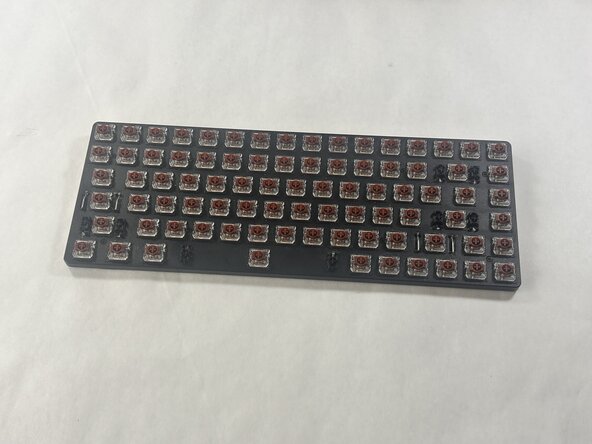
To reassemble your device, follow these instructions in reverse order.

Team

UMass Dartmouth, Team 6-5, Botvin Spring 2026 Member of UMass Dartmouth, Team 6-5, Botvin Spring 2026
UMASSD-BOTVIN-S26S6G5
3 Members
24 Guides authored
