Kaffelogic Nano 7/LINK (D-P Serial) USB Daughterboard Replacement

What you need

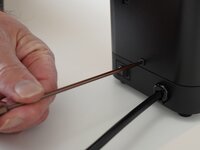
  1. Kaffelogic Nano 7/LINK (D-P Serial) USB Daughterboard Replacement, Removing Front Panel Screws: step 1, image 1 of 2 Kaffelogic Nano 7/LINK (D-P Serial) USB Daughterboard Replacement, Removing Front Panel Screws: step 1, image 2 of 2
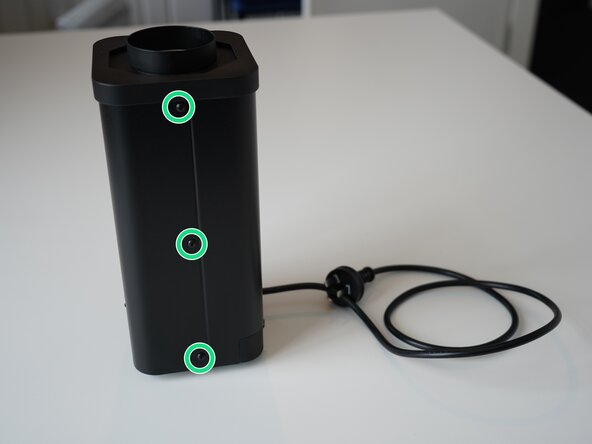
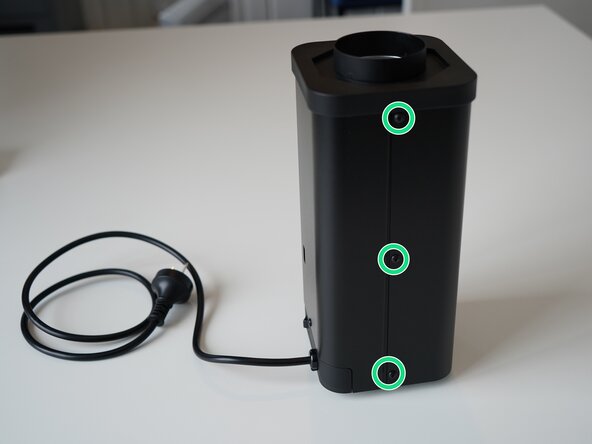
    • Remove the 6x 2.5mm Hex screws on the left and right side of the roaster.

    • Take care not to damage the buttons while maneuvering the front panel, with all six screws removed it may fall away.

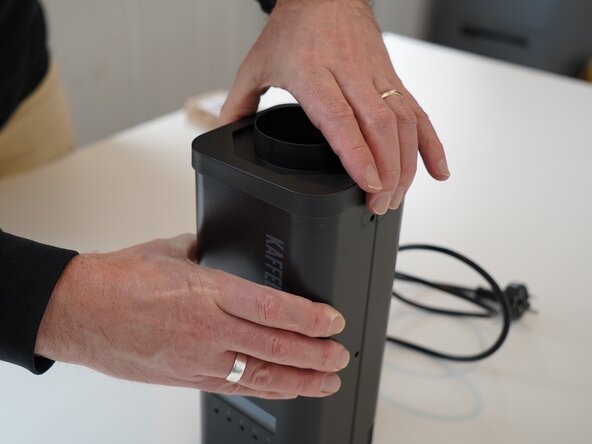
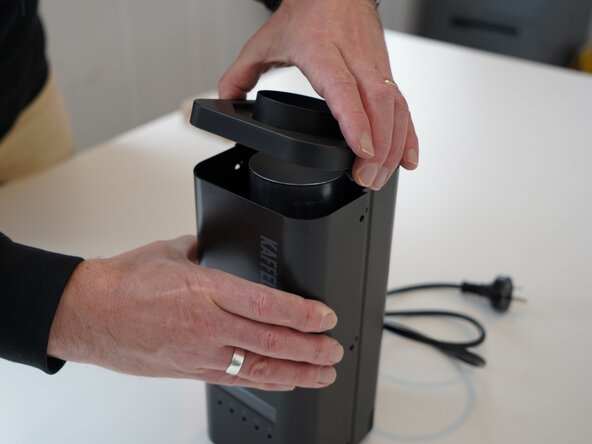
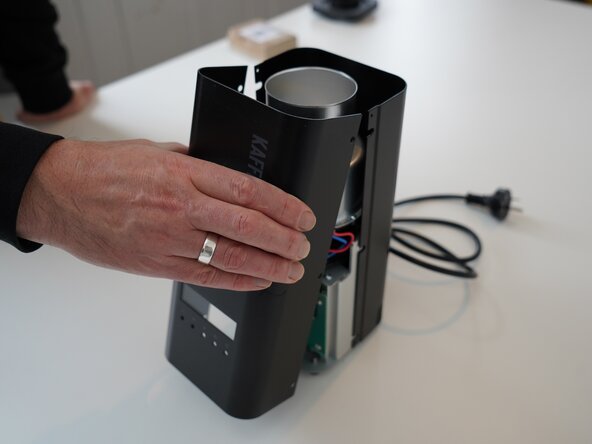
  2. Kaffelogic Nano 7/LINK (D-P Serial) USB Daughterboard Replacement, Lift the closure: step 2, image 1 of 2 Kaffelogic Nano 7/LINK (D-P Serial) USB Daughterboard Replacement, Lift the closure: step 2, image 2 of 2
    • Hold the front panel steady while removing the plastic top/closure.

  3. Kaffelogic Nano 7/LINK (D-P Serial) USB Daughterboard Replacement, Removing the front panel: step 3, image 1 of 1
    • Pull away the front panel carefully.

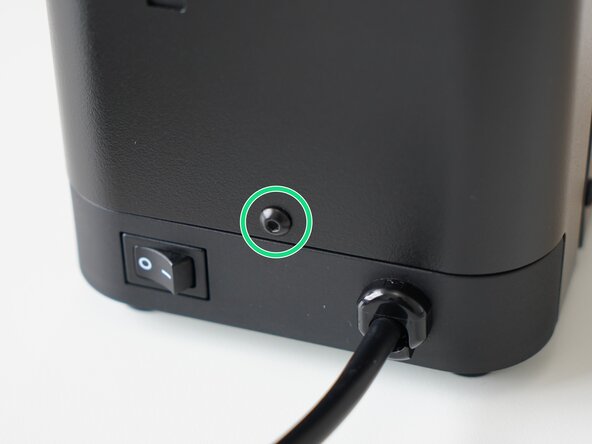
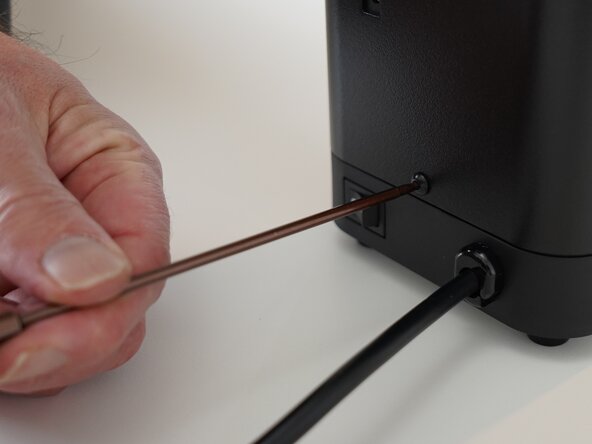
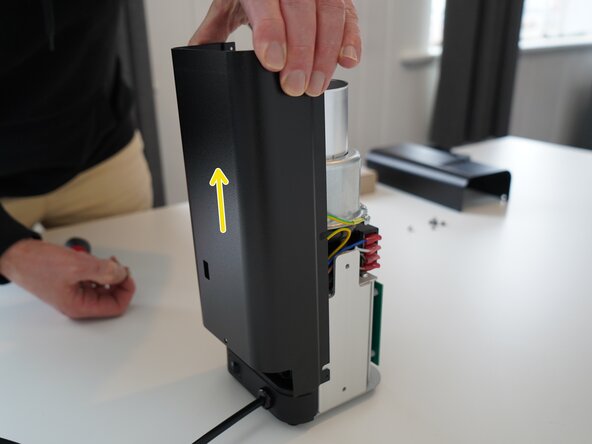
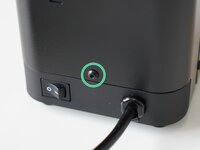
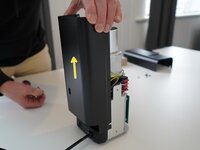
  4. Kaffelogic Nano 7/LINK (D-P Serial) USB Daughterboard Replacement, Removing the rear panel: step 4, image 1 of 3 Kaffelogic Nano 7/LINK (D-P Serial) USB Daughterboard Replacement, Removing the rear panel: step 4, image 2 of 3 Kaffelogic Nano 7/LINK (D-P Serial) USB Daughterboard Replacement, Removing the rear panel: step 4, image 3 of 3
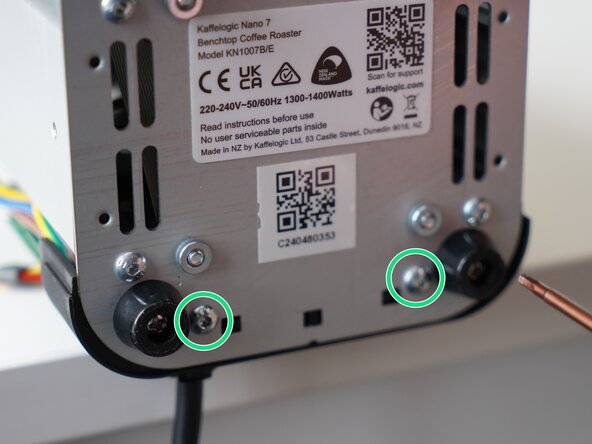
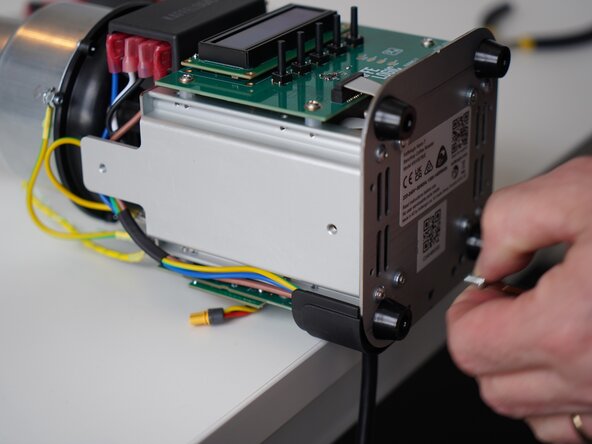
    • Remove the last 2.5mm Hex screw securing the rear panel.

    • Pull up on the rear panel to remove it from the roaster.

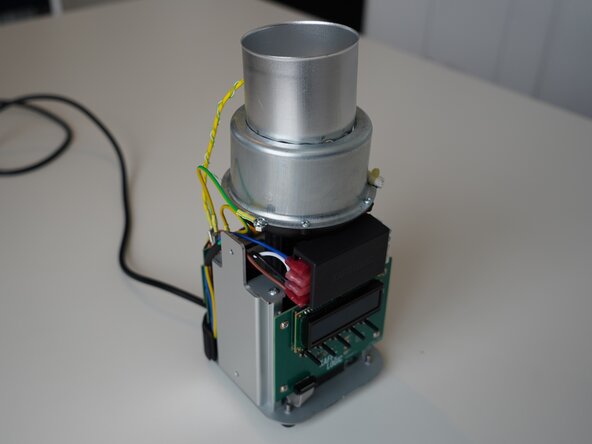
  5. Kaffelogic Nano 7/LINK (D-P Serial) USB Daughterboard Replacement, Access granted: step 5, image 1 of 2 Kaffelogic Nano 7/LINK (D-P Serial) USB Daughterboard Replacement, Access granted: step 5, image 2 of 2
    • Set the panels aside somewhere safe and bask in the beauty of your naked roaster.

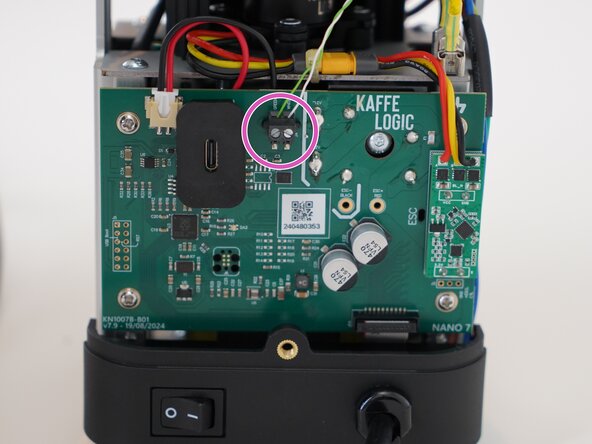
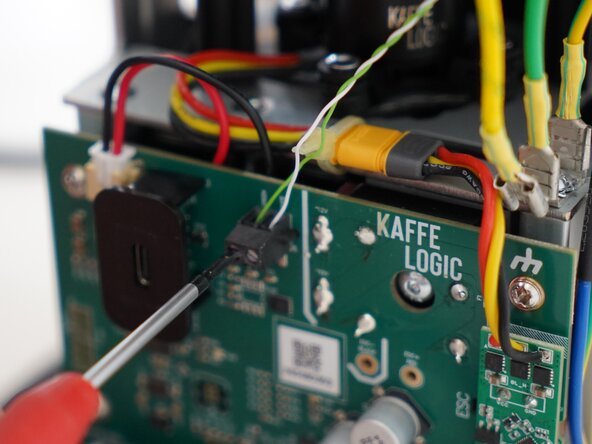
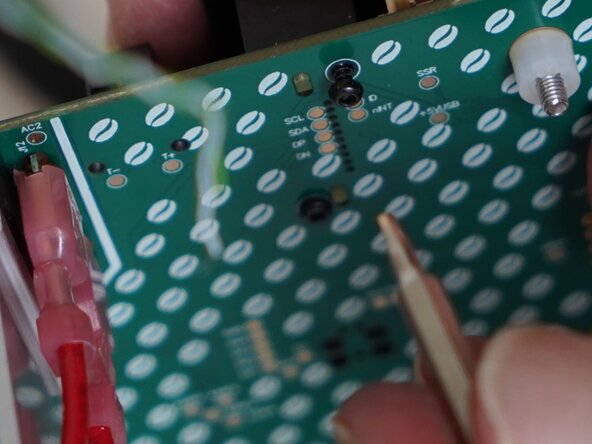
  6. Kaffelogic Nano 7/LINK (D-P Serial) USB Daughterboard Replacement, Disconnect the thermocouple: step 6, image 1 of 3 Kaffelogic Nano 7/LINK (D-P Serial) USB Daughterboard Replacement, Disconnect the thermocouple: step 6, image 2 of 3 Kaffelogic Nano 7/LINK (D-P Serial) USB Daughterboard Replacement, Disconnect the thermocouple: step 6, image 3 of 3
    • Use a 2.0mm slotted screwdriver to remove the thermocouple wires from the PCB-A

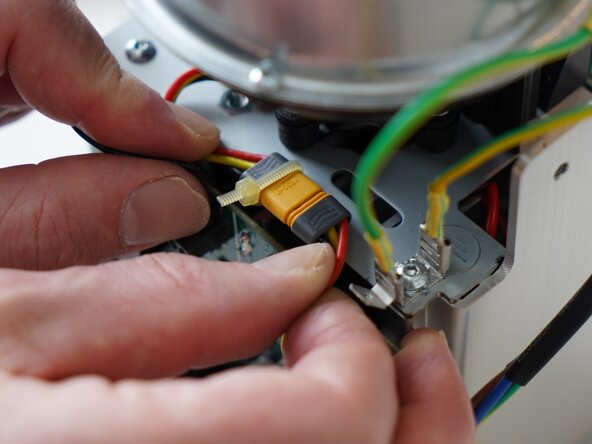
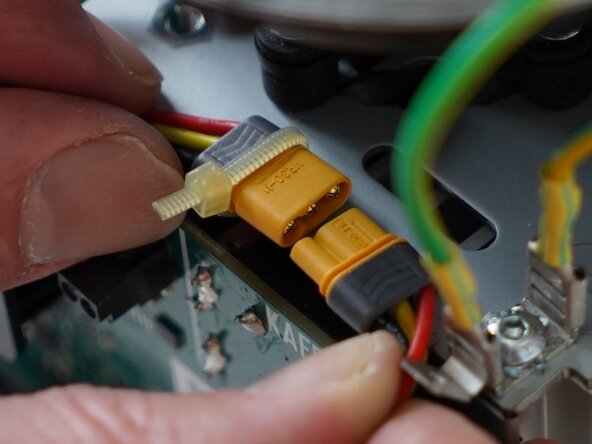
  7. Kaffelogic Nano 7/LINK (D-P Serial) USB Daughterboard Replacement, Disconnect the motor: step 7, image 1 of 2 Kaffelogic Nano 7/LINK (D-P Serial) USB Daughterboard Replacement, Disconnect the motor: step 7, image 2 of 2
    • Disconnect the motor cable, this may take some wiggling.

    • Refrain from using pliers or metal tools on this connector, as the plastic insulation can be damaged.

  8. Kaffelogic Nano 7/LINK (D-P Serial) USB Daughterboard Replacement, Disconnect the SSR signal: step 8, image 1 of 2 Kaffelogic Nano 7/LINK (D-P Serial) USB Daughterboard Replacement, Disconnect the SSR signal: step 8, image 2 of 2
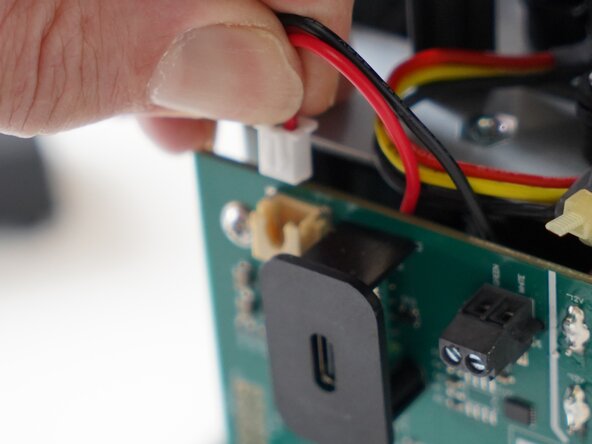
    • Pull upwards on the SSR signal connector to remove it.

  9. Kaffelogic Nano 7/LINK (D-P Serial) USB Daughterboard Replacement, Remove the cable carrier: step 9, image 1 of 3 Kaffelogic Nano 7/LINK (D-P Serial) USB Daughterboard Replacement, Remove the cable carrier: step 9, image 2 of 3 Kaffelogic Nano 7/LINK (D-P Serial) USB Daughterboard Replacement, Remove the cable carrier: step 9, image 3 of 3
    • Remove the 2x 2.5mm Hex screws securing the cable carrier to the base.

    • Be careful not to lay the roaster on its front as the buttons can be damaged or broken off.

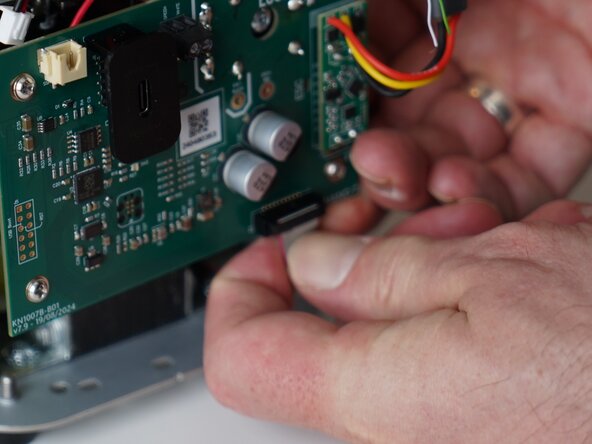
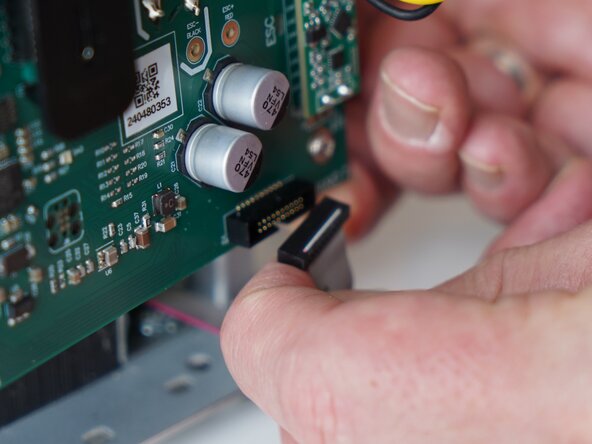
  10. Kaffelogic Nano 7/LINK (D-P Serial) USB Daughterboard Replacement, Remove the ribbon connector: step 10, image 1 of 2 Kaffelogic Nano 7/LINK (D-P Serial) USB Daughterboard Replacement, Remove the ribbon connector: step 10, image 2 of 2
    • Gently remove the ribbon connector.

  11. Kaffelogic Nano 7/LINK (D-P Serial) USB Daughterboard Replacement, Remove PCB screws: step 11, image 1 of 1
    • Unscrew the 4x PH2 PCB screws.

    • These screws are captive to the PCB.

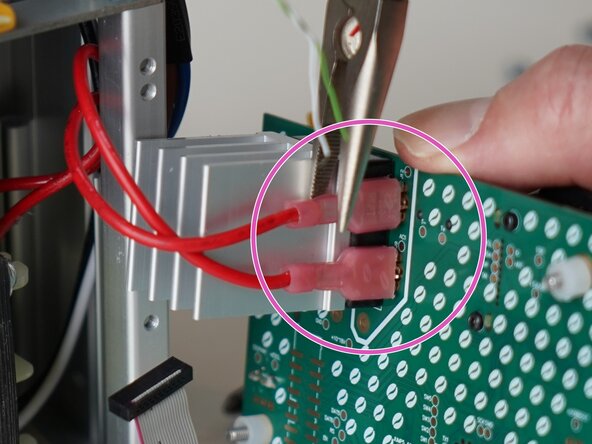
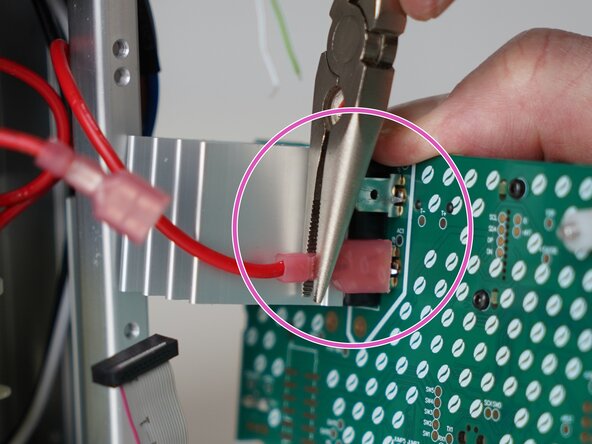
  12. Kaffelogic Nano 7/LINK (D-P Serial) USB Daughterboard Replacement, Remove the PCB: step 12, image 1 of 3 Kaffelogic Nano 7/LINK (D-P Serial) USB Daughterboard Replacement, Remove the PCB: step 12, image 2 of 3 Kaffelogic Nano 7/LINK (D-P Serial) USB Daughterboard Replacement, Remove the PCB: step 12, image 3 of 3
    • Pull the PCB away from the base assembly.

    • Use pliers to disconnect the transformer secondary wires from the back of the PCB

    • The transformer wires may be reconnected in either orientation. If you are replacing the USB daughterboard, you can choose to leave these wires in place.

  13. Kaffelogic Nano 7/LINK (D-P Serial) USB Daughterboard Replacement, Remove shroud screws: step 13, image 1 of 3 Kaffelogic Nano 7/LINK (D-P Serial) USB Daughterboard Replacement, Remove shroud screws: step 13, image 2 of 3 Kaffelogic Nano 7/LINK (D-P Serial) USB Daughterboard Replacement, Remove shroud screws: step 13, image 3 of 3
    • Remove the 2x 1.5mm hex screws securing the plastic USB shroud.

  14. Kaffelogic Nano 7/LINK (D-P Serial) USB Daughterboard Replacement, Remove shroud: step 14, image 1 of 1
    • Slide the plastic shroud away from the PCB

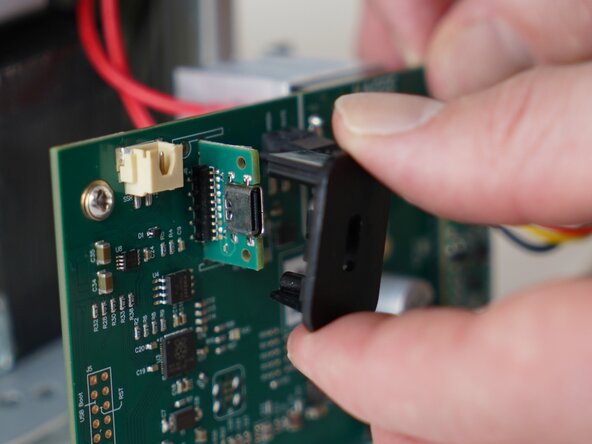
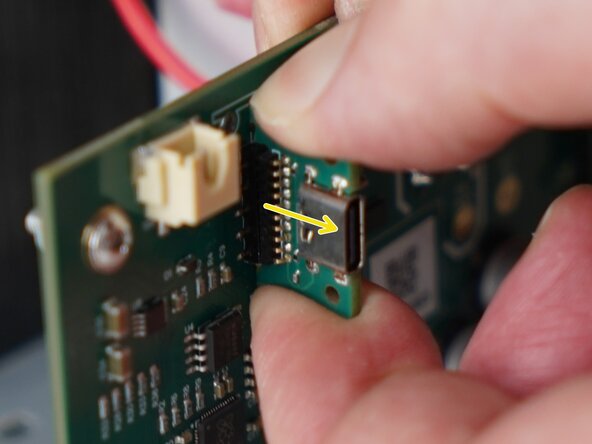
  15. Kaffelogic Nano 7/LINK (D-P Serial) USB Daughterboard Replacement, Remove the daughterboard: step 15, image 1 of 2 Kaffelogic Nano 7/LINK (D-P Serial) USB Daughterboard Replacement, Remove the daughterboard: step 15, image 2 of 2
    • Pull away on the daughterboard to remove it from the main PCB.

Conclusion

To reassemble your device, follow these instructions in reverse order.

One other person completed this guide.

Kaffelogic

Member since: 07/23/25

2,098 Reputation

18 Guides authored

0 Guide Comments

Add Comment

View Statistics:

Past 24 Hours: 1

Past 7 Days: 6

Past 30 Days: 22

All Time: 74