Free Shipping on Domestic Orders $75+

KBParadise V6000 Disassembly

What you need

  1. KBParadise V6000 Disassembly, Keycaps: step 1, image 1 of 1
    • Place the unplugged keyboard on a flat, clean surface appropriate for working on.

    Ask FixBot

    Add Comment

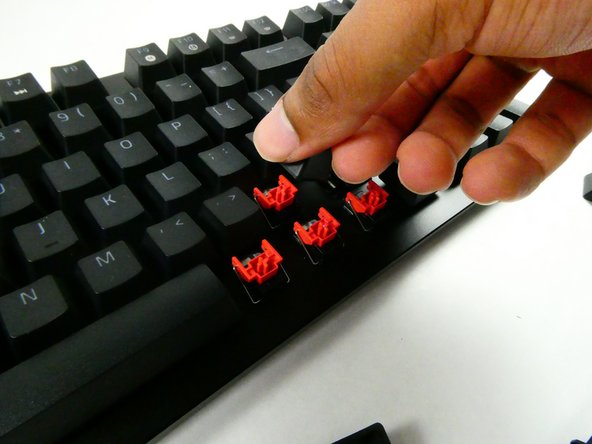
  2. KBParadise V6000 Disassembly: step 2, image 1 of 2 KBParadise V6000 Disassembly: step 2, image 2 of 2
    • Grip the keycap with your keycap puller.

    • You can remove keycaps with your fingers if you don’t have a puller, but the adjacent keycaps must be removed first for sufficient grip.

    Ask FixBot

    Add Comment

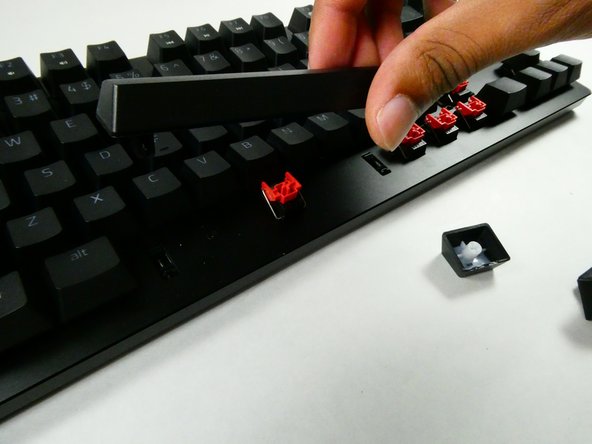
  3. KBParadise V6000 Disassembly: step 3, image 1 of 3 KBParadise V6000 Disassembly: step 3, image 2 of 3 KBParadise V6000 Disassembly: step 3, image 3 of 3
    • Pull with an upwards force to remove the keycap.

    • Take a moment to clean the area that was previously obscured if it’s dirty.

    • Use gentle force so as not to damage the stabilizers.

    Ask FixBot

    Add Comment

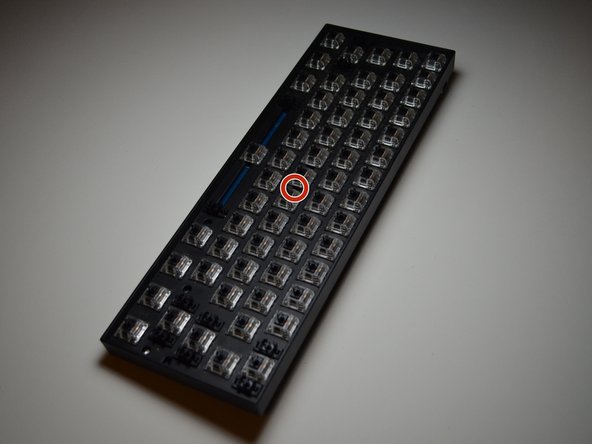
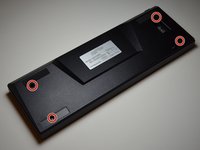
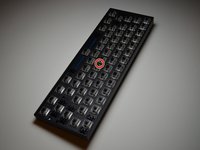
  4. KBParadise V6000 Disassembly, Remove the screws: step 4, image 1 of 2 KBParadise V6000 Disassembly, Remove the screws: step 4, image 2 of 2
    • Remove the five screws that hold the keyboard together.

    • Two of the screws on the bottom are under the two rubber feet closest to the user, so the rubber feet must be carefully peeled away to access the screws.

    Ask FixBot

    Add Comment

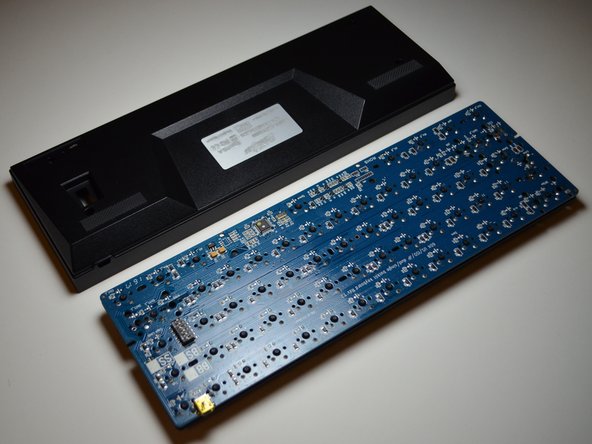
  5. KBParadise V6000 Disassembly, Remove the case: step 5, image 1 of 2 KBParadise V6000 Disassembly, Remove the case: step 5, image 2 of 2
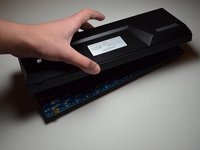
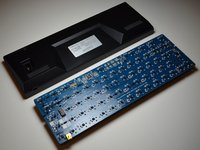
    • Invert the keyboard and lift the case off.

    • If the case holds on, gently hit the keyboard into the palm of your hand to dislodge the internals.

    Ask FixBot

    Add Comment

Conclusion

To reassemble your device, follow these instructions in reverse order.

Cancel: I did not complete this guide.

CoffeeDev

Member since: 08/13/20

130 Reputation

1 Guide authored

0 Guide Comments

Add Comment

View Statistics:

Past 24 Hours: 1

Past 7 Days: 5

Past 30 Days: 32

All Time: 426