Free Shipping on Domestic Orders $75+

Interlink VP4550 Laser Replacement

What you need

    1. Interlink VP4550 Laser Replacement, Case: step 1, image 1 of 3 Interlink VP4550 Laser Replacement, Case: step 1, image 2 of 3 Interlink VP4550 Laser Replacement, Case: step 1, image 3 of 3
      • Turn the phone over to where the battery compartment resides.

      • Remove the battery compartment door by pushing down on the door with your thumbs and sliding the door off of the bottom of the device.

      • Remove battery.

      Ask FixBot

      Add Comment

    2. Interlink VP4550 Laser Replacement: step 2, image 1 of 3 Interlink VP4550 Laser Replacement: step 2, image 2 of 3 Interlink VP4550 Laser Replacement: step 2, image 3 of 3
      • Use a Phillips #0 screwdriver to remove the screw in the middle of the battery compartment.

      • Pry open the case body with the plastic opening tool. Start at the bottom of the device and work toward the top. You will hear a "click" sound as the sides open.

      Ask FixBot

      Add Comment

    3. Interlink VP4550 Laser Replacement: step 3, image 1 of 2 Interlink VP4550 Laser Replacement: step 3, image 2 of 2
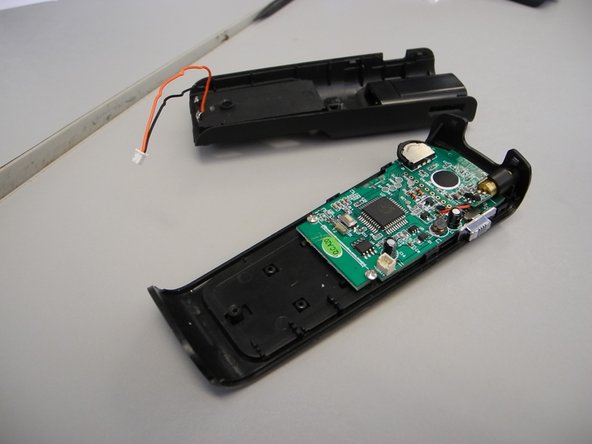
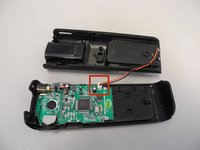
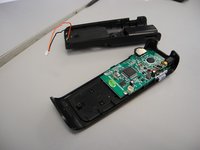
      • There is a wire connector linking the front and the back of the device.

      • Carefully pull the wire connectors out of the white connector gauge to completely separate the front and back pieces.

      Ask FixBot

      Add Comment

    4. Interlink VP4550 Laser Replacement: step 4, image 1 of 2 Interlink VP4550 Laser Replacement: step 4, image 2 of 2
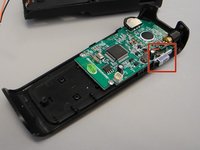
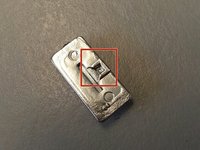
      • The power button may fall off when you separate the front and back of the device. This can simply be placed back when reassembling.

      • Find the lever on the right side of the back half of the device.

      • Insert the tip of the lever into the square indent on the underside of the button.

      Ask FixBot

      Add Comment

    1. Interlink VP4550 Laser Replacement, Circuit Board: step 5, image 1 of 1
      • Avoid picking up the front of the device as you work so that loose parts will not shift.

      • Use a Phillips #0 head screwdriver to remove two screws; one on either side of the circuit board.

      Ask FixBot

      Add Comment

    2. Interlink VP4550 Laser Replacement: step 6, image 1 of 1
      Tool used on this step:
      Tweezers
      $4.99
      Buy
      • Slide the circuit board down from the tab located underneath the top of the back half

      • The laser is attached to the circuit board and will slide out of its own housing as you slide out the circuit board.

      • Use tweezers to gently remove it if it doesn't come out.

      Ask FixBot

      Add Comment

    1. Interlink VP4550 Laser Replacement, Laser: step 7, image 1 of 1
      • Use desoldering braid to remove the red and black wires attached to both the circuit board and the laser bulb.

      • When you are ready to attach the new laser bulb, use a soldering iron to solder the new bulb's wires to the circuit board.

      Ask FixBot

      Add Comment

Finish Line

Cancel: I did not complete this guide.

Alayna Bruney

Member since: 02/11/14

1 Reputation

1 Guide authored

Team

Ohio State, Team 1-1, Buehl Spring 2014 Member of Ohio State, Team 1-1, Buehl Spring 2014

OSU-BUEHL-S14S1G1

4 Members

9 Guides authored

0 Guide Comments

Add Comment

View Statistics:

Past 24 Hours: 0

Past 7 Days: 7

Past 30 Days: 37

All Time: 588