
InFocus LP540 Projector Lamp Replacement

Jorge L Navarro and 6 other contributors
Last updated on Jul 27, 2016
Views: 3.7K
View statistics:
- Past 24 Hours:
- 3
- Past 7 Days:
- 20
- Past 30 Days:
- 109
- All Time:
- 3,718
Comments: 0
No one has left comments on this guide. Will you be first?
Go to guide commentsCompleted: 1 2
1 person has marked this guide "completed." Will you be next?
2 people have marked this guide "completed." Including you — great job!
Favorites: 1 2
1 person has favorited (and subscribed to) this guide. Will you be next?
2 people have favorited (and subscribed to) this guide — including you!
Incorrect Tools
Help make this guide better by using the correct tools in images and/or text.
Better Introduction
Improve this guide by completing or revising its introduction.
Introduction
Go to step 1 ↓This guide will assist with replacing a non-functioning projector lamp, which is responsible for providing the light necessary for projection.
What you need
Tools

-
-
-
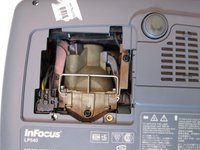
Place the projector on its back with the control buttons facing down.
-
Remove the black 7mm screw on the external case with a Phillips 2 screwdriver.
 Ask FixBot
-
-
-
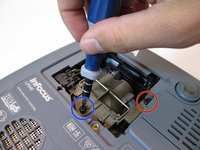
Remove the 7mm screw near the bottom center with a Philips 2 screwdriver head.
-
Loosen but do not remove the 7mm screw near the upper right corner with the Phillips 2 screwdriver head.
-
-
-
-
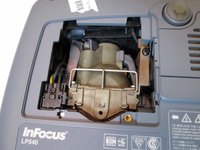
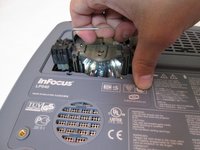
Grab the silver handle.
-
Unhook the handle so it can move freely.
-
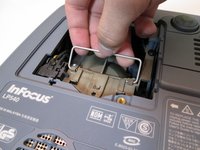
Pull the handle straight up until the lamp is completely removed from projector.
-
-




To reassemble your device, follow these instructions in reverse order.
Cancel: I did not complete this guide.
One other person completed this guide.

Team

Cal Poly, Team 13-17, Regan Winter 2014 Member of Cal Poly, Team 13-17, Regan Winter 2014
CPSU-REGAN-W14S13G17
6 Members
60 Guides authored
