Shop the Holiday Gift Guide
Free Shipping on Domestic Orders $75+

IBM ThinkPad 560z Keyboard Replacement

Views: 3.2K

View statistics:

Past 24 Hours:
1
Past 7 Days:
12
Past 30 Days:
76
All Time:
3,181
Comments: 0

No one has left comments on this guide. Will you be first?

Go to guide comments
Completed: 0

No one has marked this guide "completed." Will you be the first?

Favorites: 1

1 person has favorited (and subscribed to) this guide. Will you be next?

Time Required: 10 - 20 minutes
Difficulty: Moderate
IBM ThinkPad 560z Keyboard Replacement

Introduction

Go to step 1 ↓

How to remove the keyboard for repair or replacement on the IBM ThinkPad 560z.

What you need

Tools

    1. IBM ThinkPad 560z Keyboard Replacement, Upper Case: step 1, image 1 of 1
      • Remove the 7 mm Phillips #0 screws.

      • Remove the 10 mm Phillips #0 screws.

      • Remove the 14 mm Phillips #0 screw.

      Ask FixBot

      Add Comment

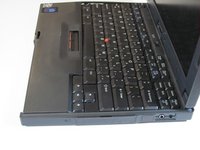
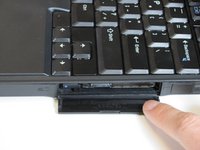
    2. IBM ThinkPad 560z Keyboard Replacement: step 2, image 1 of 2 IBM ThinkPad 560z Keyboard Replacement: step 2, image 2 of 2
      • Open the flap on the left hand side.

      Ask FixBot

      Add Comment

    3. IBM ThinkPad 560z Keyboard Replacement: step 3, image 1 of 2 IBM ThinkPad 560z Keyboard Replacement: step 3, image 2 of 2
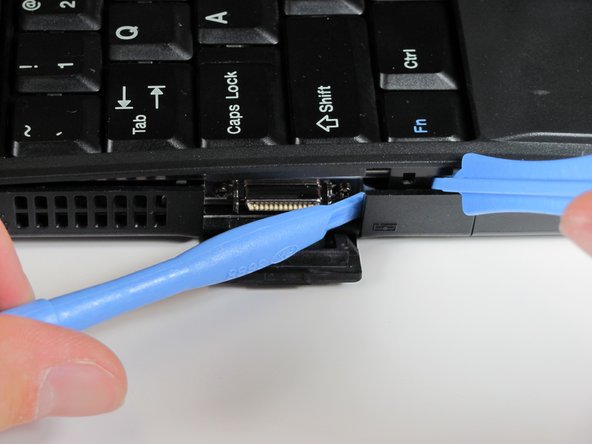
      • Insert the plastic opening tools between the right and left sides of the latch.

      • Pry the right side of the latch, and then pry the left side to detach the laptop's cover.

      Ask FixBot

      Add Comment

    4. IBM ThinkPad 560z Keyboard Replacement: step 4, image 1 of 2 IBM ThinkPad 560z Keyboard Replacement: step 4, image 2 of 2
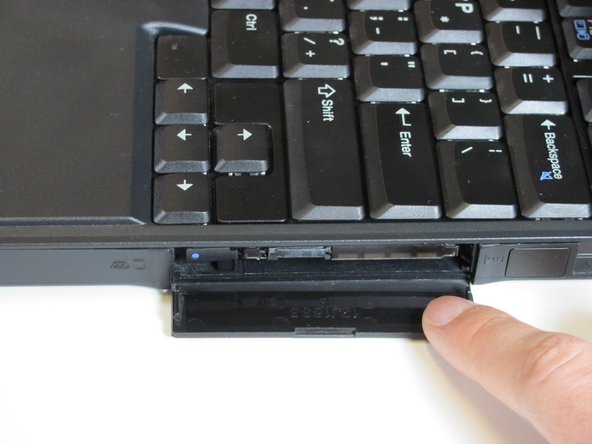
      • Open the flap on the right side.

      Ask FixBot

      Add Comment

    5. IBM ThinkPad 560z Keyboard Replacement: step 5, image 1 of 1
      • Insert the plastic opening tools towards the right side of the latch.

      • Gently pry the right side out to release the top cover.

      Ask FixBot

      Add Comment

    6. IBM ThinkPad 560z Keyboard Replacement: step 6, image 1 of 2 IBM ThinkPad 560z Keyboard Replacement: step 6, image 2 of 2
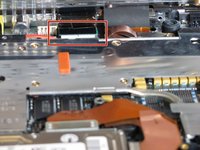
      • Lift the keyboard slowly.

      • A cable connects the keyboard to the motherboard. If you are not careful, you will damage the cable.

      Ask FixBot

      Add Comment

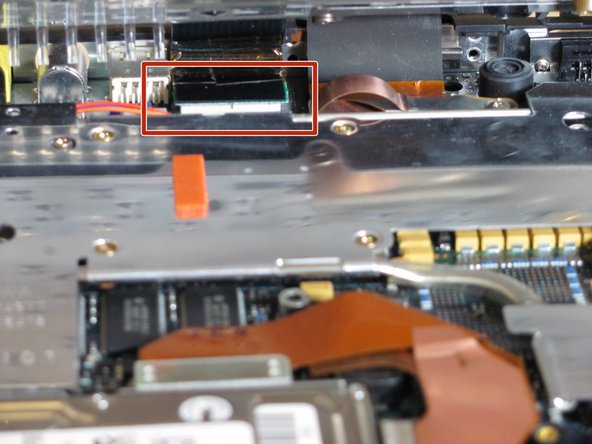
    7. IBM ThinkPad 560z Keyboard Replacement: step 7, image 1 of 1
      • Use your fingers or a spudger to detach the connector.

      Ask FixBot

      Add Comment

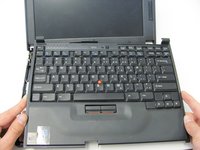
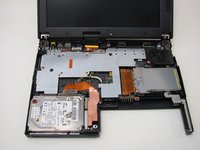
    8. IBM ThinkPad 560z Keyboard Replacement: step 8, image 1 of 2 IBM ThinkPad 560z Keyboard Replacement: step 8, image 2 of 2
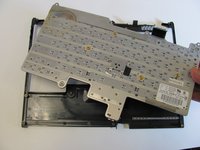
      • Carefully lift and remove the keyboard.

      Ask FixBot

      Add Comment

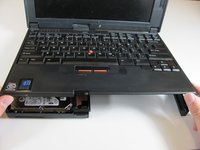
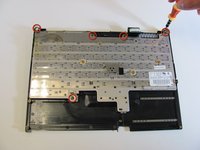
    1. IBM ThinkPad 560z Keyboard Replacement, Keyboard Removal: step 9, image 1 of 2 IBM ThinkPad 560z Keyboard Replacement, Keyboard Removal: step 9, image 2 of 2
      • Remove the five Phillips screws from the underside of the keyboard, then gently lift it up.

      Ask FixBot

      Add Comment

Conclusion

To reassemble your device, follow these instructions in reverse order.

Cancel: I did not complete this guide.

Author

with

Derek Driscoll

Member since: 04/15/10

119 Reputation

8 Guides authored

Team

Cal Poly, Team 26-27, Regan Spring 2010 Member of Cal Poly, Team 26-27, Regan Spring 2010

CPSU-REGAN-S10S26G27

3 Members

108 Guides authored

0 Guide Comments

Add Comment

View Statistics:

Past 24 Hours: 1

Past 7 Days: 12

Past 30 Days: 76

All Time: 3,181