Introduction
The rechargeable battery in the HyperX CloudX Flight will wear down over time and need to be replaced. The battery is inside the right speaker.
What you need
-
-
-
Gently pull around the perimeter of the right ear cup until the cushion is fully removed.
 Ask FixBot
-
-
-


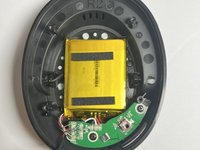
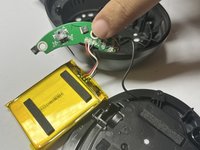
To reassemble your device, follow these instructions in reverse order.
Cancel: I did not complete this guide.
One other person completed this guide.

Team

Western Carolina University, Team 1-3, Virtue Fall 2024 Member of Western Carolina University, Team 1-3, Virtue Fall 2024
WCU-VIRTUE-F24S1G3
4 Members
60 Guides authored
