Introduction
This guide show the process of back panel replacement on the Huawei M750.
What you need
-
-
-
Depress the top of the battery cover, and pull downwards towards the base of the phone.
 Ask FixBot
-
-
-
Remove the battery by levering the battery out, using the cut just below the camera.
-
-
-
-
-
-
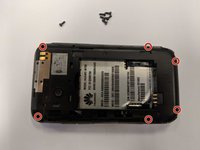
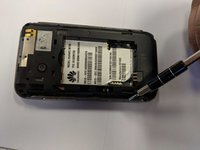
Use the opening tool to start prying the camera and speaker cover, starting from the battery side.
-
Work the opening tool around the border of the camera and speaker cover, until it comes loose.
-
-
-
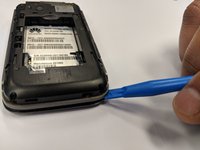
Using the opening tool, pry the back panel from the front panel.
-
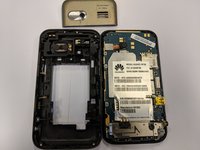
Work your way around the phone until the panels separate evenly.
-
-




To reassemble your device, follow these instructions in reverse order.
Cancel: I did not complete this guide.
One other person completed this guide.

Team

University of North Texas, Team S1-G6, Thompson Spring 2018 Member of University of North Texas, Team S1-G6, Thompson Spring 2018
UNT-THOMPSON-S18S1G6
3 Members
60 Guides authored
