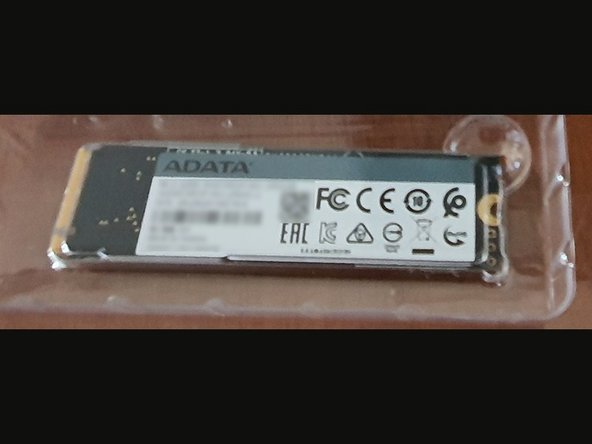
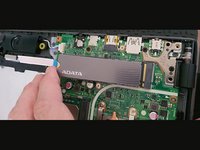
How toInstall a PCIe PCIe NVMe Gen3 module

  1. How toInstall a PCIe PCIe NVMe Gen3 module, Open the back Cover: step 1, image 1 of 3 How toInstall a PCIe PCIe NVMe Gen3 module, Open the back Cover: step 1, image 2 of 3 How toInstall a PCIe PCIe NVMe Gen3 module, Open the back Cover: step 1, image 3 of 3
    • Remove all screws shown in the image

  2. How toInstall a PCIe PCIe NVMe Gen3 module, Save the screws: step 2, image 1 of 1
    • The bottom screws are different. Save them

    • Find a new screw to fix the module

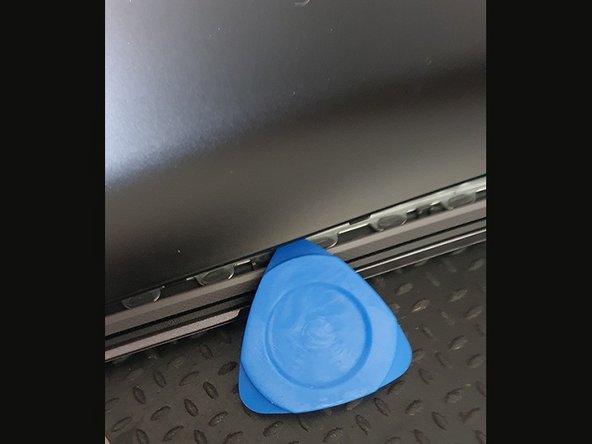
  3. How toInstall a PCIe PCIe NVMe Gen3 module, Remove back cover: step 3, image 1 of 3 How toInstall a PCIe PCIe NVMe Gen3 module, Remove back cover: step 3, image 2 of 3 How toInstall a PCIe PCIe NVMe Gen3 module, Remove back cover: step 3, image 3 of 3
    • Open the back cover carefully using a plastic tool that will not damage the cover. .

    • Start at the bottom

    • Continue along the lid

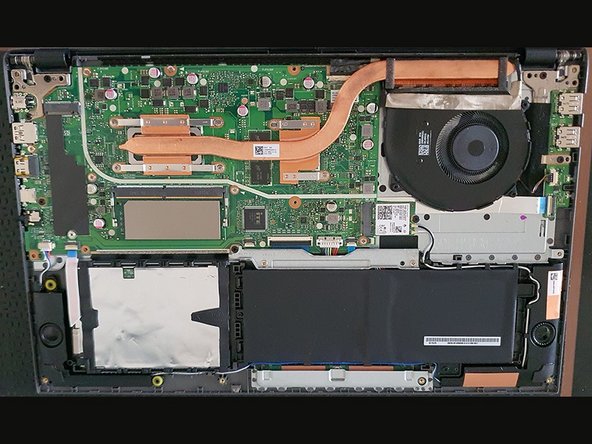
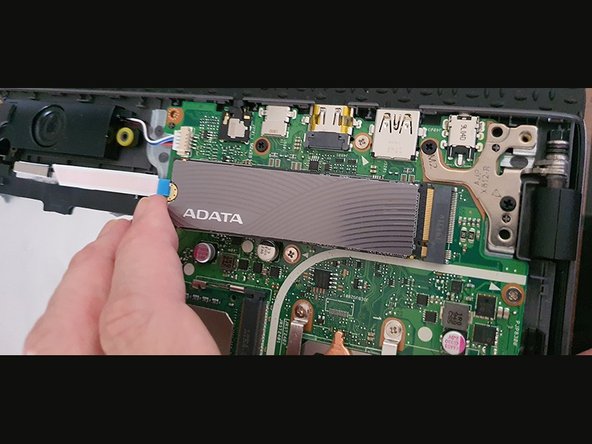
  4. How toInstall a PCIe PCIe NVMe Gen3 module, Install the PCIe NVMe Module: step 4, image 1 of 3 How toInstall a PCIe PCIe NVMe Gen3 module, Install the PCIe NVMe Module: step 4, image 2 of 3 How toInstall a PCIe PCIe NVMe Gen3 module, Install the PCIe NVMe Module: step 4, image 3 of 3
    • Install the new module in the corresponding slot

  5. How toInstall a PCIe PCIe NVMe Gen3 module, Fix the  PCIe PCIe NVMe Module: step 5, image 1 of 1
    • Use a suitable screw and screw in place

    • Done

    • Put the lid back on with light pressure

    • put the screws back

    • Done!

Conclusion

To reassemble your device, follow these instructions in reverse order.

Roberto

Member since: 08/11/14

283 Reputation

2 Guides authored

Team

Zero Member of Zero

Business

1 Member

2 Guides authored

0 Guide Comments

Add Comment

View Statistics:

Past 24 Hours: 0

Past 7 Days: 1

Past 30 Days: 5

All Time: 256