
How to clean a Game Boy Cartridge

Andrew Tramposch and
Last updated on Dec 18, 2024
Views: 24K
View statistics:
- Past 24 Hours:
- 15
- Past 7 Days:
- 39
- Past 30 Days:
- 178
- All Time:
- 23,959
Comments: 7
2 comments on steps, 5 guide comments.
Go to guide commentsCompleted: 19 20
19 people have marked this guide "completed." Will you be next?
20 people have marked this guide "completed." Including you — great job!
Favorites: 18 19
18 people have favorited (and subscribed to) this guide. Will you be next?
19 people have favorited (and subscribed to) this guide — including you!
Introduction
Go to step 1 ↓A guide on how to place a game into the cartridge reader, also for troubleshooting non-loading games.
What you need
Fix Kit
This kit contains all the parts and tools needed to complete this guide.

-
-
-
First obtain a cartridge. This is where games for the Game Boy are located.
 Ask FixBot
-
-
-
Place cartridge into cartridge reader slot on the back of the Game Boy system.
-
The game graphic should be facing towards you when you place the cartridge into the reader slot.
-
-
-
-
Push down until the game "locks" into place, and the top of the game is a small amount beneath the top of the system.
-
-
-
If game does not load when the system is turned on, turn off system and remove cartridge.
-
Remove cartridge by placing thumb on the outside of the cartridge near the indentation and pushing up. Dislodging the cartridge from the cartridge reader.
-
-
-
Apply some air into the cartridge bottom and into the cartridge reader itself.
-
Reinsert cartridge and try again.
-
If problem still persists, an internal problem may be the culprit.
-
-


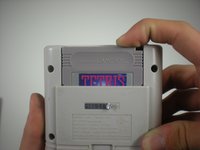
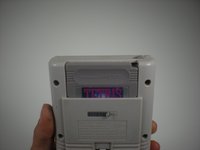


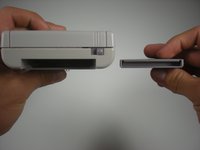
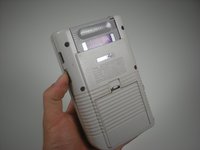
To play another game, remove cartridge and place new one in cartridge reader.
Cancel: I did not complete this guide.
19 other people completed this guide.

Team

Cal Poly, Team 3-2, Johann Summer 2010 Member of Cal Poly, Team 3-2, Johann Summer 2010
CPSU-JOHANN-R10S3G2
3 Members
72 Guides authored
5 Guide Comments
This guide is completely unhelpful with how to clean a GameBoy game.
It would be better to refer to these videos on how to clean old game cartridges:
Thanks Ervin!
Nothing like a good ol’ blow job to get those old cartridges feeling new again.
