How to access the insides of your HP Pavilion 15-cs: SUPER EASY

What you need

  1. How to access the insides of your HP Pavilion 15-cs: SUPER EASY, Flip it over: step 1, image 1 of 1
    • First thing you'll do is flip it over, remove any SD cards, USBs, and remove any case.

  2. How to access the insides of your HP Pavilion 15-cs: SUPER EASY, Remove screws: step 2, image 1 of 3 How to access the insides of your HP Pavilion 15-cs: SUPER EASY, Remove screws: step 2, image 2 of 3 How to access the insides of your HP Pavilion 15-cs: SUPER EASY, Remove screws: step 2, image 3 of 3
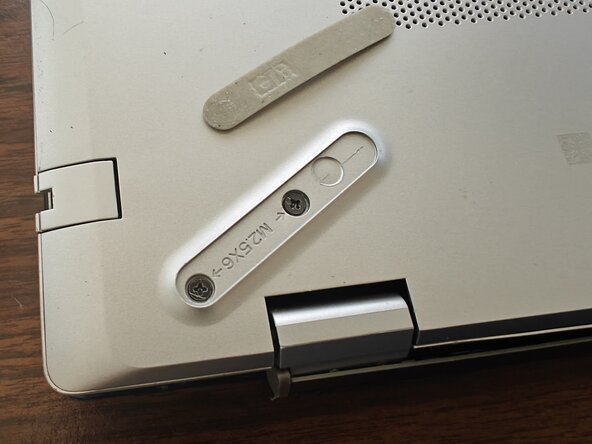
    • There will be about 6 screws you'll need to remove.

    • You will have to at least partially remove the rubber feet to access 3 of the screws.

    • The screws are really tiny, so I recommend putting them in a Tupperware or Ziploc if you don't have a magnetic screw tray.

  3. How to access the insides of your HP Pavilion 15-cs: SUPER EASY, Credit Card or Pry Tool Step: step 3, image 1 of 2 How to access the insides of your HP Pavilion 15-cs: SUPER EASY, Credit Card or Pry Tool Step: step 3, image 2 of 2
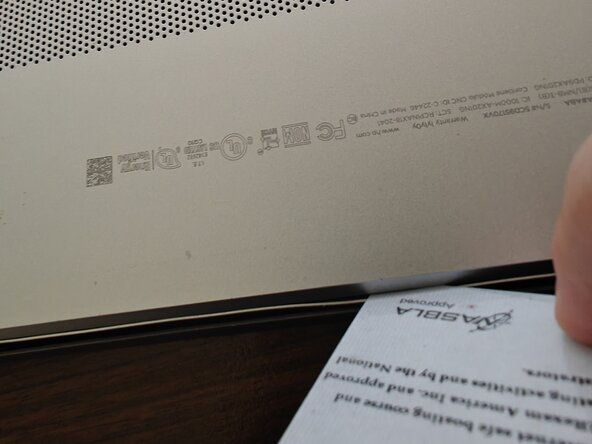
    • You'll use a credit card, ID card, or pry tool to separate the bottom of the laptop from the rest of it. Make sure it's plastic, not metal.

    • You might want to use multiple to hold sections open as you work your way around.

  4. How to access the insides of your HP Pavilion 15-cs: SUPER EASY, Pop That Sucker Off: step 4, image 1 of 1
    • You remove the bottom to reveal the guts of your machine.

Conclusion

Tadaaaa! You're in, and ready for a number of easy upgrades to your laptop. Happy Fixing!

Quinn Enestvedt

Member since: 09/05/25

493 Reputation

3 Guides authored

0 Guide Comments

Add Comment

View Statistics:

Past 24 Hours: 0

Past 7 Days: 4

Past 30 Days: 28

All Time: 84