Introduction
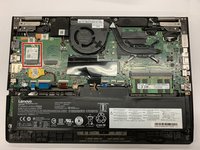
If the Wifi-card for your Lenovo Thinkpad Yoga 260 (Model Number: 20FD002HUS) is defective or broken, this guide will carefully walk you through the steps to replace it.
A damaged or faulty Wifi-card can lead to an unstable network connection or none at all. If you are experiencing intermittent wireless connections or your device is failing to detect wireless signals you may consider replacing your Wifi-card.
Before using this guide ensure the laptop is powered off, disconnected from external power sources, and you have the listed tools available for use.
What you need
-
-
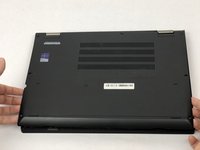
Using a Phillips #1 screwdriver, gently unscrew the eight 1.3 mm Phillips #1 screws until you hear an audible click.
-
-
-
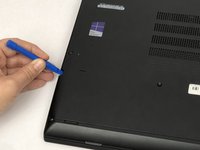
Using a plastic opening tool, gently pry the bottom cover from the laptop.
-
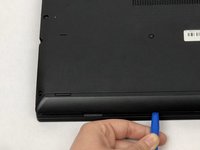
Work the plastic opening tool around the edges of the bottom cover undoing all of the plastic clips, as shown in the picture.
-
-
-
-
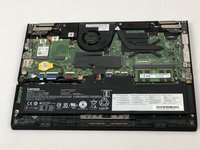
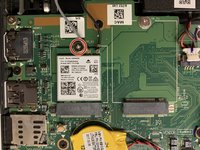
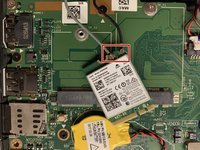
Using a Phillips #1 screwdriver, remove the 1.3 mm screw and set it aside.
-
-
-
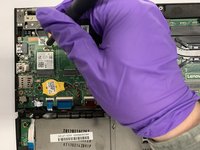
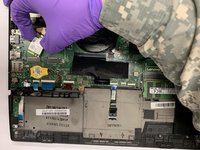
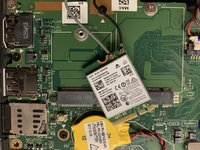
Carefully disconnect the 2 cables from the WiFi-Card as indicated on the card label.
-
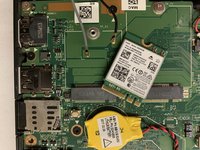
Set the Wifi-Card aside.
-

 Ask FixBot










To reassemble your device, follow these instructions in reverse order.
Cancel: I did not complete this guide.
3 other people completed this guide.

Team

The Citadel Military College of South Carolina, Team S3-G17, Eggleston Spring 2020 Member of The Citadel Military College of South Carolina, Team S3-G17, Eggleston Spring 2020
CMCSC-EGGLESTON-S20S3G17
3 Members
3 Guides authored
