Free Shipping on Domestic Orders $75+

How to Restore a Dried Out Marking Pen

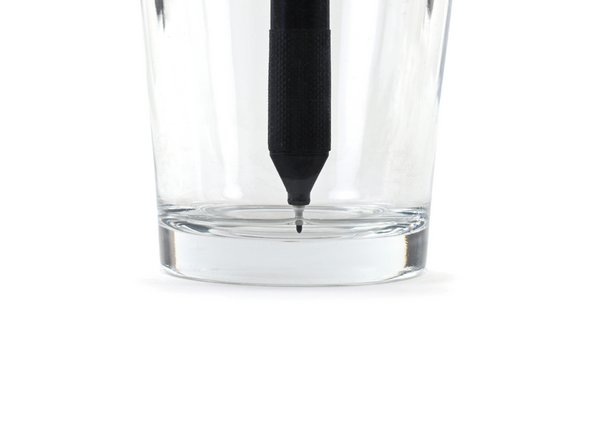
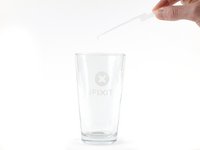
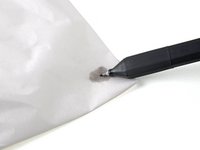
    1. How to Restore a Dried Out Marking Pen, Soak the tip in isopropyl alcohol: step 1, image 1 of 2 How to Restore a Dried Out Marking Pen, Soak the tip in isopropyl alcohol: step 1, image 2 of 2
      • Fill a cup with enough isopropyl alcohol for the marking pen's tip to be fully submerged.

      • Place the pen into the cup with the tip side down.

      • Keep the pen as upright as possible to prevent the alcohol from going around the side of the pen nib.

      • Wait 15 minutes for the alcohol to soak into the pen tip.

      Ask FixBot

      Add Comment

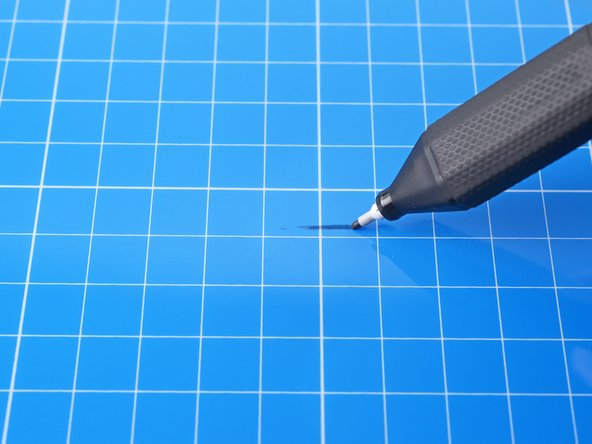
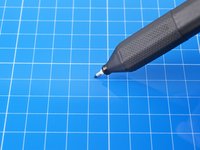
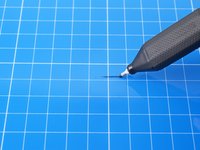
    2. How to Restore a Dried Out Marking Pen, Remove the alcohol: step 2, image 1 of 3 How to Restore a Dried Out Marking Pen, Remove the alcohol: step 2, image 2 of 3 How to Restore a Dried Out Marking Pen, Remove the alcohol: step 2, image 3 of 3
      Tool used on this step:
      FixMat
      $36.95
      Buy
      • Remove the pen from the cup and wipe off any remaining alcohol from the pen tip.

      • On your FixMat, or another dry-erasable surface, draw the pen back and forth until you see alcohol leaving the pen nib.

      • Rotate the pen while drawing to ensure all sides of the pen nib are exercised.

      • If no alcohol is coming out of the pen nib, repeat the previous step.

      Ask FixBot

      Add Comment

    3. How to Restore a Dried Out Marking Pen, Soak the tip in water: step 3, image 1 of 2 How to Restore a Dried Out Marking Pen, Soak the tip in water: step 3, image 2 of 2
      • Fill a cup with enough water for the marking pen's tip to be fully submerged.

      • Place the pen into the cup with the tip side down.

      • Keep the pen as upright as possible to prevent the water from going around the side of the pen nib.

      • Wait 30 minutes for the water to soak into the pen tip.

      Ask FixBot

      Add Comment

    4. How to Restore a Dried Out Marking Pen, Remove the water: step 4, image 1 of 3 How to Restore a Dried Out Marking Pen, Remove the water: step 4, image 2 of 3 How to Restore a Dried Out Marking Pen, Remove the water: step 4, image 3 of 3
      • Remove the pen from the cup and wipe off any remaining water from the pen tip.

      • On your FixMat, or another dry-erasable surface, draw the pen back and forth until you see ink forming in solid lines.

      • Rotate the pen while drawing to ensure all sides of the pen tip are releasing ink.

      • If no ink is coming out of the pen nib, repeat the previous step.

      Ask FixBot

      Add Comment

    5. How to Restore a Dried Out Marking Pen: step 5, image 1 of 1
      • Congratulations! Your pen has been revived.

      Ask FixBot

      Add Comment

Conclusion

For more electronics skills guides, click here.

Cancel: I did not complete this guide.

13 other people completed this guide.

Alex Diaz-Kokaisl

Member since: 01/16/22

249,403 Reputation

1,203 Guides authored

Team

iFixit Member of iFixit

Staff

122 Members

86,241 Guides authored

12 Guide Comments

Unfortunately this did not help for me.

Sven Alleblas - Reply Share

This is such a great pen I wish I could find replacements.

lupinm - Reply Share

Apparently this pen that comes with the FixMat cannot be purchased, but is covered by the lifetime warranty. Send an email to support@ifixit.com to get replacement pens.

P.S. It's called the iFixit Marking Pen

Andrew Chen - Reply Share

Same for me, I repeated the guide 3 times, it didn't helped, I wish I could just open it and use a replacement, it's cheap to buy but I feel bad of throwing everything, and also the pen dries super fast I think I need to buy another one and just glue some metal plate to use with the I fix it magnetic mat

thematho - Reply Share

See my reply above

Andrew Chen - Reply Share

Add Comment

View Statistics:

Past 24 Hours: 11

Past 7 Days: 70

Past 30 Days: 311

All Time: 12,491