Free Shipping on Domestic Orders $75+

How to Replace a Tally Counter Button

What you need

    1. How to Replace a Tally Counter Button, Button: step 1, image 1 of 2 How to Replace a Tally Counter Button, Button: step 1, image 2 of 2
      • Use a Phillips screwdriver to remove the screws on the rear of the counter.

      Ask FixBot

      Add Comment

    2. How to Replace a Tally Counter Button: step 2, image 1 of 2 How to Replace a Tally Counter Button: step 2, image 2 of 2
      • Remove the rear case.

      • Gently set them aside.

      Ask FixBot

      Add Comment

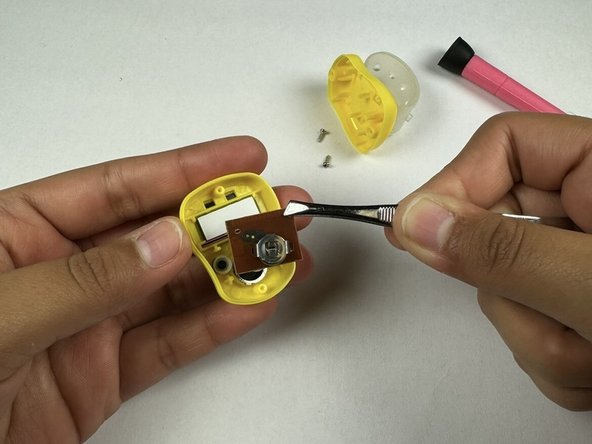
    3. How to Replace a Tally Counter Button: step 3, image 1 of 3 How to Replace a Tally Counter Button: step 3, image 2 of 3 How to Replace a Tally Counter Button: step 3, image 3 of 3
      • Use tweezers to remove the main board inside.

      • Gently set it aside.

      Ask FixBot

      Add Comment

    4. How to Replace a Tally Counter Button: step 4, image 1 of 2 How to Replace a Tally Counter Button: step 4, image 2 of 2
      • Use tweezers to remove the button.

      Ask FixBot

      Add Comment

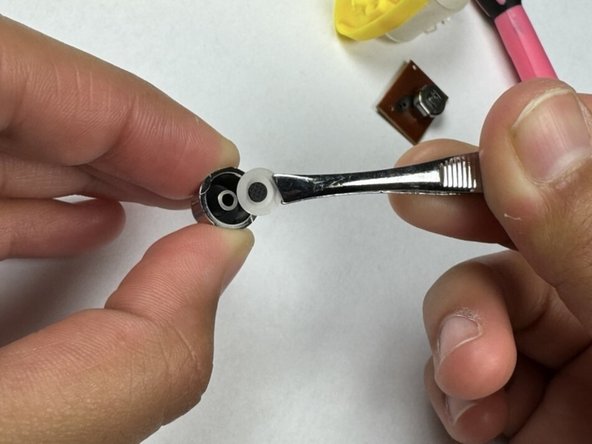
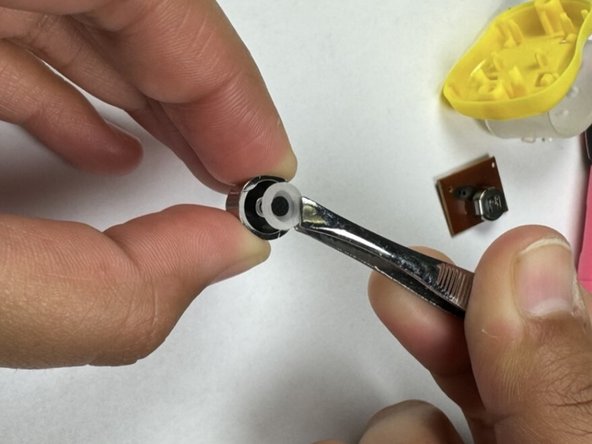
    5. How to Replace a Tally Counter Button: step 5, image 1 of 3 How to Replace a Tally Counter Button: step 5, image 2 of 3 How to Replace a Tally Counter Button: step 5, image 3 of 3
      • Use tweezers to remove and adjust any loose pieces from the button.

      Ask FixBot

      Add Comment

    6. How to Replace a Tally Counter Button: step 6, image 1 of 2 How to Replace a Tally Counter Button: step 6, image 2 of 2
      • Use a brush to remove dust on the inside of the device before continuing.

      • Use tweezers to put the button and main board back into the tally counter.

      Ask FixBot

      Add Comment

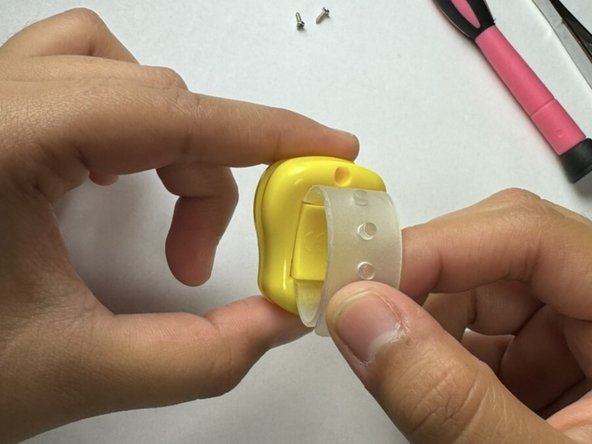
    7. How to Replace a Tally Counter Button: step 7, image 1 of 3 How to Replace a Tally Counter Button: step 7, image 2 of 3 How to Replace a Tally Counter Button: step 7, image 3 of 3
      • Place the backpiece on the tally counter.

      • Reinstall the rear case and replace the screw.

      Ask FixBot

      Add Comment

Conclusion

After completing each step, the tally counter should now be as good as new.

Cancel: I did not complete this guide.

-Max-

Member since: 04/25/24

157 Reputation

1 Guide authored

Team

UC Davis, Team 1-8, Whithaus Spring 2024 Member of UC Davis, Team 1-8, Whithaus Spring 2024

UCD-WHITHAUS-S24S1G8

4 Members

12 Guides authored

2 Guide Comments

I don't still get it I tried don't work? because the battery thing was kinda shorter than the one that u had on the photos?

DEVIN - Reply Share

سلام میخواستم شمارش نمایش گر داخل موبایل قابل دیدن باشه از طریق بلوتوث

حسین یوسفی - Reply Share

Add Comment

View Statistics:

Past 24 Hours: 2

Past 7 Days: 27

Past 30 Days: 150

All Time: 1,400