Free Shipping on Domestic Orders $75+

How to Remove Back Panel- Vizio VA220E

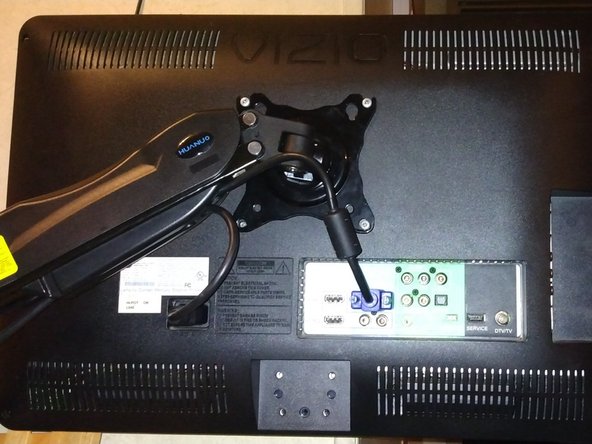
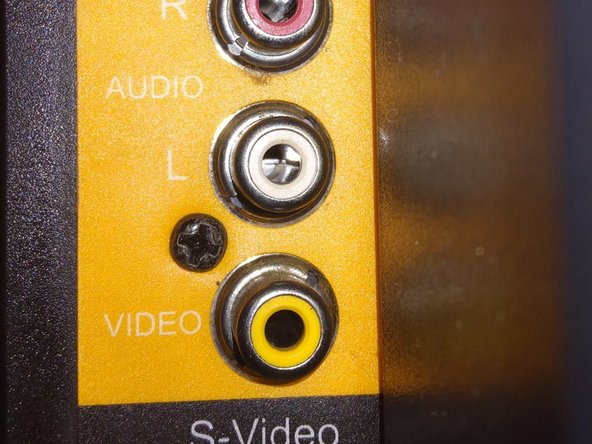
    1. How to Remove Back Panel- Vizio VA220E, Speaker Replacement: step 1, image 1 of 2 How to Remove Back Panel- Vizio VA220E, Speaker Replacement: step 1, image 2 of 2
      • Be sure to unplug the device!

      • Remove the 4 Phillips head screws, followed by the 1 on the left side.

      Ask FixBot

      Add Comment

    2. How to Remove Back Panel- Vizio VA220E: step 2, image 1 of 1
      • Unscrew the 4 Phillips head screwdrivers securing the speaker to the device.

      Ask FixBot

      Add Comment

Conclusion

To reassemble your device, follow these instructions in reverse order.

Cancel: I did not complete this guide.

Ryan Sands

Member since: 08/25/20

269 Reputation

1 Guide authored

0 Guide Comments

Add Comment

View Statistics:

Past 24 Hours: 1

Past 7 Days: 7

Past 30 Days: 45

All Time: 177