Free Shipping on Domestic Orders $75+

Asus Chromebook C300MA-BBCLN12 Battery Replacement

What you need

    1. Asus Chromebook C300MA-BBCLN12 Battery Replacement, Battery: step 1, image 1 of 2 Asus Chromebook C300MA-BBCLN12 Battery Replacement, Battery: step 1, image 2 of 2
      • Remove the eight 9.0mm Phillips #00 screws.

      • Remove the three 6.0mm Phillips #00 screws.

      Ask FixBot

      Add Comment

    2. Asus Chromebook C300MA-BBCLN12 Battery Replacement: step 2, image 1 of 3 Asus Chromebook C300MA-BBCLN12 Battery Replacement: step 2, image 2 of 3 Asus Chromebook C300MA-BBCLN12 Battery Replacement: step 2, image 3 of 3
      • Separate the palm rest assembly from the bottom housing using the plastic opening tool.

      • It is recommended that you start from a corner and run the plastic opening tool along the edge of the housing.

      • Lift the palm rest assembly slowly to prevent damaging the two cables that connect it to the motherboard.

      Ask FixBot

      Add Comment

    3. Asus Chromebook C300MA-BBCLN12 Battery Replacement: step 3, image 1 of 3 Asus Chromebook C300MA-BBCLN12 Battery Replacement: step 3, image 2 of 3 Asus Chromebook C300MA-BBCLN12 Battery Replacement: step 3, image 3 of 3
      Tool used on this step:
      Tweezers
      $4.99
      Buy
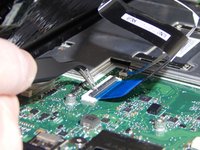
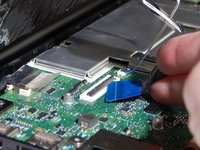
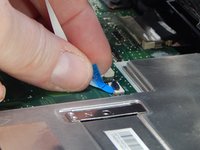
      • Flip back the hinges on the connectors that secure the wide black cable and the narrow white cable using the tweezers.

      • Disconnect the wide black cable from the motherboard by pulling the blue cable tab away from the connector.

      • Disconnect the white ribbon cable from the motherboard by pulling the blue cable tab away from the connector.

      Ask FixBot

      Add Comment

    4. Asus Chromebook C300MA-BBCLN12 Battery Replacement: step 4, image 1 of 1
      • Remove the six 6.0mm Phillips #00 screws that secure the battery to the bottom housing.

      Ask FixBot

      Add Comment

    5. Asus Chromebook C300MA-BBCLN12 Battery Replacement: step 5, image 1 of 2 Asus Chromebook C300MA-BBCLN12 Battery Replacement: step 5, image 2 of 2
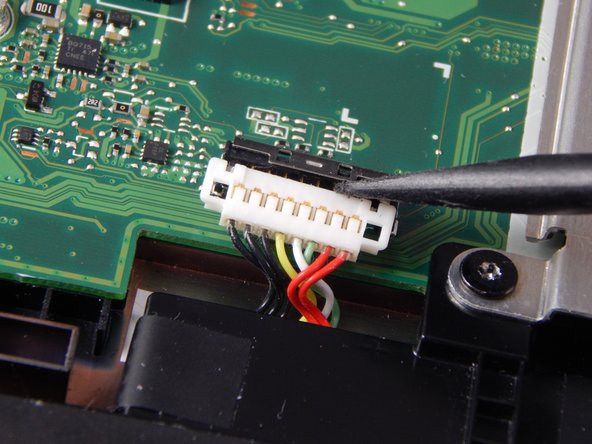
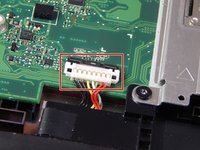
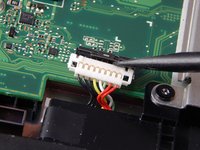
      • Disconnect the bundled cable connector that attaches the battery to the motherboard using the small plastic spudger.

      Ask FixBot

      Add Comment

    6. Asus Chromebook C300MA-BBCLN12 Battery Replacement: step 6, image 1 of 1
      • Remove the battery from the bottom housing.

      Ask FixBot

      Add Comment

Conclusion

To reassemble your device, follow these instructions in reverse order.

Cancel: I did not complete this guide.

0 Guide Comments

Add Comment

View Statistics:

Past 24 Hours: 0

Past 7 Days: 9

Past 30 Days: 27

All Time: 739