15% Off Selected iFixit Tools — Limited Time
Free Shipping on Domestic Orders $75+

How to Install Handlebar Tape

What you need

  1. How to Install Handlebar Tape, How to Install Handlebar Tape: step 1, image 1 of 2 How to Install Handlebar Tape, How to Install Handlebar Tape: step 1, image 2 of 2
    • Flip the hood of the brake lever upwards.

    Ask FixBot

    Add Comment

  2. How to Install Handlebar Tape: step 2, image 1 of 3 How to Install Handlebar Tape: step 2, image 2 of 3 How to Install Handlebar Tape: step 2, image 3 of 3
    • Peel off the adhesive covering from the back of the bar tape.

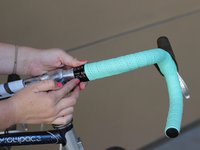
    • Place one end of the bar tape around the handlebar, making sure to leave a half inch extended past the end of the handlebar.

    • Begin tightly wrapping the bar tape clockwise around the handlebar so that the bar tape overlaps itself slightly.

    Ask FixBot

    Add Comment

  3. How to Install Handlebar Tape: step 3, image 1 of 2 How to Install Handlebar Tape: step 3, image 2 of 2
    • After a few wraps, tuck the extra bar tape into the end of the handlebar and firmly push in the bar end plug.

    Ask FixBot

    Add Comment

  4. How to Install Handlebar Tape: step 4, image 1 of 2 How to Install Handlebar Tape: step 4, image 2 of 2
    • Continue to tightly wrap the bar tape around the bar as evenly as possible.

    • Make sure the adhesive on the back of the bar tape is making contact with the metal handlebar.

    Ask FixBot

    Add Comment

  5. How to Install Handlebar Tape: step 5, image 1 of 3 How to Install Handlebar Tape: step 5, image 2 of 3 How to Install Handlebar Tape: step 5, image 3 of 3
    • Take the extra piece of bar tape provided and cut it to fit the back of the brake lever.

    Ask FixBot

    Add Comment

  6. How to Install Handlebar Tape: step 6, image 1 of 3 How to Install Handlebar Tape: step 6, image 2 of 3 How to Install Handlebar Tape: step 6, image 3 of 3
    • Continue wrapping over lever.

    • Keep in mind the tightness and evenness of space between each wrap as you continue.

    Ask FixBot

    Add Comment

  7. How to Install Handlebar Tape: step 7, image 1 of 2 How to Install Handlebar Tape: step 7, image 2 of 2
    • Flip the break lever hood back down and continue.

    Ask FixBot

    Add Comment

  8. How to Install Handlebar Tape: step 8, image 1 of 2 How to Install Handlebar Tape: step 8, image 2 of 2
    • Stop wrapping about 2 inches from stem.

    Ask FixBot

    Add Comment

  9. How to Install Handlebar Tape: step 9, image 1 of 3 How to Install Handlebar Tape: step 9, image 2 of 3 How to Install Handlebar Tape: step 9, image 3 of 3
    • Cut the bar tape diagonally at an approximately 60 degree angle.

    Ask FixBot

    Add Comment

  10. How to Install Handlebar Tape: step 10, image 1 of 1
    • Finish the wrap.

    • The cut should make the end of the bar tape a straight line.

    Ask FixBot

    Add Comment

  11. How to Install Handlebar Tape: step 11, image 1 of 3 How to Install Handlebar Tape: step 11, image 2 of 3 How to Install Handlebar Tape: step 11, image 3 of 3
    • Use the electrical tape provided to tightly secure the end of the wrap.

    Ask FixBot

    Add Comment

  12. How to Install Handlebar Tape: step 12, image 1 of 3 How to Install Handlebar Tape: step 12, image 2 of 3 How to Install Handlebar Tape: step 12, image 3 of 3
    • Press down on electrical tape to secure it.

    Ask FixBot

    Add Comment

  13. How to Install Handlebar Tape: step 13, image 1 of 3 How to Install Handlebar Tape: step 13, image 2 of 3 How to Install Handlebar Tape: step 13, image 3 of 3
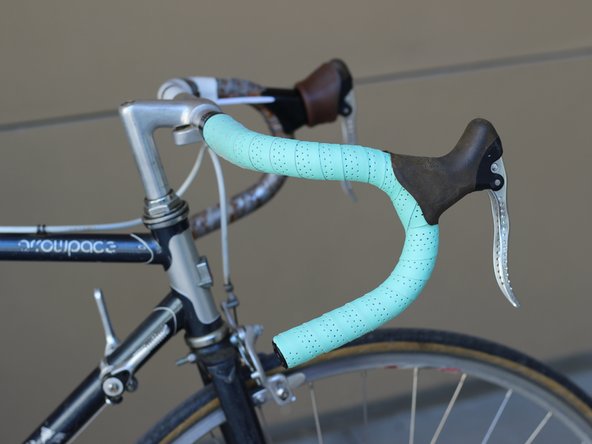
    • Repeat steps 1-12 on the other side, now wrapping counterclockwise.

    Ask FixBot

    Add Comment

Finish Line

Cancel: I did not complete this guide.

One other person completed this guide.

Elizabeth Hall

Member since: 04/28/17

137 Reputation

1 Guide authored

Team

UC Davis, Team S2-G7, Cole Spring 2017 Member of UC Davis, Team S2-G7, Cole Spring 2017

UCD-COLE-S17S2G7

3 Members

1 Guide authored

0 Guide Comments

Add Comment

View Statistics:

Past 24 Hours: 1

Past 7 Days: 17

Past 30 Days: 49

All Time: 4,536