Free Shipping on Domestic Orders $75+

How to Fix a Squeaky Brother SC 9500 Computerized Sewing Machine

What you need

  1. How to Fix a Squeaky Brother SC 9500 Computerized Sewing Machine, How to Fix a Squeaky Brother SC 9500 Computerized Sewing Machine: step 1, image 1 of 1
    • Flip the power switch on the back end of the sewing machine to "off."

    • For extra security, also unplug the power cord entirely.

    Ask FixBot

    Add Comment

  2. How to Fix a Squeaky Brother SC 9500 Computerized Sewing Machine: step 2, image 1 of 2 How to Fix a Squeaky Brother SC 9500 Computerized Sewing Machine: step 2, image 2 of 2
    • Remove any thread spools from the machine and set aside.

    • You don't want any thread in the machine while cleaning it.

    Ask FixBot

    Add Comment

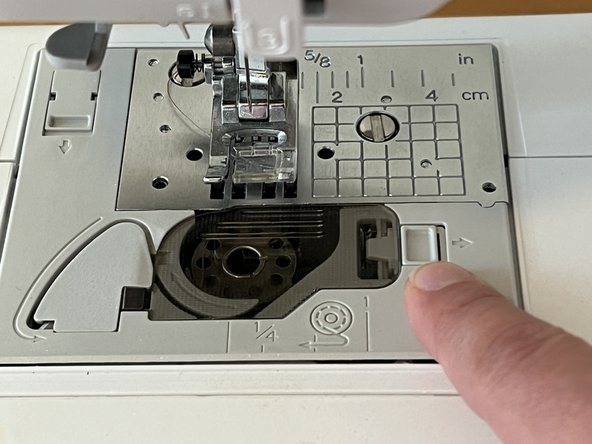
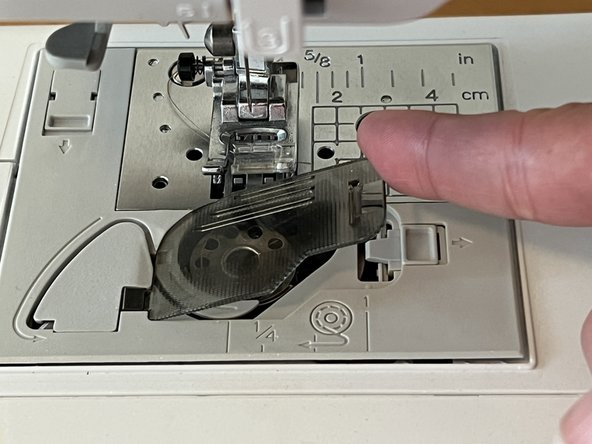
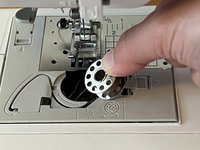
  3. How to Fix a Squeaky Brother SC 9500 Computerized Sewing Machine: step 3, image 1 of 3 How to Fix a Squeaky Brother SC 9500 Computerized Sewing Machine: step 3, image 2 of 3 How to Fix a Squeaky Brother SC 9500 Computerized Sewing Machine: step 3, image 3 of 3
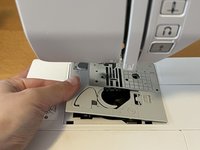
    • Slide the bobbin plate lock switch to the right.

    • The plate cover will pop open.

    • Remove the plate cover.

    • Remove the bobbin (if you have one loaded).

    Ask FixBot

    Add Comment

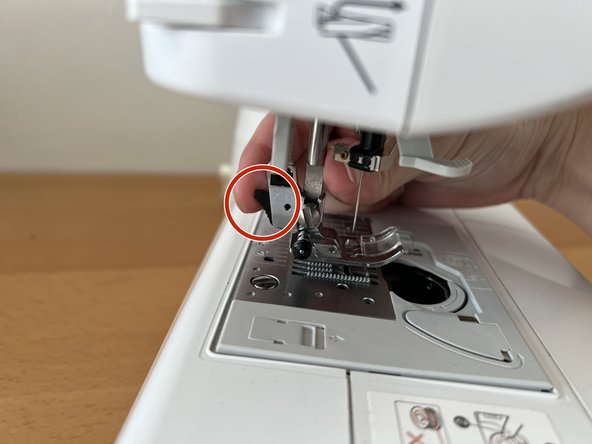
  4. How to Fix a Squeaky Brother SC 9500 Computerized Sewing Machine: step 4, image 1 of 3 How to Fix a Squeaky Brother SC 9500 Computerized Sewing Machine: step 4, image 2 of 3 How to Fix a Squeaky Brother SC 9500 Computerized Sewing Machine: step 4, image 3 of 3
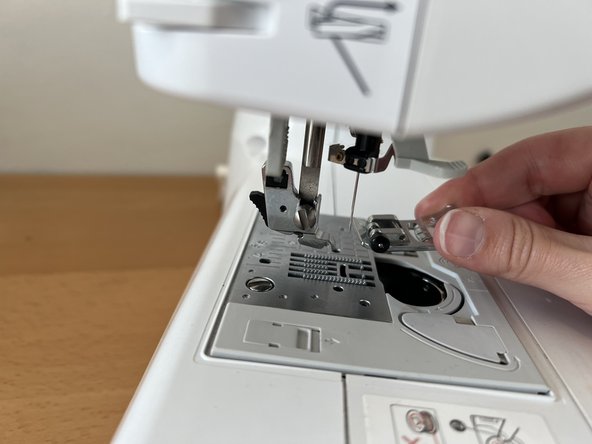
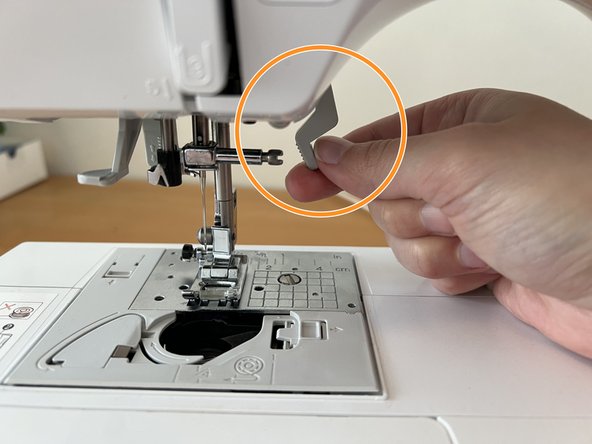
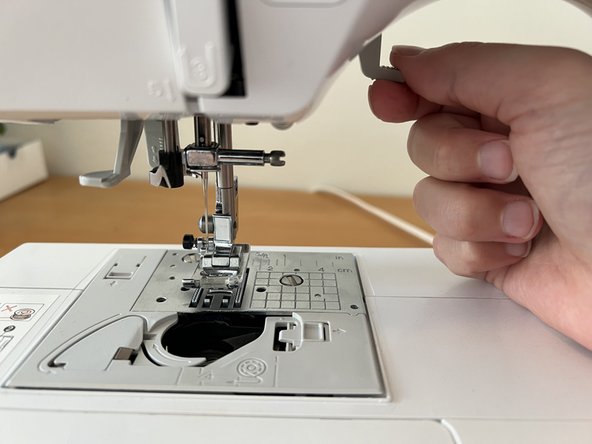
    • Locate the presser foot release switch on the back of the presser foot.

    • Squeeze the release switch gently.

    • The pressure foot will drop away. Set it aside for later.

    Ask FixBot

    Add Comment

  5. How to Fix a Squeaky Brother SC 9500 Computerized Sewing Machine: step 5, image 1 of 2 How to Fix a Squeaky Brother SC 9500 Computerized Sewing Machine: step 5, image 2 of 2
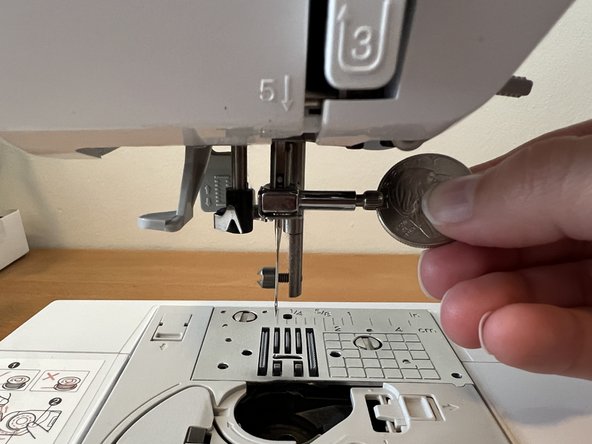
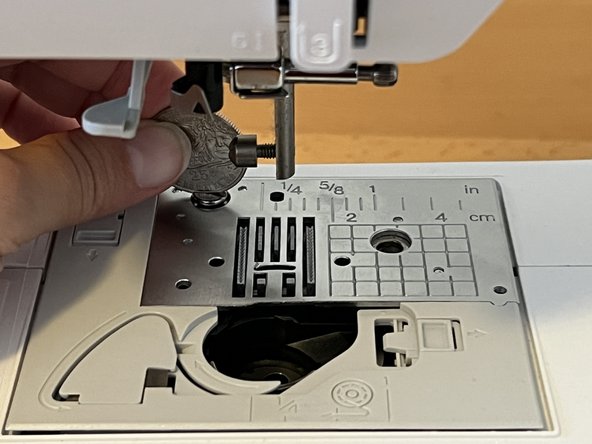
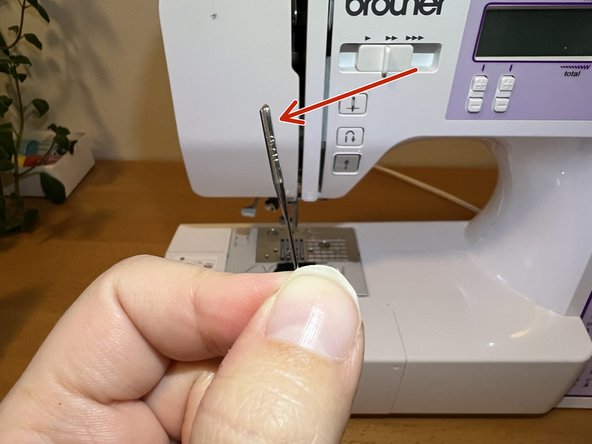
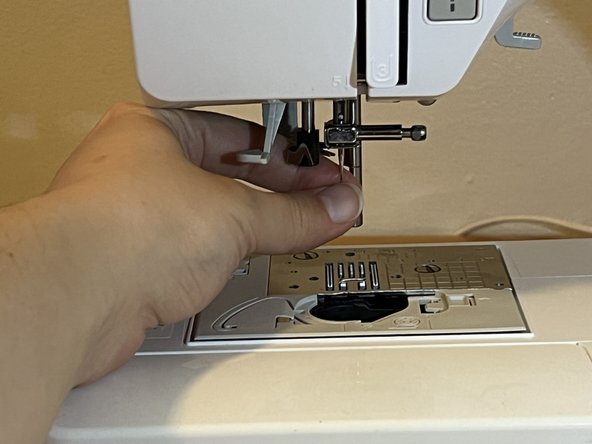
    • Use a coin to twist the needle securing screw towards yourself (counterclockwise).

    • The needle will drop down when it's loose enough. Carefully set the needle aside.

    Ask FixBot

    Add Comment

  6. How to Fix a Squeaky Brother SC 9500 Computerized Sewing Machine: step 6, image 1 of 3 How to Fix a Squeaky Brother SC 9500 Computerized Sewing Machine: step 6, image 2 of 3 How to Fix a Squeaky Brother SC 9500 Computerized Sewing Machine: step 6, image 3 of 3
    • Use a coin to unscrew the two screws holding the bobbin well cover plate in place.

    • The first screw is located in the middle of the grid lines on the metal plate. The second screw is located in the top right corner of the metal plate.

    • Lift the well cover plate from the left edge first to remove it.

    Ask FixBot

    Add Comment

  7. How to Fix a Squeaky Brother SC 9500 Computerized Sewing Machine: step 7, image 1 of 3 How to Fix a Squeaky Brother SC 9500 Computerized Sewing Machine: step 7, image 2 of 3 How to Fix a Squeaky Brother SC 9500 Computerized Sewing Machine: step 7, image 3 of 3
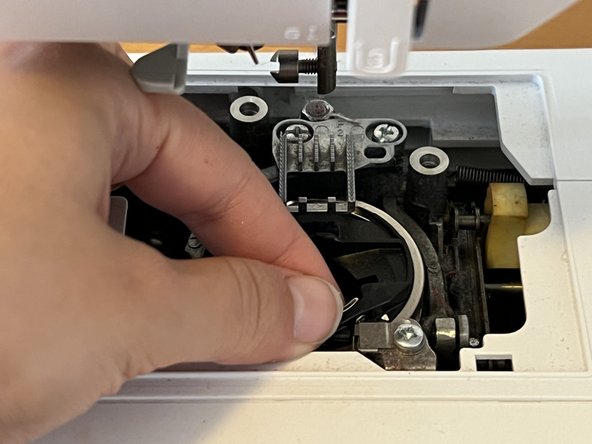
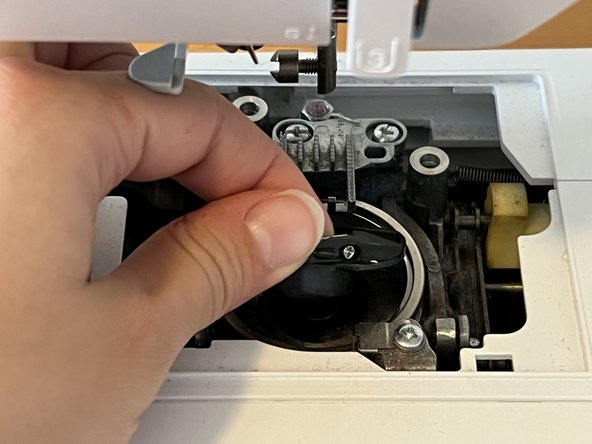
    • Pinch the black bobbin well and lift it up and away from the bobbin well tray to remove it.

    • Do not rotate the bobbin well when you remove it (maintain the same orientation). This makes it easier to replace the well at the end.

    Ask FixBot

    Add Comment

  8. How to Fix a Squeaky Brother SC 9500 Computerized Sewing Machine: step 8, image 1 of 2 How to Fix a Squeaky Brother SC 9500 Computerized Sewing Machine: step 8, image 2 of 2
    • Use a straw cleaner to remove dust and lint from the bobbin well tray.

    • You should also use the straw cleaner to clean between the metal teeth on the feed dogs.

    Ask FixBot

    Add Comment

  9. How to Fix a Squeaky Brother SC 9500 Computerized Sewing Machine: step 9, image 1 of 2 How to Fix a Squeaky Brother SC 9500 Computerized Sewing Machine: step 9, image 2 of 2
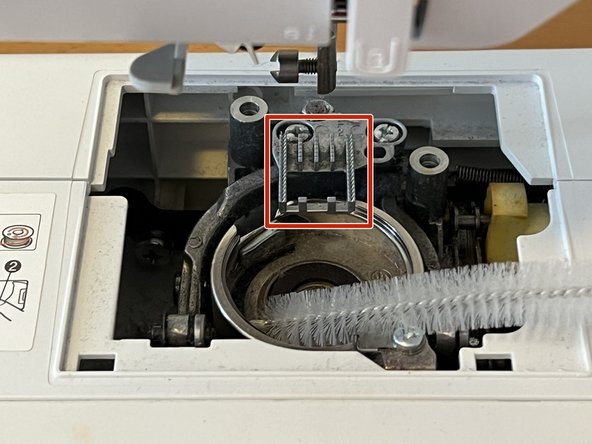
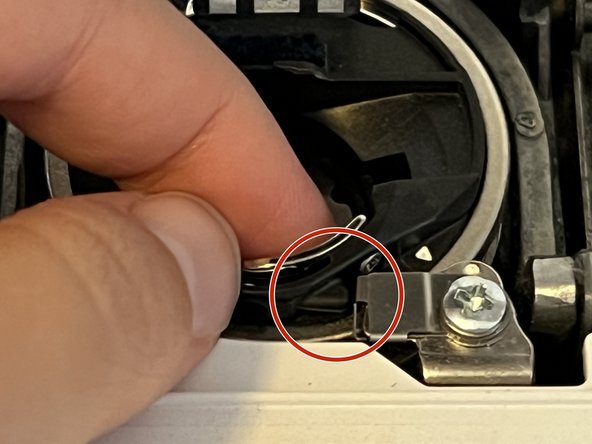
    • Replace the bobbin well once all the dust is gone.

    • Make sure the black tab on the black bobbin well is placed right up against the metal spring in the bobbin well tray.

    • If it's not aligned properly, your machine will not work. When you twist the black bobbin well counterclockwise, the plastic tab should depress the metal spring.

    Ask FixBot

    Add Comment

  10. How to Fix a Squeaky Brother SC 9500 Computerized Sewing Machine: step 10, image 1 of 3 How to Fix a Squeaky Brother SC 9500 Computerized Sewing Machine: step 10, image 2 of 3 How to Fix a Squeaky Brother SC 9500 Computerized Sewing Machine: step 10, image 3 of 3
    • Replace the bobbin well plate cover and the two screws.

    Ask FixBot

    Add Comment

  11. How to Fix a Squeaky Brother SC 9500 Computerized Sewing Machine: step 11, image 1 of 3 How to Fix a Squeaky Brother SC 9500 Computerized Sewing Machine: step 11, image 2 of 3 How to Fix a Squeaky Brother SC 9500 Computerized Sewing Machine: step 11, image 3 of 3
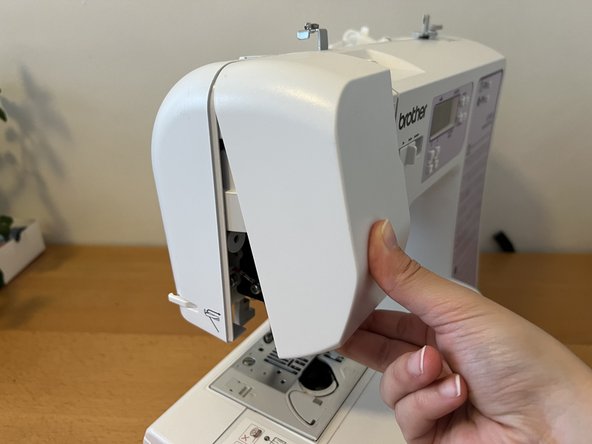
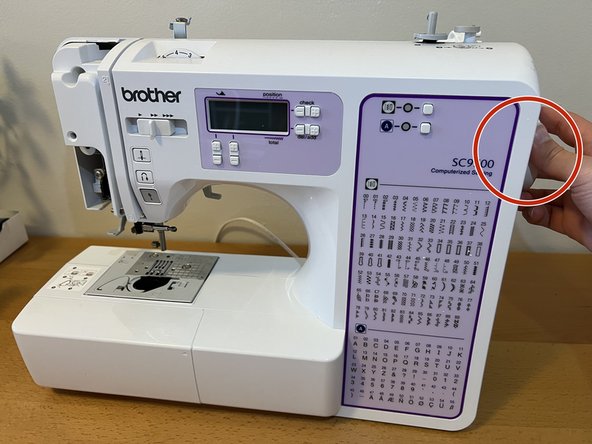
    • Turn the machine around to the back and unscrew the single screw on the far right edge.

    • The faceplate screw is set about an inch into the plastic body of the machine.

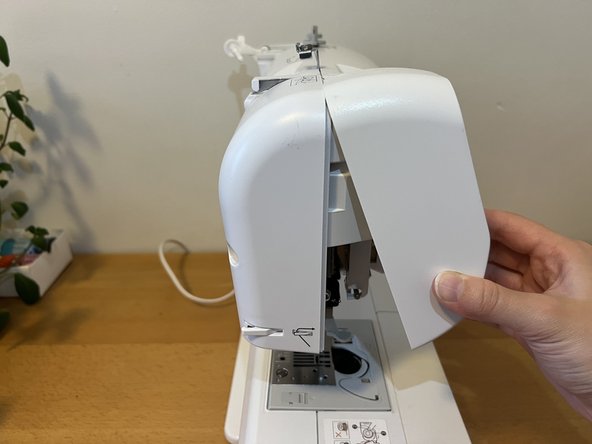
    • Pinch the bottom edge of the faceplate and pull up to detach.

    Ask FixBot

    Add Comment

  12. How to Fix a Squeaky Brother SC 9500 Computerized Sewing Machine: step 12, image 1 of 3 How to Fix a Squeaky Brother SC 9500 Computerized Sewing Machine: step 12, image 2 of 3 How to Fix a Squeaky Brother SC 9500 Computerized Sewing Machine: step 12, image 3 of 3
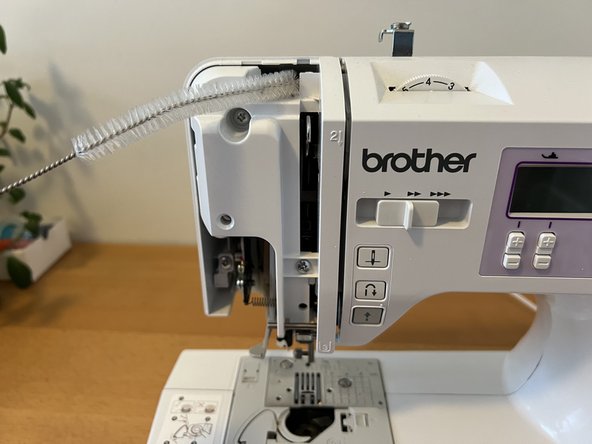
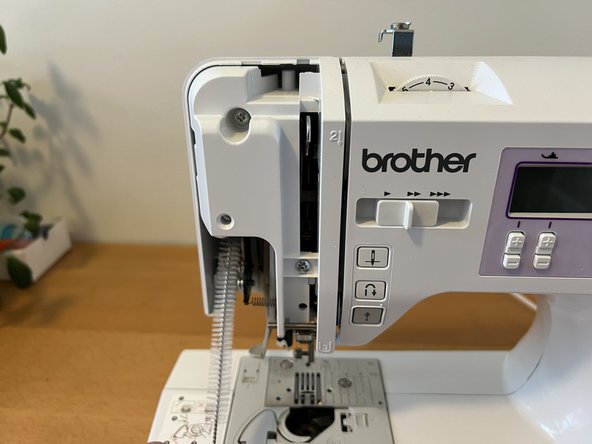
    • Use the straw cleaner to dust the top, bottom left, and inner right sides of the internal needle arm mechanism.

    Ask FixBot

    Add Comment

  13. How to Fix a Squeaky Brother SC 9500 Computerized Sewing Machine: step 13, image 1 of 3 How to Fix a Squeaky Brother SC 9500 Computerized Sewing Machine: step 13, image 2 of 3 How to Fix a Squeaky Brother SC 9500 Computerized Sewing Machine: step 13, image 3 of 3
    • Locate the inner joint. It looks like a large round disk in the right side of the needle arm mechanism.

    • A flashlight is helpful to locate the joint.

    • Apply two drops of sewing machine oil to this joint.

    Ask FixBot

    Add Comment

  14. How to Fix a Squeaky Brother SC 9500 Computerized Sewing Machine: step 14, image 1 of 1
    • Turn the hand wheel on the end of your machine two full times clockwise to spread the oil around the joint.

    Ask FixBot

    Add Comment

  15. How to Fix a Squeaky Brother SC 9500 Computerized Sewing Machine: step 15, image 1 of 2 How to Fix a Squeaky Brother SC 9500 Computerized Sewing Machine: step 15, image 2 of 2
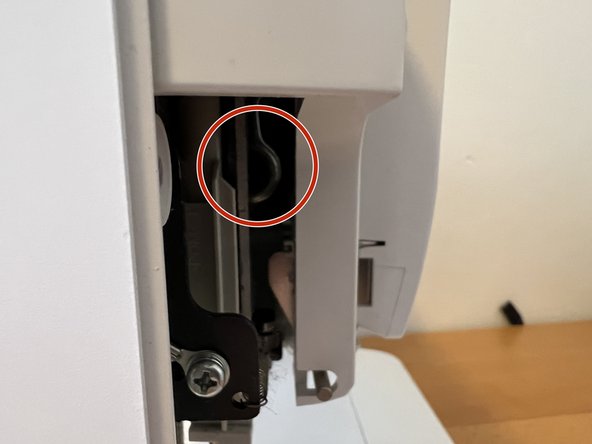
    • Replace the faceplate.

    • Slot the top edge over the exposed inner mechanism first.

    • Lower the faceplate cover until it snaps into place at the bottom.

    • Replace the screw of the back of the machine until it is hand-tight.

    Ask FixBot

    Add Comment

  16. How to Fix a Squeaky Brother SC 9500 Computerized Sewing Machine: step 16, image 1 of 3 How to Fix a Squeaky Brother SC 9500 Computerized Sewing Machine: step 16, image 2 of 3 How to Fix a Squeaky Brother SC 9500 Computerized Sewing Machine: step 16, image 3 of 3
    • Align the presser foot bar with the presser foot clip.

    • Pull down on the presser foot lever to push the clip into the bar. It will audibly snap into place.

    • Push the presser foot lever up to check that the presser foot is secure.

    Ask FixBot

    Add Comment

  17. How to Fix a Squeaky Brother SC 9500 Computerized Sewing Machine: step 17, image 1 of 2 How to Fix a Squeaky Brother SC 9500 Computerized Sewing Machine: step 17, image 2 of 2
    • Lastly, carefully replace the needle.

    • Sewing machine needles have a round front and a flat back. Insert the needle with the flat back facing away from you.

    • Use a coin to tighten the needle screw clockwise until it is hand-tight.

    Ask FixBot

    Add Comment

Conclusion

Congratulations! Your sewing machine is ready to be re-threaded and used. Enjoy sewing squeak-free.

Cancel: I did not complete this guide.

One other person completed this guide.

0 Guide Comments

Add Comment

View Statistics:

Past 24 Hours: 3

Past 7 Days: 10

Past 30 Days: 57

All Time: 1,012