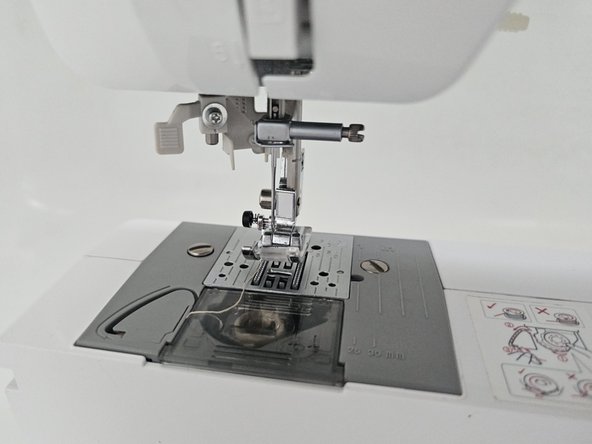
How to Fix Stuck Feed Dogs on a Brother BM3700 Sewing Machine

What you need

  1. How to Fix Stuck Feed Dogs on a Brother BM3700 Sewing Machine, How to Fix Stuck Feed Dogs on a Brother BM3700 Sewing Machine: step 1, image 1 of 1
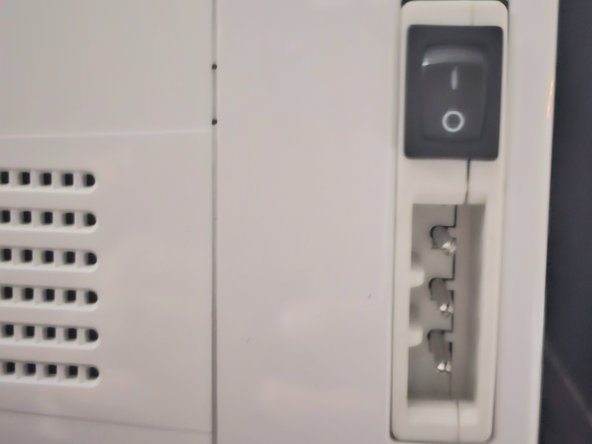
    • Ensure the power button on the machine is switched to the "off" position and the pedal is disconnected from the port at the side.

  2. How to Fix Stuck Feed Dogs on a Brother BM3700 Sewing Machine: step 2, image 1 of 2 How to Fix Stuck Feed Dogs on a Brother BM3700 Sewing Machine: step 2, image 2 of 2
    • Remove the needle from the machine by holding the needle while turning the needle set screw counterclockwise until the needle is loose.

    • Hold on to the needle so that it does not fall into the sewing machine.

  3. How to Fix Stuck Feed Dogs on a Brother BM3700 Sewing Machine: step 3, image 1 of 2 How to Fix Stuck Feed Dogs on a Brother BM3700 Sewing Machine: step 3, image 2 of 2
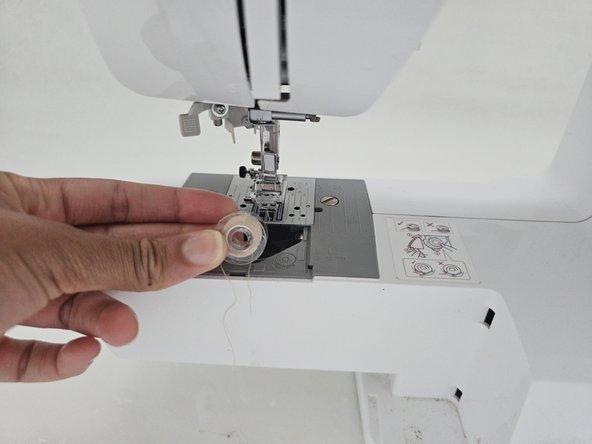
    • Remove the bobbin case by gripping the bobbin case cover with two fingers and sliding it back gently.

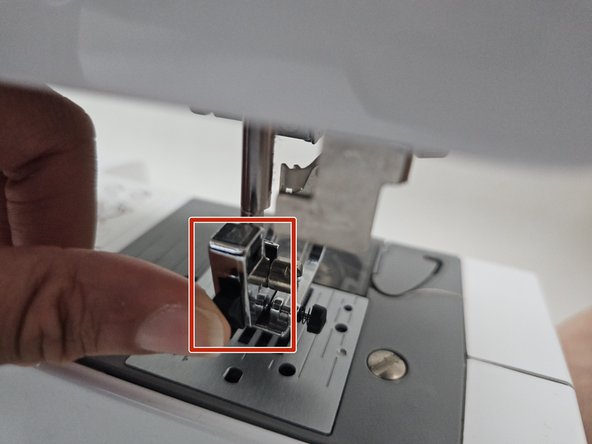
    • Remove the presser foot by pressing the black button at the back of the presser foot lever until the attached presser foot falls off.

  4. How to Fix Stuck Feed Dogs on a Brother BM3700 Sewing Machine: step 4, image 1 of 3 How to Fix Stuck Feed Dogs on a Brother BM3700 Sewing Machine: step 4, image 2 of 3 How to Fix Stuck Feed Dogs on a Brother BM3700 Sewing Machine: step 4, image 3 of 3
    • Remove the bobbin from the bobbin case.

    • Remove the screws on the bed cover using the round screwdriver.

    • Place the screwdriver into the groove of the screw. Turn counterclockwise until the screw is loosened.

  5. How to Fix Stuck Feed Dogs on a Brother BM3700 Sewing Machine: step 5, image 1 of 1
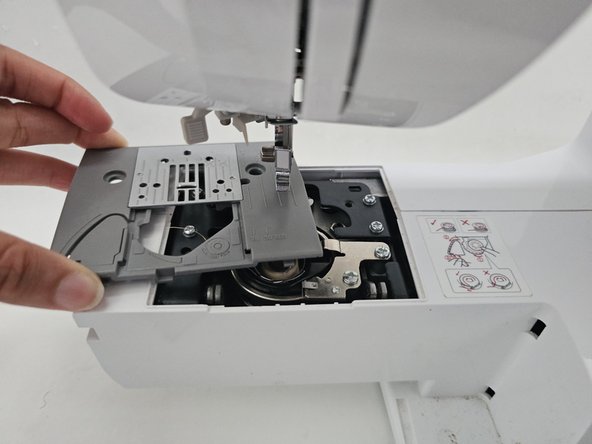
    • Remove the bed cover to expose the feed dogs.

  6. How to Fix Stuck Feed Dogs on a Brother BM3700 Sewing Machine: step 6, image 1 of 2 How to Fix Stuck Feed Dogs on a Brother BM3700 Sewing Machine: step 6, image 2 of 2
    • Using the brush and tweezers, clear the area around the feed dogs of lint, thread, and other debris.

    • Be gentle while removing tangled threads to prevent damage to the machine and to reduce the risk of accidentally leaving thread inside the machine.

  7. How to Fix Stuck Feed Dogs on a Brother BM3700 Sewing Machine: step 7, image 1 of 3 How to Fix Stuck Feed Dogs on a Brother BM3700 Sewing Machine: step 7, image 2 of 3 How to Fix Stuck Feed Dogs on a Brother BM3700 Sewing Machine: step 7, image 3 of 3
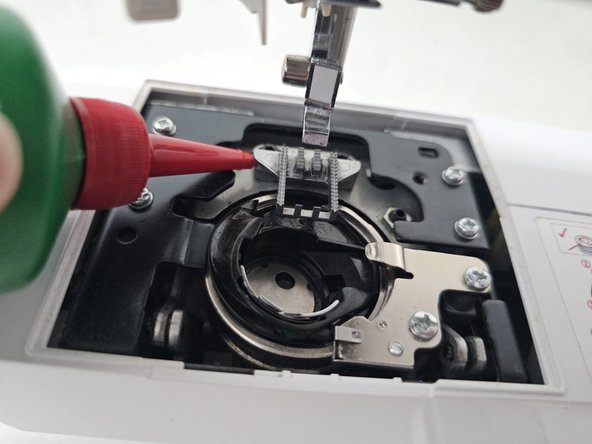
    • Apply 2 drops of sewing machine oil to the left and right sides of the feed dog.

    • Wipe away excess oil using the microfiber cloth.

  8. How to Fix Stuck Feed Dogs on a Brother BM3700 Sewing Machine: step 8, image 1 of 1
    • Move the feed dogs manually by turning the hand crank clockwise for 3 full rotations in order to disperse the oil evenly.

  9. How to Fix Stuck Feed Dogs on a Brother BM3700 Sewing Machine: step 9, image 1 of 1
    • Replace the bed cover, bobbin plate, presser foot, and the needle into the machine.

  10. How to Fix Stuck Feed Dogs on a Brother BM3700 Sewing Machine: step 10, image 1 of 1
    • Plug the pedal back into the machine and turn it on.

    • Do a test stitch on scrap fabric to ensure the feed dogs and the machine overall are functioning properly.

Conclusion

To reassemble your device, follow these instructions in reverse order.

1. Switch on and replug the machine

2. Replace the needle

3. Replace the bobbin plate and the presser foot attachment

4. Replace the bobbin and the screws on the bed cover using the round screwdriver.

5. Replace the bed cover.

Khalia Brown

Member since: 07/02/24

181 Reputation

1 Guide authored

0 Guide Comments

Add Comment

View Statistics:

Past 24 Hours: 0

Past 7 Days: 15

Past 30 Days: 57

All Time: 957