Introduction
The motherboard is the internal component of your router that performs all basic functions. It is the most important part of your device. If your D-Link EBR-2310 router is non-operational, your motherboard most likely needs to be replaced. Follow this guide for instructions on how to do so.
What you need
-
-
-
Begin by placing the wired router face down.
-
Locate the two black plastic screw coverings at the top of the device and remove them with your fingers.
 Ask FixBot
-
-
-
-
Use a plastic opening tool between the edges of the router and gently pry the device apart.
-
Release the clips as you work your way around the device to avoid breaking them.
-
Separate the front and back case of the router.
-
-
-
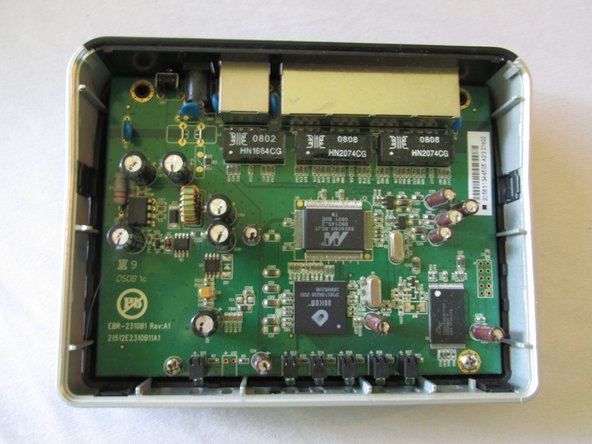
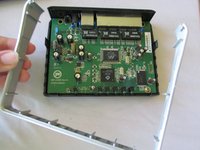
Once you have removed the top black case of the router, remove the silver casing surrounding the logic board.
-
-
-
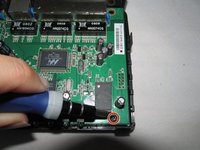
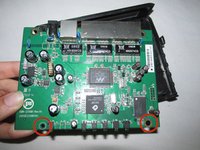
Use a Phillips #2 screwdriver to remove the two screws at the bottom of the motherboard.
-
-
-
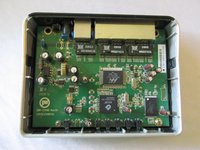
Now that you have removed all screws and the surrounding silver casing, pop the logic board out from the bottom component of the router.
-
You have now removed the logic board from your device.
-
-





To reassemble your device, follow these instructions in reverse order.
Cancel: I did not complete this guide.
One other person completed this guide.

Team

USF Sarasota-Manatee, Team 1-4, Stewart Fall 2014 Member of USF Sarasota-Manatee, Team 1-4, Stewart Fall 2014
USFSM-STEWART-F14S1G4
4 Members
168 Guides authored
