Introduction
This guide is to answer the questions about 3rd generation iPods refusing to charge.
Battery or charging circuit issues aside, the answer is: this iPod does NOT normally charge over USB. That 30-pin to USB iPod cable is either a sync cable or the charger for a newer iPod.
Assuming your iPod is able to charge (ie charging circuit is functioning), you need to supply 12 volts.
Depending on what charger you already have (or don't have), read the relevant step below:
What you need
-
-
-
Get a Firewire to 30-pin iPod cable. Example: the original charger or a matching one.
-
Plug it into a Firewire 400 port on your computer.
-
This way, you can sync the iPod while it charges.
 Ask FixBot
-
-
-
-
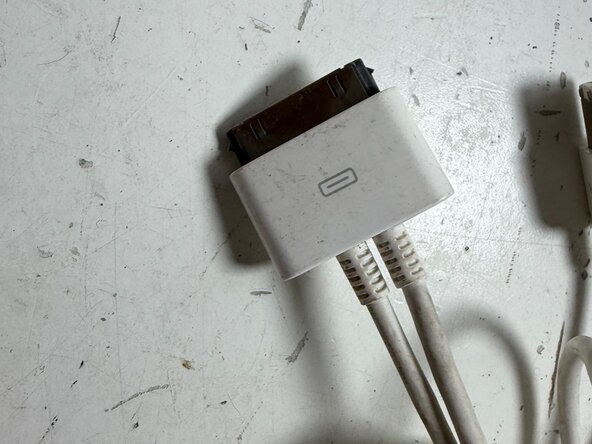
Get a 30-pin split or "Y" cable (or a Firewire iPod cable and a USB iPod cable).
-
Plug the Firewire cable (or plug) into the wall charger.
-
-
-
Get a 12V USB-C (USB QC, PD, etc) wall charger, or find a 12V USB-C port on your computer.
-
Get a 12V rated USB-C to 30-pin adapter, such as the iPod mini adpater from Plab and the Supercharger from Wymod. These are wired to activate the 12V line in the USB-C charger and allow charging at 12V.
-
Plug a good USB-C cable into the 12V input on the adpater (if it has multiple inputs), or set it to 12V mode (if it has a switch).
-
-



Charging mods (modifying the internal charging circuit of the iPod to accommodate USB chargers, etc.) are elsewhere.
Cancel: I did not complete this guide.
One other person completed this guide.

