What you need
-
-
-
Connect a voltmeter at the power supply’s connection to the circuit board and the power supply.
-
If the the voltage at the power supply is incorrect, the power supply should be replaced.
 Ask FixBot
-
-
-
Use wire strippers to cut the wired connection to the power supply.
-
If the wires need replacing, you will need to use a soldering iron and remove the connections at the board.
-
-
-
-
Use the wire strippers to cut off the rubber ends of the power supply wires.
-
Use a soldering iron and solder to fuse the connections between the two wires.
-
-
-
Test the power supply once the wires have been reconnected.
-
If the Health o Meter still has power issues, check the connections between the new power supply and the board.
-
If no issues are found, the circuit board may need to be replaced.
-
-


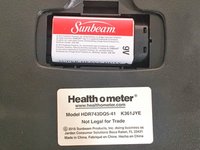
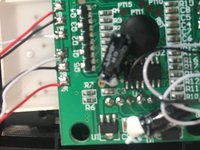
To reassemble your device, follow these instructions in reverse order.

Team

University of Memphis, Team S1-G1, Kim Spring 2018 Member of University of Memphis, Team S1-G1, Kim Spring 2018
UM-KIM-S18S1G1
3 Members
4 Guides authored
