
HVAC Filter Replacement

Anthony Estevez and one other contributor
Last updated on Dec 22, 2023
Views: 1.1K
View statistics:
- Past 24 Hours:
- 3
- Past 7 Days:
- 19
- Past 30 Days:
- 94
- All Time:
- 1,104
Comments: 0
No one has left comments on this guide. Will you be first?
Go to guide commentsCompleted: 2 3
2 people have marked this guide "completed." Will you be next?
3 people have marked this guide "completed." Including you — great job!
Favorites: 0 1
No one has favorited (and subscribed to) this guide. Will you be the first?
1 person has favorited (and subscribed to) this guide — and that's you!
Introduction
Go to step 1 ↓This guide is for filter replacement of air conditioning. This replacement is needed to allow proper airflow while preventing particles from leaving the vent. I purchased the filter in Home Depot. Make sure to know the dimensions of the vent opening as there are filters with different dimensions. Additionally, there are 5 categories of filters and are rated by how effective they are. I bought a filter with a score of 9 out of 10 so choose one that meets your budget.
What you need
Tools


-
-
-
Observe your air conditioning vent. If the filter appears to be dirty or damaged, then it is time to change it.
 Ask FixBot
-
-
-
Remove the screws on the vent cover. There should be a minimum of 4 screws in each corner of the vent.
-
-
-
Grab a screwdriver with a hex head attachment to remove the screws. Grab the screwdriver and place it on the head of the screw. Twist in a counterclockwise motion until the screw is removed. Repeat for every screw.
-
-
-
-
Buy a Honeywell Air Filter from Home Depot and make sure to buy the filter with the correct dimensions.
-
The dimensions for filters will vary depending on the dimensions of the vent.
-
-
-
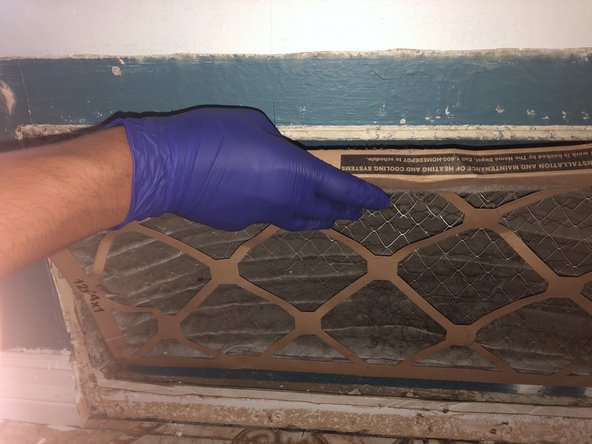
Place the new filter into the vent opening. Make sure that it is facing the right direction.
-
-
-
Grab the same screws that were taken out at Step 3 and use them to secure the vent cover.
-
Place the screwdriver on the head of the screw and twist in a clockwise motion until screw is secure.
-
Repeat for every screw.
-
-




To reassemble your device, follow these instructions in reverse order.
Cancel: I did not complete this guide.
2 other people completed this guide.

Team

CSU Los Angeles, Team 2-1, Briggs Fall 2023 Member of CSU Los Angeles, Team 2-1, Briggs Fall 2023
CSULA-BRIGGS-F23S2G1
5 Members
60 Guides authored
