Free Shipping on Domestic Orders $75+

HTC Vive Controller Grip Buttons Replacement

What you need

  1. HTC Vive Controller Grip Buttons Replacement, Saucer Panels: step 1, image 1 of 3 HTC Vive Controller Grip Buttons Replacement, Saucer Panels: step 1, image 2 of 3 HTC Vive Controller Grip Buttons Replacement, Saucer Panels: step 1, image 3 of 3
    • Turn over the Vive controller so that the bottom saucer is facing up.

    • Use the T5 Torx screwdriver to remove three black 21mm screws from the bottom saucer.

    Ask FixBot

    Add Comment

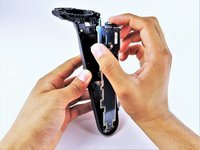
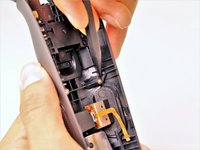
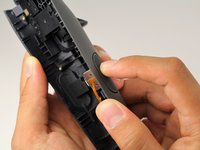
  2. HTC Vive Controller Grip Buttons Replacement: step 2, image 1 of 2 HTC Vive Controller Grip Buttons Replacement: step 2, image 2 of 2
    • Use the nylon spudger to separate the top and bottom saucer covers all around the edges.

    • Remove only the top saucer cover by pulling up with your hand.

    Ask FixBot

    Add Comment

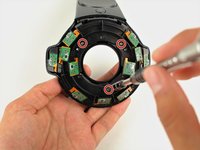
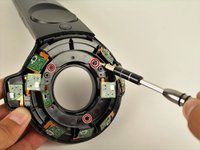
  3. HTC Vive Controller Grip Buttons Replacement: step 3, image 1 of 2 HTC Vive Controller Grip Buttons Replacement: step 3, image 2 of 2
    • Use the Phillips 00 screwdriver to remove the three silver 12.8mm screws from the exposed upper sensor panel.

    Ask FixBot

    Add Comment

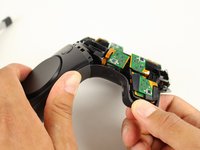
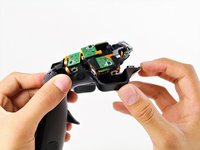
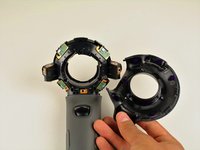
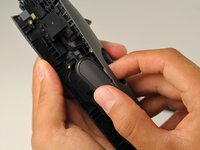
  4. HTC Vive Controller Grip Buttons Replacement: step 4, image 1 of 3 HTC Vive Controller Grip Buttons Replacement: step 4, image 2 of 3 HTC Vive Controller Grip Buttons Replacement: step 4, image 3 of 3
    • Carefully pull away the bottom saucer cover with your hand.

    • To aid in removing the saucer cover, squeeze the base of the controller with your other hand, as shown in the second image of this step. Squeezing will make the clips easier to release and help prevent them from breaking.

    Ask FixBot

    Add Comment

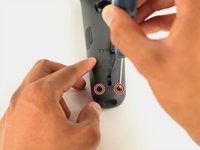
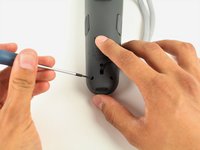
  5. HTC Vive Controller Grip Buttons Replacement, Front Panel: step 5, image 1 of 2 HTC Vive Controller Grip Buttons Replacement, Front Panel: step 5, image 2 of 2
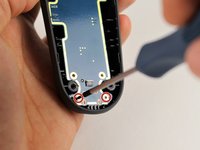
    • Use the T5 Torx screwdriver to remove the two black 5.2mm screws on the back gray panel.

    Ask FixBot

    Add Comment

  6. HTC Vive Controller Grip Buttons Replacement: step 6, image 1 of 1
    • Turn over the Vive controller so that the exposed bottom saucer panel is facing up.

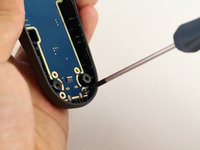
    • Use the T5 Torx screwdriver to remove the three black 5.2mm screws.

    Ask FixBot

    Add Comment

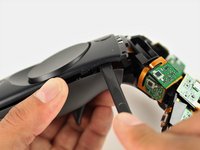
  7. HTC Vive Controller Grip Buttons Replacement: step 7, image 1 of 2 HTC Vive Controller Grip Buttons Replacement: step 7, image 2 of 2
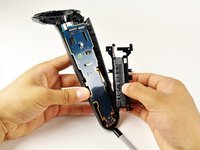
    • Use the nylon spudger to separate the front panel gently by running the spudger around the edges of the handle.

    • Only separate the front panel around the edges. Do not try to completely remove the panel yet.

    • Gently lift the right side of the panel to the left.

    Ask FixBot

    Add Comment

  8. HTC Vive Controller Grip Buttons Replacement: step 8, image 1 of 1
    • Disconnect the upper ribbon cable gently by pulling the ribbon up and away from the motherboard with two fingers.

    • Do not try to disconnect the ribbon cables from the front panel.

    Ask FixBot

    Add Comment

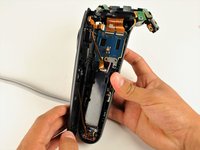
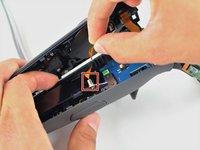
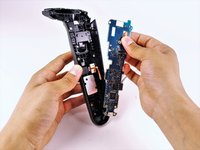
  9. HTC Vive Controller Grip Buttons Replacement: step 9, image 1 of 2 HTC Vive Controller Grip Buttons Replacement: step 9, image 2 of 2
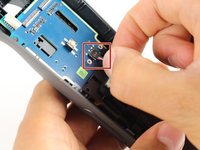
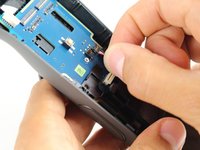
    • Disconnect the middle ribbon cable gently by pulling the ribbon cable up and away from the motherboard with two fingers.

    • Do not try to disconnect the ribbon cables from the front panel.

    Ask FixBot

    Add Comment

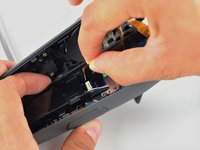
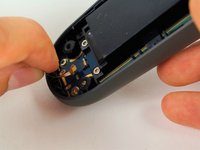
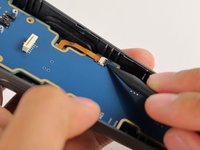
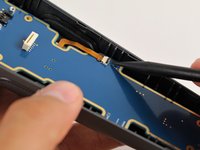
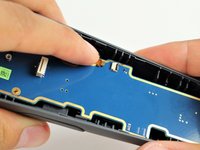
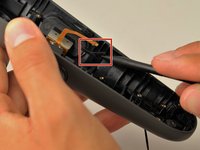
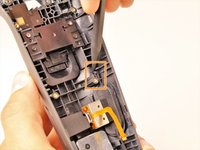
  10. HTC Vive Controller Grip Buttons Replacement: step 10, image 1 of 3 HTC Vive Controller Grip Buttons Replacement: step 10, image 2 of 3 HTC Vive Controller Grip Buttons Replacement: step 10, image 3 of 3
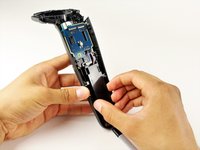
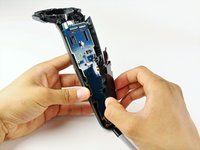
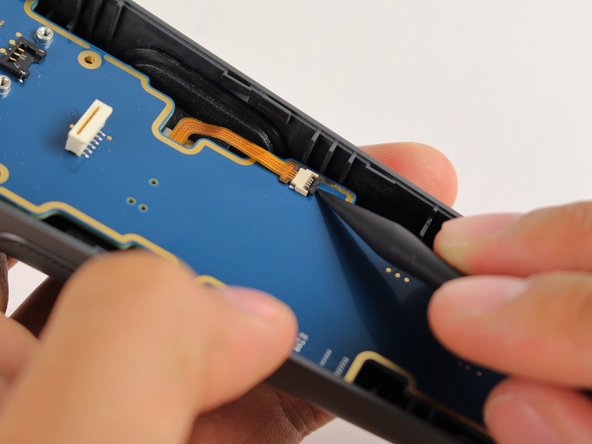
    • Use the nylon spudger to lift the white tab by 90 degrees.

    • Disconnect the bottom ribbon cable gently by pulling the ribbon cable down with two fingers.

    Ask FixBot

    Add Comment

  11. HTC Vive Controller Grip Buttons Replacement, Battery: step 11, image 1 of 2 HTC Vive Controller Grip Buttons Replacement, Battery: step 11, image 2 of 2
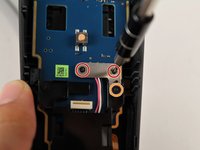
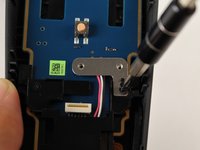
    • Use the Phillips 00 screwdriver to remove two black 2.8mm screws from the silver plate.

    • Use the Phillips 00 screwdriver to remove the black 5.8mm screw from the bottom right corner of the silver plate.

    Ask FixBot

    Add Comment

  12. HTC Vive Controller Grip Buttons Replacement: step 12, image 1 of 1
    • Remove the silver plate by pinching it with two fingers and lifting up.

    Ask FixBot

    Add Comment

  13. HTC Vive Controller Grip Buttons Replacement: step 13, image 1 of 1
    • Use the Phillips 00 screwdriver to remove the black 5.8mm screw from the top left of the battery frame.

    Ask FixBot

    Add Comment

  14. HTC Vive Controller Grip Buttons Replacement: step 14, image 1 of 2 HTC Vive Controller Grip Buttons Replacement: step 14, image 2 of 2
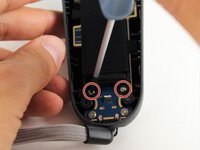
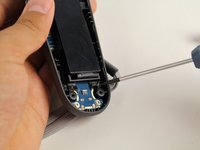
    • Use the T5 Torx screwdriver to remove the two silver 4.2mm screws from the bottom of the battery frame.

    Ask FixBot

    Add Comment

  15. HTC Vive Controller Grip Buttons Replacement: step 15, image 1 of 2 HTC Vive Controller Grip Buttons Replacement: step 15, image 2 of 2
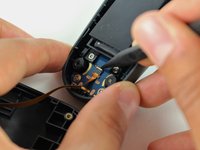
    • Disconnect the three-pin cable gently by pinching the cable with two fingers and pulling up.

    Ask FixBot

    Add Comment

  16. HTC Vive Controller Grip Buttons Replacement: step 16, image 1 of 3 HTC Vive Controller Grip Buttons Replacement: step 16, image 2 of 3 HTC Vive Controller Grip Buttons Replacement: step 16, image 3 of 3
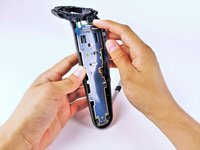
    • Lift the battery frame to remove the battery from the Vive controller

    Ask FixBot

    Add Comment

  17. HTC Vive Controller Grip Buttons Replacement, Motherboard: step 17, image 1 of 1
    • Use the Phillips 00 screwdriver to remove the two black 5.8mm screws from the top of the motherboard.

    Ask FixBot

    Add Comment

  18. HTC Vive Controller Grip Buttons Replacement: step 18, image 1 of 2 HTC Vive Controller Grip Buttons Replacement: step 18, image 2 of 2
    • Use the T5 Torx screwdriver to remove the two silver 4.2mm screws from the bottom of the motherboard.

    Ask FixBot

    Add Comment

  19. HTC Vive Controller Grip Buttons Replacement: step 19, image 1 of 3 HTC Vive Controller Grip Buttons Replacement: step 19, image 2 of 3 HTC Vive Controller Grip Buttons Replacement: step 19, image 3 of 3
    • Use the nylon spudger to rotate the black tab up by 90 degrees.

    • Disconnect the ribbon cable carefully with your finger.

    Ask FixBot

    Add Comment

  20. HTC Vive Controller Grip Buttons Replacement: step 20, image 1 of 3 HTC Vive Controller Grip Buttons Replacement: step 20, image 2 of 3 HTC Vive Controller Grip Buttons Replacement: step 20, image 3 of 3
    • Lift the motherboard up and out of the Vive controller using your hands.

    Ask FixBot

    Add Comment

  21. HTC Vive Controller Grip Buttons Replacement, Grip Buttons: step 21, image 1 of 1
    • Use the Phillips 00 screwdriver to remove the two black 5.8mm screws from the silver rectangular plate.

    Ask FixBot

    Add Comment

  22. HTC Vive Controller Grip Buttons Replacement: step 22, image 1 of 1
    • Lift the silver rectangular plate up and out of the controller using your hand.

    Ask FixBot

    Add Comment

  23. HTC Vive Controller Grip Buttons Replacement: step 23, image 1 of 3 HTC Vive Controller Grip Buttons Replacement: step 23, image 2 of 3 HTC Vive Controller Grip Buttons Replacement: step 23, image 3 of 3
    • Use the nylon spudger to lift the bottom rubber tab on the inside of the right grip button.

    • Use the nylon spudger to lift the top rubber tab on the inside of the right grip button.

    Ask FixBot

    Add Comment

  24. HTC Vive Controller Grip Buttons Replacement: step 24, image 1 of 2 HTC Vive Controller Grip Buttons Replacement: step 24, image 2 of 2
    • Push the grip button in with your finger until it pops out of its socket.

    • You may hear a popping sound when you pop out the grip button

    • Repeat steps 23 and 24 to remove the left side grip button.

    Ask FixBot

    Add Comment

Conclusion

To reassemble your device, follow these instructions in reverse order.

Cancel: I did not complete this guide.

2 other people completed this guide.

Christopher Amaro

Member since: 10/16/17

972 Reputation

5 Guides authored

Team

Cal Poly, Team S15-G5, Livingston Fall 2017 Member of Cal Poly, Team S15-G5, Livingston Fall 2017

CPSU-LIVINGSTON-F17S15G5

4 Members

51 Guides authored

2 Guide Comments

It’s all fine and dandy but this part is nowhere to be found

olivier.ducran2 - Reply Share
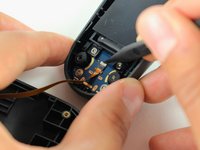
Hi, first of all ty for the tools and all the effort.

During disassembly my system button's 7 contanct fpc connector ripped apart and cant find any label on it.

I am trying to find a replacement part to re-solder it.

Can you help me with a name of that connector.

Thanks

Zoltán Táborosi - Reply Share
Add Comment

View Statistics:

Past 24 Hours: 0

Past 7 Days: 11

Past 30 Days: 62

All Time: 5,835