
HTC Magic Speaker Replacement

LucasJV and 2 other contributors
Last updated on Feb 19, 2016
Views: 11K
View statistics:
- Past 24 Hours:
- 1
- Past 7 Days:
- 18
- Past 30 Days:
- 78
- All Time:
- 11,443
Comments: 1
1 guide comment.
Go to guide commentsCompleted: 0 1
No one has marked this guide "completed." Will you be the first?
1 person has marked this guide "completed." It's you — great job!
Favorites: 4 5
4 people have favorited (and subscribed to) this guide. Will you be next?
5 people have favorited (and subscribed to) this guide — including you!
Community-Contributed Guide
An awesome member of our community made this guide. It was not created by iFixit staff.
Introduction
Go to step 1 ↓A part that might fail after you drop your HTC Magic is the speaker. Here's how to replace it. You will need Torx T6 & T5 drivers , a screwdriver, & a iPod opening tool(s).
What you need
Tools


-
-
-
Open the phone by removing it's backcover (battery door) and the battery.
-
REMEMBER to remove the simcard and microSD card. If you do not they'll be damaged when you remove them at a later stage.
 Ask FixBot
-
-
-
-
Use the iPod opening tools (or your fingernails) to remove the hosuing by running along the seam bit by bit. It's easiest to start somewhere in the middle, then work your way across the top.
-
The housing is held by plastic clips, so be careful since you don't want to break these.
-
Carefully lift the front housing from the back.
-
-
-
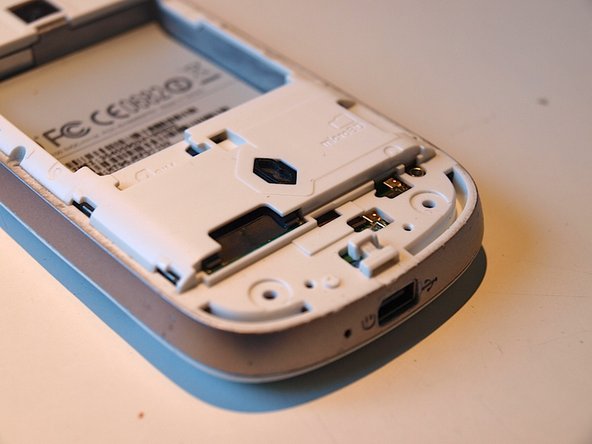
The rear housing should look like the picture on the left. The speaker part is at the top.
-
Use a small bit (like a paperclip) to lift the speaker out of it's socket. It's glued in it's place, so you may need to use a bit of force.
-
Be sure not to touch any part of the speaker except the black plastic parts.
-
-




To reassemble your device, follow these instructions in reverse order.

1 Guide Comment
Where can I buy a speaker's set for the HTC Magic, please?
