15% Off Selected iFixit Tools — Limited Time
Free Shipping on Domestic Orders $75+

HTC Droid DNA Front-Facing Camera Replacement

What you need

  1. HTC Droid DNA Front-Facing Camera Replacement, Remove the SIM Card Tray: step 1, image 1 of 1
    • Poke a paperclip into the hole to the right of the SIM Card Tray. The SIM Card Tray will automatically pop out.

    Ask FixBot

    Add Comment

  2. HTC Droid DNA Front-Facing Camera Replacement, Removing the SIM Card Tray: step 2, image 1 of 2 HTC Droid DNA Front-Facing Camera Replacement, Removing the SIM Card Tray: step 2, image 2 of 2
    • Pull out the SIM Card Tray with your fingers.

    Ask FixBot

    Add Comment

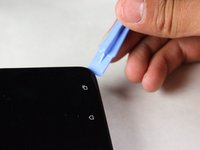
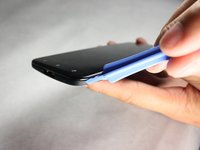
  3. HTC Droid DNA Front-Facing Camera Replacement, Loosen the Phone Casing: step 3, image 1 of 2 HTC Droid DNA Front-Facing Camera Replacement, Loosen the Phone Casing: step 3, image 2 of 2
    • Make sure the USB cover on the bottom of the phone is removed first.

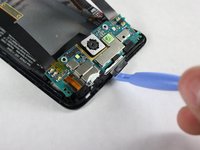
    • Starting at a corner, slowly work your way around the edge of the sides with your prying tool to loosen the front panel.

    • Take your time. A lot of force is necessary to loosen the front panel.

    Ask FixBot

    Add Comment

  4. HTC Droid DNA Front-Facing Camera Replacement, Pull the Casing Apart: step 4, image 1 of 1
    • Slowly pull the panel apart from the back of the phone.

    • Apply a moderate force to pry the panel from the back of the phone.

    Ask FixBot

    Add Comment

  5. HTC Droid DNA Front-Facing Camera Replacement, Remove the Black Tape: step 5, image 1 of 1
    • Set the device down so that the bottom of the phone is facing to the right.

    • Gently take off the piece of black tape surrounding the motherboard.

    • Be careful not to rip the tape.

    Ask FixBot

    Add Comment

  6. HTC Droid DNA Front-Facing Camera Replacement, Remove the Yellow Tape: step 6, image 1 of 1
    Tool used on this step:
    Tweezers
    $4.99
    Buy
    • Use your tweezers to take off the yellow tape on the bottom left corner of the phone.

    Ask FixBot

    Add Comment

  7. HTC Droid DNA Front-Facing Camera Replacement: step 7, image 1 of 1
    • Rotate your phone 90 degrees clockwise so the bottom of the phone is facing you.

    • Use the T5 Torx screwdriver to remove the two 4mm screws located at the bottom of the phone.

    Ask FixBot

    Add Comment

  8. HTC Droid DNA Front-Facing Camera Replacement, Remove the Void Screw: step 8, image 1 of 1
    • Use the Phillips #000 screwdriver to remove the single 2.7mm void screw on the bottom right.

    Ask FixBot

    Add Comment

  9. HTC Droid DNA Front-Facing Camera Replacement, Remove the Screw Retaining Bracket: step 9, image 1 of 1
    • Rotate your phone back 90 Degrees counter-clockwise.

    • Use your tweezers to take off the small metal retaining bracket on the bottom right of the phone.

    Ask FixBot

    Add Comment

  10. HTC Droid DNA Front-Facing Camera Replacement, Remove the Connector Screws: step 10, image 1 of 1
    • Remove the following Phillips #000 screws from the motherboard:

    • Four 1.6 mm screws

    • Two 1.5 mm screws

    Ask FixBot

    Add Comment

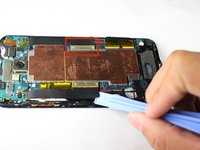
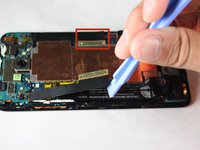
  11. HTC Droid DNA Front-Facing Camera Replacement, Unfasten the Connectors: step 11, image 1 of 2 HTC Droid DNA Front-Facing Camera Replacement, Unfasten the Connectors: step 11, image 2 of 2
    • Use your pry tool to unfasten the connectors on both sides of the motherboard.

    • The connectors will still be attached to the green camera board at the top so DO NOT try to pull them off or bend them severely.

    Ask FixBot

    Add Comment

  12. HTC Droid DNA Front-Facing Camera Replacement, Remove the Yellow Tape: step 12, image 1 of 1
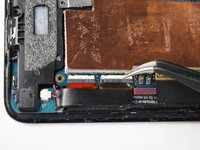
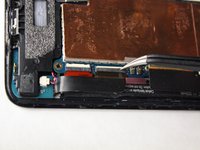
    • Use your tweezers to remove the two pieces of yellow tape shown.

    Ask FixBot

    Add Comment

  13. HTC Droid DNA Front-Facing Camera Replacement, Flipping up the White Board: step 13, image 1 of 2 HTC Droid DNA Front-Facing Camera Replacement, Flipping up the White Board: step 13, image 2 of 2
    • Use your tweezers to gently snap up the white board on the bottom right of the motherboard.

    Ask FixBot

    Add Comment

  14. HTC Droid DNA Front-Facing Camera Replacement, Disconnect the Connector: step 14, image 1 of 1
    • Use your tweezers to disconnect the black connector on the bottom right of the motherboard.

    • Be careful not to bend the Flex Cable of the Connector.

    Ask FixBot

    Add Comment

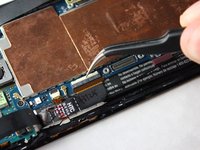
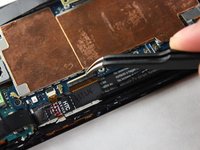
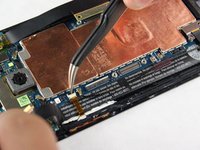
  15. HTC Droid DNA Front-Facing Camera Replacement, Flipping up the White Board: step 15, image 1 of 2 HTC Droid DNA Front-Facing Camera Replacement, Flipping up the White Board: step 15, image 2 of 2
    • Use your tweezers to gently snap the other white board on the bottom right of the motherboard up.

    Ask FixBot

    Add Comment

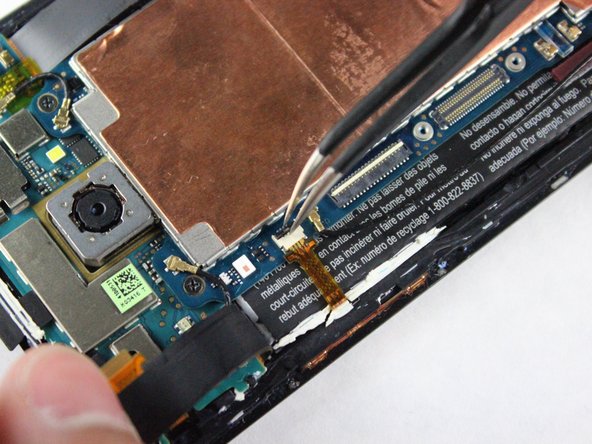
  16. HTC Droid DNA Front-Facing Camera Replacement, Disconnect the Connector: step 16, image 1 of 1
    • Use your tweezers to disconnect the other small connector on the bottom right of the motherboard.

    • Be careful not to bend the Flex Cables for the Connector.

    Ask FixBot

    Add Comment

  17. HTC Droid DNA Front-Facing Camera Replacement, Flipping up the White Board: step 17, image 1 of 2 HTC Droid DNA Front-Facing Camera Replacement, Flipping up the White Board: step 17, image 2 of 2
    • Rotate the phone 180 degrees.

    • Use your tweezers to gently snap up the white board on the top left of the motherboard.

    Ask FixBot

    Add Comment

  18. HTC Droid DNA Front-Facing Camera Replacement, Disconnect the Connector: step 18, image 1 of 1
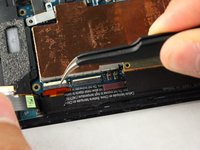
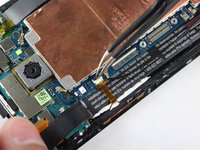
    • Use your tweezers to disconnect the cable on the top left of the motherboard.

    • Be careful not to bend the Flex Cable of the Connector.

    Ask FixBot

    Add Comment

  19. HTC Droid DNA Front-Facing Camera Replacement, Flipping up the Black Board: step 19, image 1 of 2 HTC Droid DNA Front-Facing Camera Replacement, Flipping up the Black Board: step 19, image 2 of 2
    • Use your tweezers to gently snap up the black board on the top left of the motherboard.

    Ask FixBot

    Add Comment

  20. HTC Droid DNA Front-Facing Camera Replacement, Disconnect the Small Ribbon Connector: step 20, image 1 of 1
    • Use your tweezers to gently remove the yellow connector on the top left of the phone.

    Ask FixBot

    Add Comment

  21. HTC Droid DNA Front-Facing Camera Replacement, Remove the Black Wire: step 21, image 1 of 1
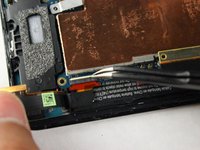
    • Remove the long black wire on the left of the motherboard.

    Ask FixBot

    Add Comment

  22. HTC Droid DNA Front-Facing Camera Replacement, Remove the Two Black Wires: step 22, image 1 of 1
    • Reorient the phone so that the green camera board is farthest from you.

    • Use your tweezers to remove the two wires located at the top of the board. The wires snap off very easily so not much force is needed.

    Ask FixBot

    Add Comment

  23. HTC Droid DNA Front-Facing Camera Replacement, Remove the Screws: step 23, image 1 of 1
    • Use a Phillips #000 screwdriver to remove the two 3.9mm screws on top of motherboard.

    Ask FixBot

    Add Comment

  24. HTC Droid DNA Front-Facing Camera Replacement, Remove the Motherboard: step 24, image 1 of 2 HTC Droid DNA Front-Facing Camera Replacement, Remove the Motherboard: step 24, image 2 of 2
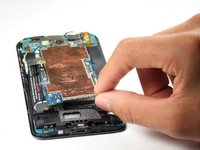
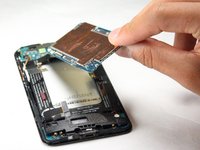
    • Now, use your fingers to slowly pull up the motherboard and remove it from the phone.

    Ask FixBot

    Add Comment

  25. HTC Droid DNA Front-Facing Camera Replacement, Remove Screws: step 25, image 1 of 1
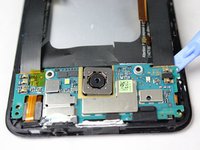
    • Use a Phillips #000 screwdriver to remove the two 2.1mm screws on the top of the camera board.

    Ask FixBot

    Add Comment

  26. HTC Droid DNA Front-Facing Camera Replacement, Loosen the Adhesive: step 26, image 1 of 2 HTC Droid DNA Front-Facing Camera Replacement, Loosen the Adhesive: step 26, image 2 of 2
    • Use the pry tool along the bottom and sides of the camera board to loosen the adhesive.

    • The power button and headphone jack need to be carefully removed with the camera board or they could snap off of the camera board.

    Ask FixBot

    Add Comment

  27. HTC Droid DNA Front-Facing Camera Replacement, Remove Camera Board: step 27, image 1 of 1
    • Slowly lift the camera board up and work on removing the remaining adhesive. You can then take the camera board off of the phone.

    Ask FixBot

    Add Comment

  28. HTC Droid DNA Front-Facing Camera Replacement, Remove Yellow Tape: step 28, image 1 of 1
    Tool used on this step:
    Tweezers
    $4.99
    Buy
    • Use your tweezers to gently remove the yellow tape on the far left side of the camera board.

    Ask FixBot

    Add Comment

  29. HTC Droid DNA Front-Facing Camera Replacement, Release the White Connector Clip: step 29, image 1 of 2 HTC Droid DNA Front-Facing Camera Replacement, Release the White Connector Clip: step 29, image 2 of 2
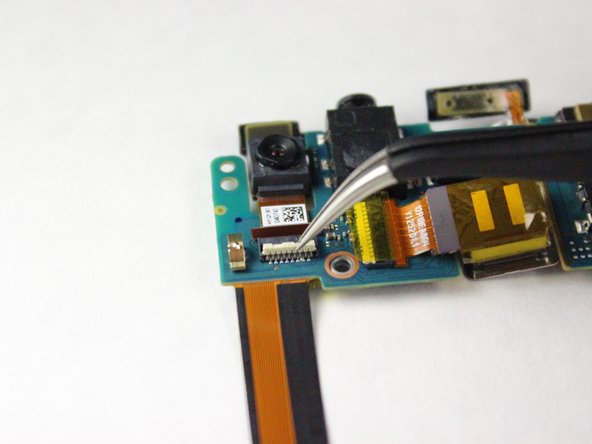
    • Use your tweezers to gently flip the white connector clip into the upright position.

    Ask FixBot

    Add Comment

  30. HTC Droid DNA Front-Facing Camera Replacement, Remove Front-Facing Camera: step 30, image 1 of 1
    • Use your tweezers to gently pull the front facing camera off the camera board.

    Ask FixBot

    Add Comment

Conclusion

To reassemble your device, follow these instructions in reverse order.

Cancel: I did not complete this guide.

4 other people completed this guide.

Adrian Williams

Member since: 10/14/14

585 Reputation

3 Guides authored

Team

Cal Poly, Team 4-43, Amido Fall 2014 Member of Cal Poly, Team 4-43, Amido Fall 2014

CPSU-AMIDO-F14S4G43

4 Members

10 Guides authored

0 Guide Comments

Add Comment

View Statistics:

Past 24 Hours: 2

Past 7 Days: 16

Past 30 Days: 35

All Time: 1,395