Free Shipping on Domestic Orders $75+

HPE ProLiant DL360 Gen9 Server

What you need

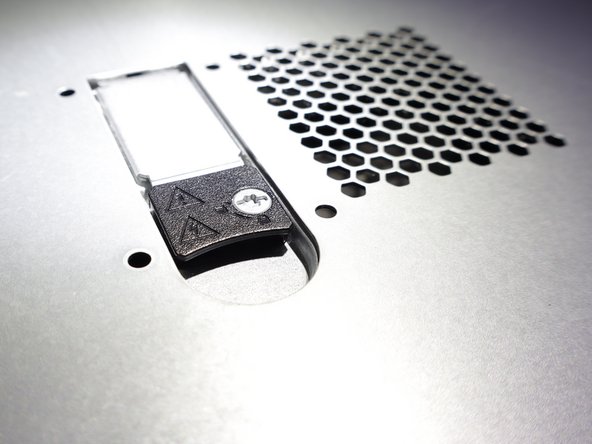
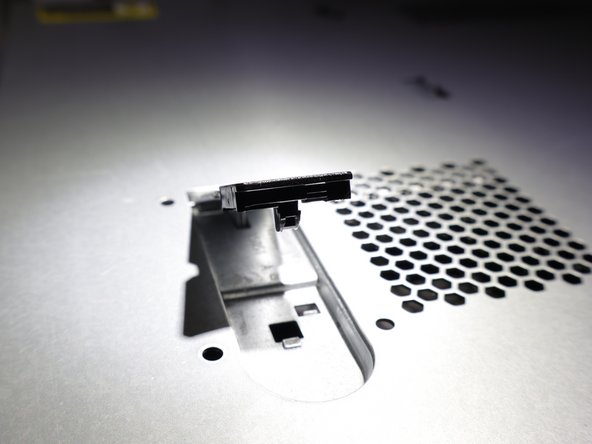
    1. HPE ProLiant DL360 Gen9 Server, Open Latch: step 1, image 1 of 2 HPE ProLiant DL360 Gen9 Server, Open Latch: step 1, image 2 of 2
      • Push the black part towards the back of the server.

      Ask FixBot

      Add Comment

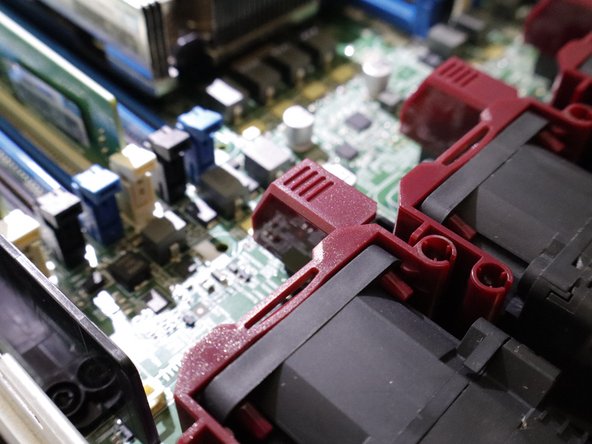
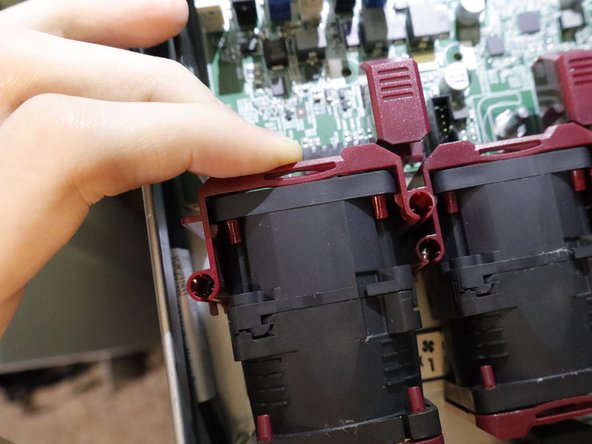
    2. HPE ProLiant DL360 Gen9 Server, Pull off the cover and remove fan/fans.: step 2, image 1 of 1
      • Pull straight up on the red tab with lines. Then pull the black part of the fan straight up.

      Ask FixBot

      Add Comment

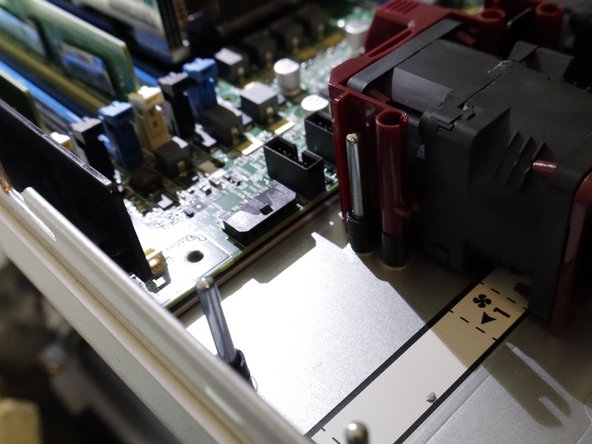
    3. HPE ProLiant DL360 Gen9 Server, Installing the new fan: step 3, image 1 of 2 HPE ProLiant DL360 Gen9 Server, Installing the new fan: step 3, image 2 of 2
      • Push straight down on the fan until a click happens.

      Ask FixBot

      Add Comment

Conclusion

To reassemble your device, follow these instructions in reverse order.

Cancel: I did not complete this guide.

Kolidae

Member since: 01/24/25

97 Reputation

1 Guide authored

0 Guide Comments

Add Comment

View Statistics:

Past 24 Hours: 0

Past 7 Days: 13

Past 30 Days: 59

All Time: 160