What you need
-
-
-
Turn off the laptop and remove power cable.
-
Flip the laptop upside down.
-
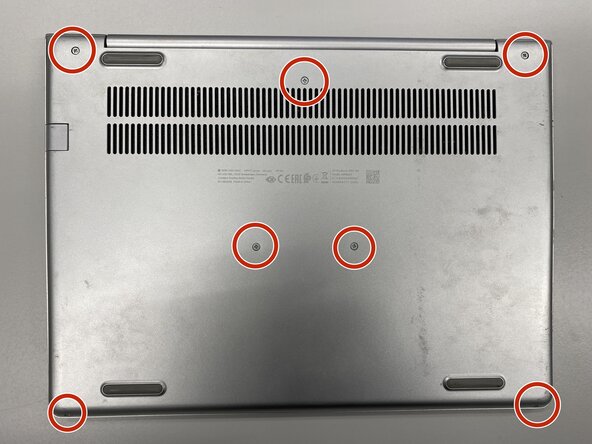
Remove the labeled screws with Phillips #0 screwdriver.
 Ask FixBot
-
-
-
-
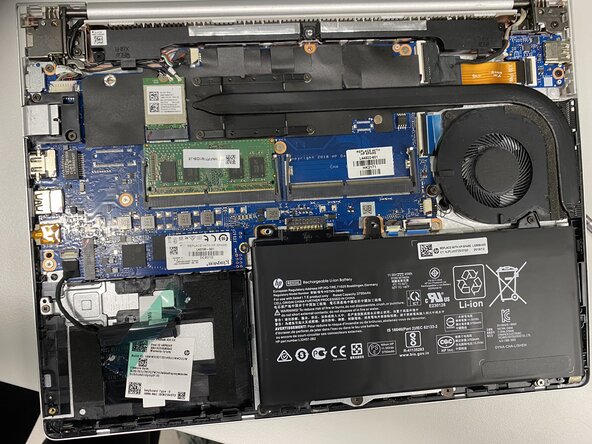
Remove the metal base with iFixit Opening Tool or Opening Picks.
-
-
-
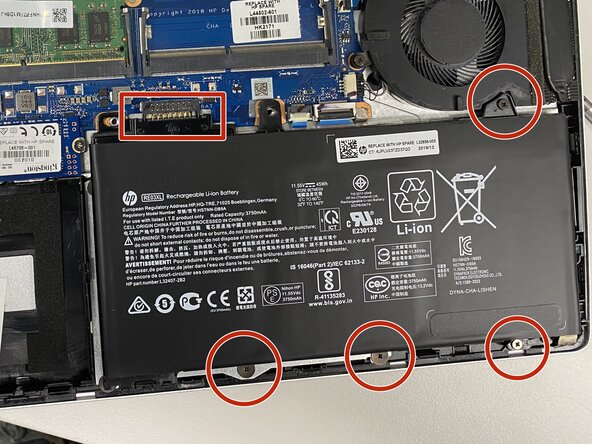
Disconnect the battery by removing the labeled screws and lifting the battery upwards from the box-labeled connector.
-
Battery disconnecting is very important to do before any replacements!
-
-
Conclusion
To do some cleaning or replacement operation, you need to disassembly your laptop with this guide.

