
HP Pavilion dv5000 RAM Replacement

Thanh Nguyen and
Last updated on May 7, 2024
Views: 16K
View statistics:
- Past 24 Hours:
- 7
- Past 7 Days:
- 28
- Past 30 Days:
- 103
- All Time:
- 15,939
Comments: 0
No one has left comments on this guide. Will you be first?
Go to guide commentsCompleted: 2 3
2 people have marked this guide "completed." Will you be next?
3 people have marked this guide "completed." Including you — great job!
Favorites: 8 9
8 people have favorited (and subscribed to) this guide. Will you be next?
9 people have favorited (and subscribed to) this guide — including you!
Missing Steps
Oops! This guide is currently missing one or more important steps.
Better Introduction
Improve this guide by completing or revising its introduction.
Introduction
Go to step 1 ↓If your memory is full or having memory problems, then you can easily replace the RAM.
Prerequisties:
Remove the battery and the Hard drive before starting this guide.
What you need
Tools
-
Spudger4.9
-


-
-
-
Lay the computer face-down on a flat surface. Orient the computer to match the image.
-
Locate the battery release switch, as indicated in the image by the red rectangle. Slide the switch from right to left, and remove the battery.
 Ask FixBot
-
-
-
-
-
Remove the two 5mm Phillips screws on the right side of the RAM cover.
-
Lift the right side of the RAM cover, and remove it.
-
-
-
-
-
Tool used on this step:Tweezers$4.99
-
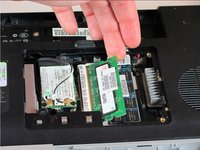
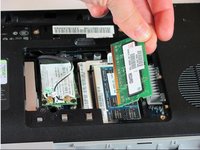
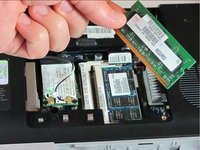
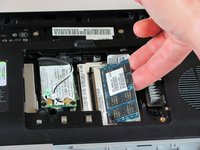
Release the RAM by pressing the metal heads of the RAM clips to the sides. Use tweezers and the spudger to spread the clips until they are completely off the RAM.
-
-




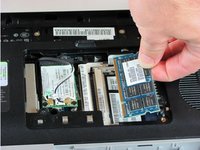
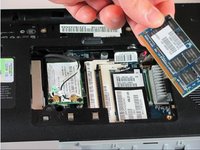
To reassemble your device, follow these instructions in reverse order.
Cancel: I did not complete this guide.
2 other people completed this guide.

Team

Cal Poly, Team 21-34, Regan Fall 2010 Member of Cal Poly, Team 21-34, Regan Fall 2010
CPSU-REGAN-F10S21G34
4 Members
132 Guides authored
