Introduction
This guide will take you through the process of replacing a keyboard for a HP Pavilion dv1000.
What you need
-
-
-
Shut down the computer.
-
Disconnect all external devices and cables from the computer.
 Ask FixBot
-
-
-
-
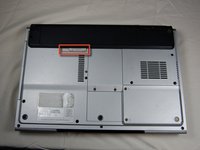
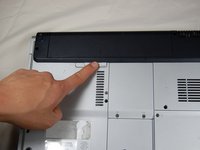
Locate the gray sliding tab next to the black bar where the battery is located.
-
Slide the gray sliding tab to the left until you hear a distinct click.
-
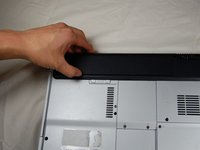
The inside edge of the battery should pop up.
-
-
-
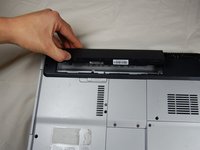
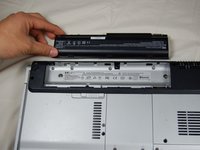
Grasp the inside edge of the battery.
-
Lift the inside edge of the battery up to detach the battery from the laptop.
-
-
-
-
-
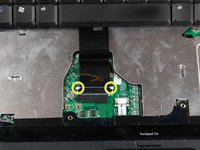
Remove the highlighted screws.
-
After removing the screws, flip the laptop over.
-
-
-
Open the laptop.
-
Use the spudger to lift the keyboard.
-
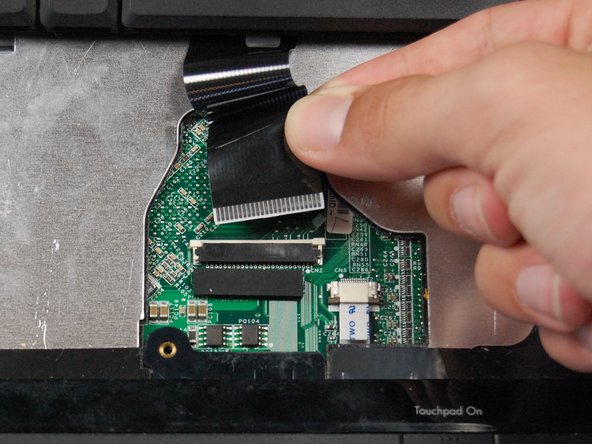
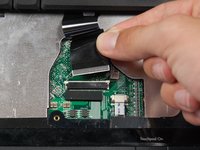
Press the two white clips forward with your fingers and gently pull the ribbon from the clips.
-
-






To reassemble your device, follow these instructions in reverse order.
Cancel: I did not complete this guide.
One other person completed this guide.

Team

UMass Dartmouth, Team 6-7, Vijaybhaskar Spring 2014 Member of UMass Dartmouth, Team 6-7, Vijaybhaskar Spring 2014
UMASSD-VIJAYBHASKAR-S14S6G7
4 Members
27 Guides authored
