
HP Flyer Red Battery Replacement

Anthony Ciotti and 3 other contributors
Last updated on May 20, 2016
Views: 3K
View statistics:
- Past 24 Hours:
- 2
- Past 7 Days:
- 22
- Past 30 Days:
- 86
- All Time:
- 2,963
Comments: 1
1 guide comment.
Go to guide commentsCompleted: 7 8
7 people have marked this guide "completed." Will you be next?
8 people have marked this guide "completed." Including you — great job!
Favorites: 0 1
No one has favorited (and subscribed to) this guide. Will you be the first?
1 person has favorited (and subscribed to) this guide — and that's you!
Introduction
Go to step 1 ↓We will show step by step progression of how to unlock the battery and remove it. This guide will help you understand the fundamentals of a battery replacement with this HP laptop. This guide is useful if you have a new battery and are looking to swap it out with the old one.
-
-
-
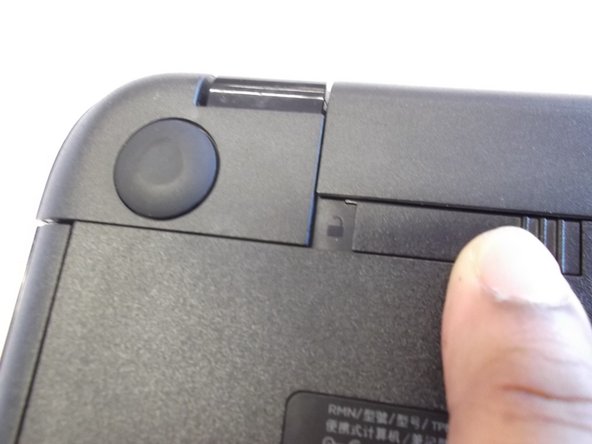
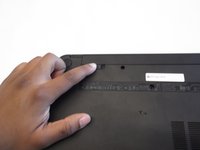
On the underside of the laptop towards the hinge for the screen there are two rectangular slide switches located inside of rectangular tracks.
-
-
-
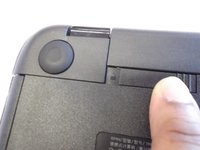
The left switch is the battery unlock switch.
-
Inside the rectangular track of this switch there is an image of a closed lock that should be visible. Push this switch to the other end of the track and an image of an open lock should be visible.
-
-
-
-
Then take and slide the other switch to the other end of its track which will pop out the battery.
-
Grab the battery and pull it out of the slot.
-


 Ask FixBot



To reassemble your device, follow these instructions in reverse order.
Cancel: I did not complete this guide.
7 other people completed this guide.

1 Guide Comment
What do you do when the battery not charging but the laptop is working when directly plugged on power
