Free Shipping on Domestic Orders $75+

HP EliteBook 820 G3 RAM Replacement

What you need

    1. HP EliteBook 820 G3 RAM Replacement, Back Cover: step 1, image 1 of 2 HP EliteBook 820 G3 RAM Replacement, Back Cover: step 1, image 2 of 2
      • Remove the eleven 3 mm screws with a Phillips #00 screwdriver.

      • Keep track of where the screw covers were attached to as there are four different sizes.

      Ask FixBot

      Add Comment

    2. HP EliteBook 820 G3 RAM Replacement: step 2, image 1 of 2 HP EliteBook 820 G3 RAM Replacement: step 2, image 2 of 2
      • Remove the SD card blank and the single 3 mm screw beneath it using a Phillips #00 screwdriver.

      • Lift off the back cover with your hands.

      Ask FixBot

      Add Comment

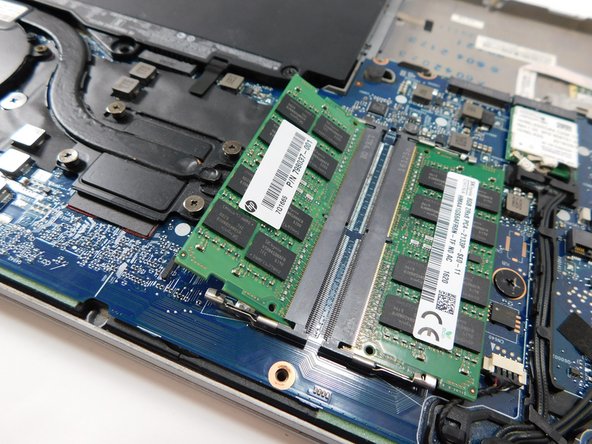
    1. HP EliteBook 820 G3 RAM Replacement, RAM: step 3, image 1 of 3 HP EliteBook 820 G3 RAM Replacement, RAM: step 3, image 2 of 3 HP EliteBook 820 G3 RAM Replacement, RAM: step 3, image 3 of 3
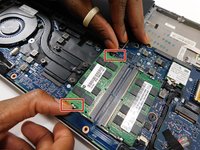
      • Pull the two clips on either side of the RAM sideways at the same time.

      • The top half of the stick will pop out of its plate.

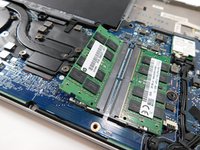
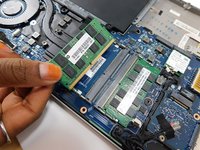
      • Pull the RAM stick out.

      • Repeat this step with the other RAM stick.

      Ask FixBot

      Add Comment

Conclusion

To reassemble your device, follow these instructions in reverse order.

Cancel: I did not complete this guide.

2 other people completed this guide.

Nubia Pineda

Member since: 08/24/22

79 Reputation

1 Guide authored

Team

Gateway, Team 1-1, Class Fall 2022 Member of Gateway, Team 1-1, Class Fall 2022

GCC-CLASS-F22S1G1

4 Members

39 Guides authored

1 Guide Comment

How to reset BIOS password on the HP 820 G3 please? Many thanks.

Jaeram - Reply Share

Add Comment

View Statistics:

Past 24 Hours: 2

Past 7 Days: 11

Past 30 Days: 34

All Time: 1,333