Free Shipping on Domestic Orders $75+

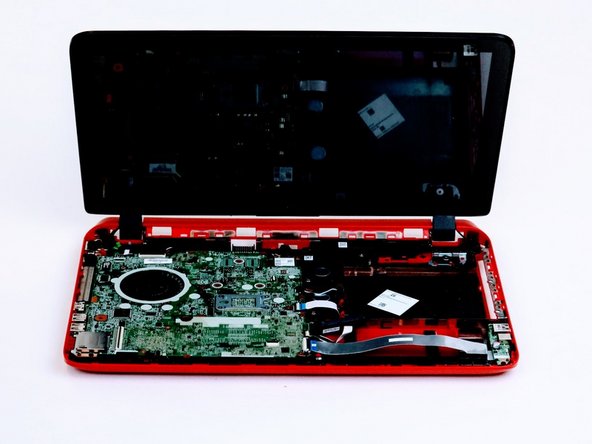
HP Beats Special Edition 15-p390nr Motherboard Replacement

Views: 4.4K

View statistics:

Past 24 Hours:
2
Past 7 Days:
19
Past 30 Days:
100
All Time:
4,387
Comments: 9

5 comments on steps, 4 guide comments.

Go to guide comments
Completed: 1

1 person has marked this guide "completed." Will you be next?

Favorites: 0

No one has favorited (and subscribed to) this guide. Will you be the first?

Time Required: 5 minutes
Difficulty: Easy
HP Beats Special Edition 15-p390nr Motherboard Replacement

Introduction

Go to step 1 ↓

If you find yourself needing to replace the motherboard for your HP Beats Special Edition 15-p390nr, this guide will help you do so.

What you need

Tools

    1. HP Beats Special Edition 15-p390nr Motherboard Replacement, Keyboard: step 1, image 1 of 2 HP Beats Special Edition 15-p390nr Motherboard Replacement, Keyboard: step 1, image 2 of 2
      • Turn computer off before starting.

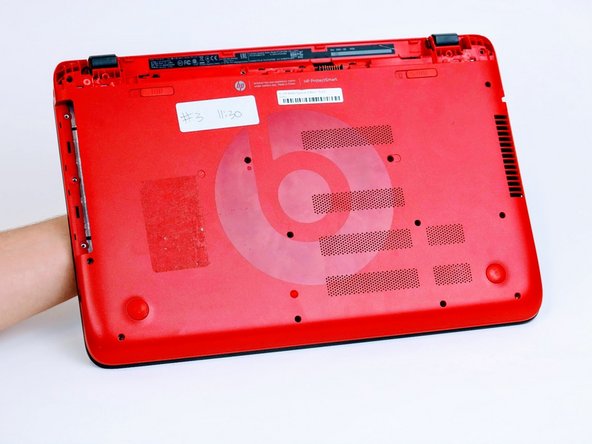
      • Turn computer over and begin removing noticeable 8mm screws with a Phillips #0 screwdriver.

      Ask FixBot

      Add Comment

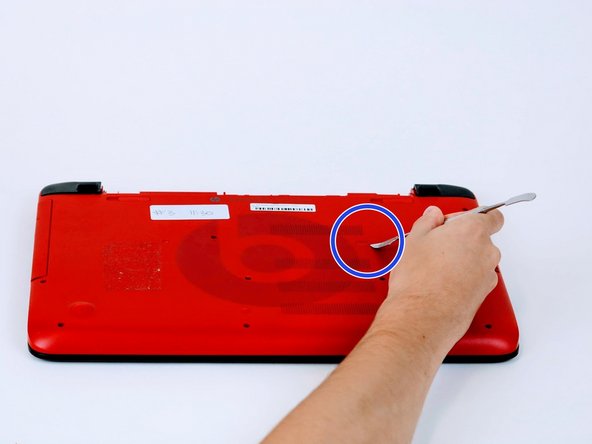
    2. HP Beats Special Edition 15-p390nr Motherboard Replacement: step 2, image 1 of 2 HP Beats Special Edition 15-p390nr Motherboard Replacement: step 2, image 2 of 2
      • Some screws may be hidden under a screw cover.

      • Simply use a metal spudger to pop off the screw cover to unveil the hidden 8mm screw.

      • Screw cover may fly when removing.

      Ask FixBot

      Add Comment

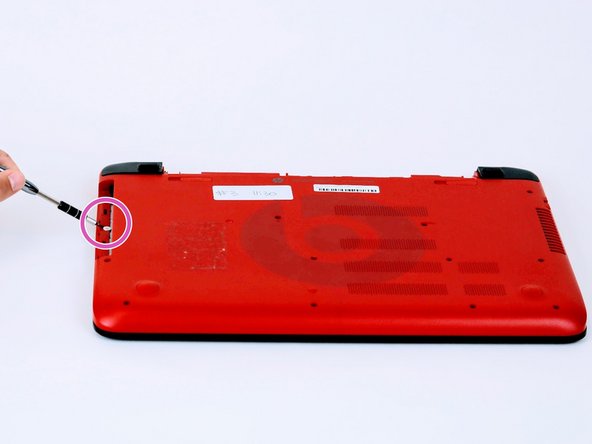
    3. HP Beats Special Edition 15-p390nr Motherboard Replacement: step 3, image 1 of 2 HP Beats Special Edition 15-p390nr Motherboard Replacement: step 3, image 2 of 2
      • Once screws are removed you may now remove the optical drive.

      • Remove the hidden 3mm screw in the optical drive port.

      Ask FixBot

      Add Comment

    4. HP Beats Special Edition 15-p390nr Motherboard Replacement: step 4, image 1 of 2 HP Beats Special Edition 15-p390nr Motherboard Replacement: step 4, image 2 of 2
      • Remove the rubberized feet located on the left and right shoulder of the computer to uncover hidden 8mm screws.

      • Popping noises are normal.

      • The shoulder caps are removable. Underneath there are 2 additional screws.

      Ask FixBot

      Add Comment

    5. HP Beats Special Edition 15-p390nr Motherboard Replacement: step 5, image 1 of 2 HP Beats Special Edition 15-p390nr Motherboard Replacement: step 5, image 2 of 2
      • Flip computer over and wedge metal spudger along the computer to pop off keyboard panel

      Ask FixBot

      Add Comment

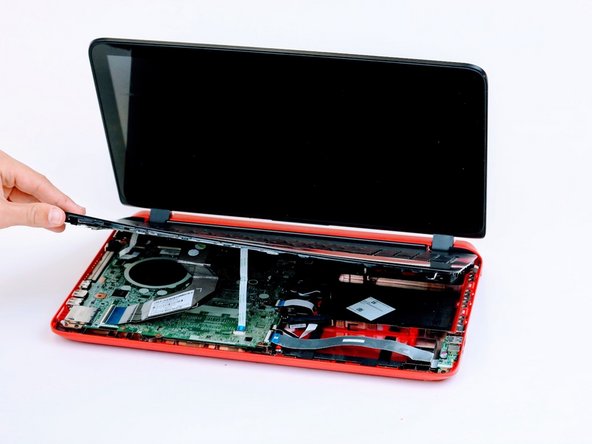
    6. HP Beats Special Edition 15-p390nr Motherboard Replacement: step 6, image 1 of 2 HP Beats Special Edition 15-p390nr Motherboard Replacement: step 6, image 2 of 2
      • Unclip wires connected to the motherboard and remove keyboard from the device.

      • 17 screws should be removed up to this point.

      Ask FixBot

      Add Comment

    1. HP Beats Special Edition 15-p390nr Motherboard Replacement, Motherboard: step 7, image 1 of 1
      • Remove screws from the motherboard.

      • 11 screws should be removed from the motherboard

      Ask FixBot

      Add Comment

    2. HP Beats Special Edition 15-p390nr Motherboard Replacement: step 8, image 1 of 1
      • Unclamp wire strips from motherboard.

      Ask FixBot

      Add Comment

    3. HP Beats Special Edition 15-p390nr Motherboard Replacement: step 9, image 1 of 1
      • Detach by lifting the motherboard up and flip the motherboard over.

      Ask FixBot

      Add Comment

    4. HP Beats Special Edition 15-p390nr Motherboard Replacement: step 10, image 1 of 1
      • Unclip wifi card for further procedures

      Ask FixBot

      Add Comment

Conclusion

To reassemble your device, follow these instructions in reverse order.

Cancel: I did not complete this guide.

One other person completed this guide.

4 Guide Comments

Please where can i buy the motherboard ?

Nelson - Reply Share

Please, where can i buy a new motherboard for this laptop ? Thank you

Nelson - Reply Share

What does it mean if it beeps twice and doesn’t turn on? I replaced the cmos battery and thought that would fix that beeping sound.

Landon Elliott - Reply Share

You may want yo start with reseating your ram or replacing it

Juan Lopez - Reply Share

Add Comment

View Statistics:

Past 24 Hours: 2

Past 7 Days: 19

Past 30 Days: 100

All Time: 4,387