Introduction
Reasons to replace the RAM on a laptop are the following:
- Overheating
- Performance upgrade
- Lagging software
- Frequent glitches
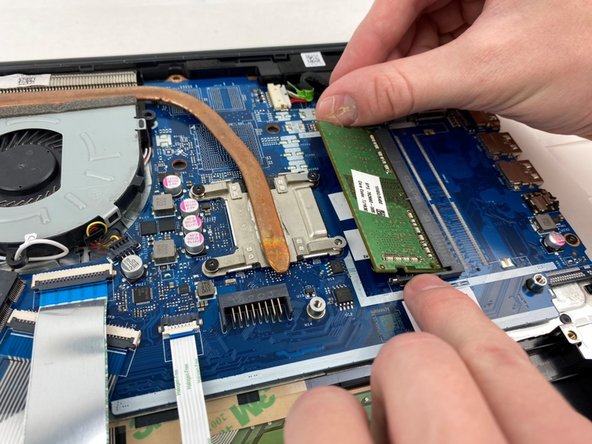
This guide will provide steps on how to replace the RAM on the HP 15-db0015dx.
What you need
-
-
-
Power off the device before starting.
-
Remove the rubber strips that hide the screws using the spudger.
-
Flip the device and unscrew the eleven screws with a Phillips #0 screwdriver.
 Ask FixBot
-
-
-
Use the spudger tool to pry open the back cover.
-
Lift the back panel to access the inside.
-
Slide the CD drive to the left, and remove.
-
-
-
-
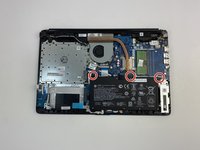
Unscrew the three battery screws with a Phillips #0 screwdriver.
-
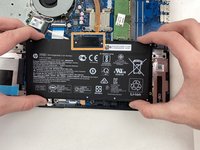
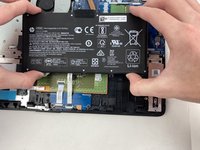
Lift the battery up, disconnecting the connector first.
-
Push forward and remove the battery.
-
-
-





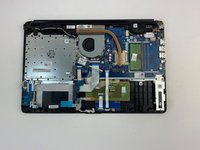
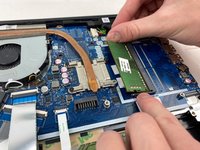
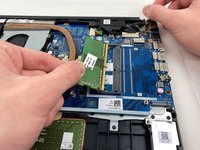
To reassemble your device, follow these instructions in reverse order.
Cancel: I did not complete this guide.
3 other people completed this guide.

Team

Embry-Riddle Aeronautical University, Team S2-G5, Watkins Spring 2020 Member of Embry-Riddle Aeronautical University, Team S2-G5, Watkins Spring 2020
ERAU-WATKINS-S20S2G5
5 Members
84 Guides authored
