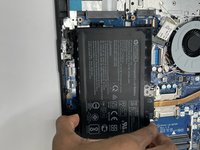
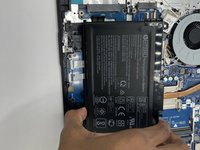
HP 15-db0004dx Battery Replacement

What you need

  1. HP 15-db0004dx Battery Replacement, Bottom Case: step 1, image 1 of 2 HP 15-db0004dx Battery Replacement, Bottom Case: step 1, image 2 of 2
    • Turn the laptop off and unplug it before starting.

    • Flip your laptop over, face down.

  2. HP 15-db0004dx Battery Replacement: step 2, image 1 of 1
    • Peel off the two long rubber grips running lengthwise on the laptop.

  3. HP 15-db0004dx Battery Replacement: step 3, image 1 of 2 HP 15-db0004dx Battery Replacement: step 3, image 2 of 2
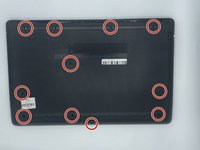
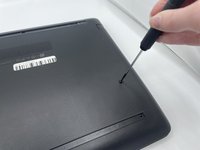
    • Using a Phillips #000 screwdriver, remove the eleven 10 mm screws located on the underside of the laptop, that are holding the back panel in place.

  4. HP 15-db0004dx Battery Replacement: step 4, image 1 of 1
    • Carefully slide the optical drive out of the laptop.

  5. HP 15-db0004dx Battery Replacement: step 5, image 1 of 1
    • Use a plastic opening tool to separate the back panel from the laptop.

    • For an easier removal, start at the corner and run the tool along the edge of the cover.

    • If you do not have a plastic opening tool, open it carefully using your hands, as shown.

    • Be careful to not bend the back panel, or to not apply too much pressure and force, doing so could cause the panel to break.

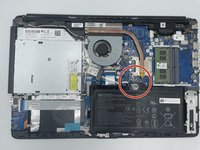
  6. HP 15-db0004dx Battery Replacement, Battery: step 6, image 1 of 2 HP 15-db0004dx Battery Replacement, Battery: step 6, image 2 of 2
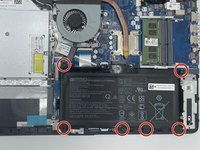
    • Using the Philips #000 screwdriver remove all of the six 5mm screws.

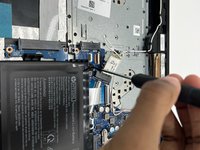
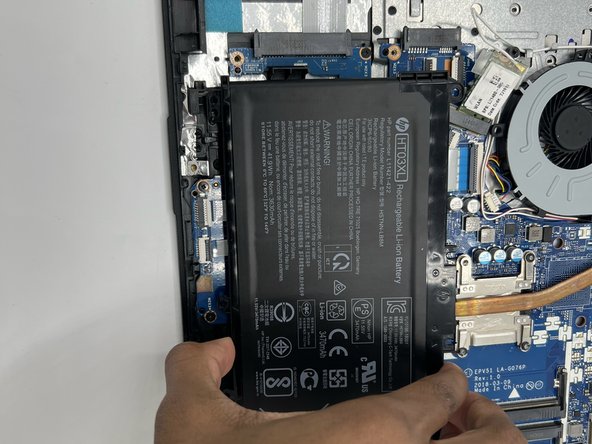
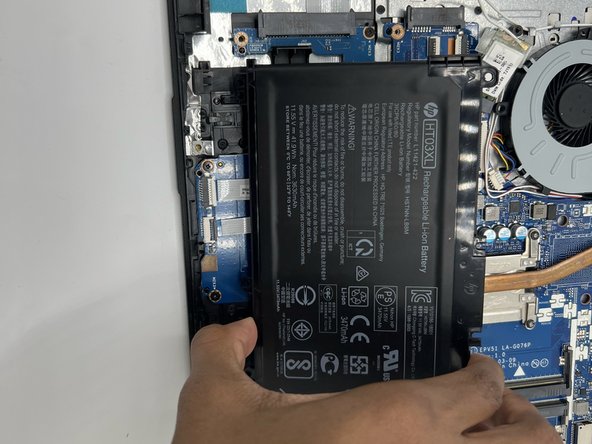
  7. HP 15-db0004dx Battery Replacement: step 7, image 1 of 3 HP 15-db0004dx Battery Replacement: step 7, image 2 of 3 HP 15-db0004dx Battery Replacement: step 7, image 3 of 3
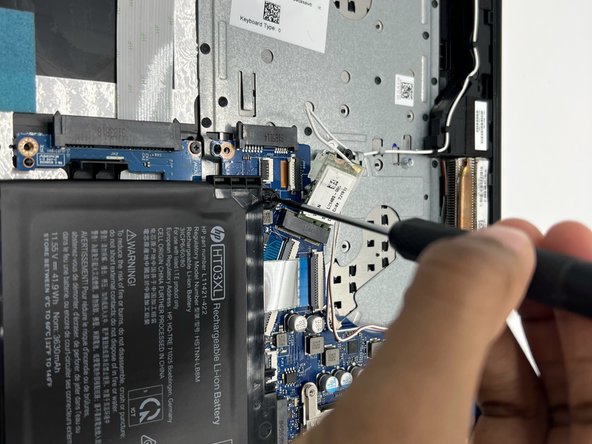
    • Disconnect the battery connector.

    • Slide the battery up and out.

Conclusion

To reassemble your device, follow these instructions in reverse order.

2 other people completed this guide.

0 Guide Comments

Add Comment

View Statistics:

Past 24 Hours: 1

Past 7 Days: 5

Past 30 Days: 21

All Time: 993