Introduction
Use this guide to take off the back cover of the HP 15-da0002dx laptop. The back cover of a laptop is taken off in order to expose the components inside of a computer to replace or clean them.
Before using this guide, power off the computer and wait for the components to cool. Working over a non-carpeted surface will reduce the risk of ESD damage (electrostatic discharge). A non-carpeted surface should not be able to conduct electricity and is connected to a grounded surface. Another way to reduce the risk of ESD damage is by using a plastic tool when removing the battery as plastic does not conduct electricity.
What you need
-
-
-
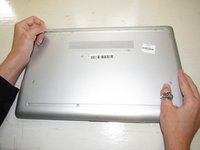
Turn over the laptop.
-
The HP label should be touching the table and the bottom cover should be facing up.
-
-
-
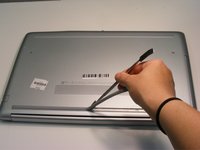
Two plastic feet are located on adjacent sides of the back cover.
-
Peel back the plastic feet using the plastic opening tools.
-
-
-
-
Using the Phillips #1 screwdriver, unscrew the eleven 9.0 mm screws holding the back cover in place.
-
-
-
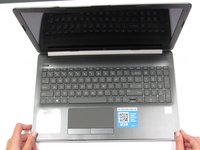
Open the screen.
-
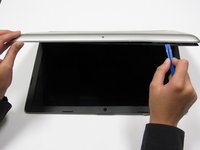
Run the plastic opening tools along the edge of the back cover. Do this until the back cover becomes loose.
-
-
-
Close the screen and flip over the laptop. Using the plastic opening tools, gently take off the back cover starting from the middle, bottom edge.
-

 Ask FixBot





To reassemble your device, follow these instructions in reverse order.
Cancel: I did not complete this guide.
4 other people completed this guide.

Team

University of Alabama, Team S2-G8, Bedsole Fall 2019 Member of University of Alabama, Team S2-G8, Bedsole Fall 2019
UA-BEDSOLE-F19S2G8
4 Members
60 Guides authored
