
HMD Barbie Screen Replacement

Hannah Carvalho and one other contributor
Last updated on May 29, 2026
Views: 331
View statistics:
- Past 24 Hours:
- 4
- Past 7 Days:
- 21
- Past 30 Days:
- 75
- All Time:
- 331
Comments: 1
1 guide comment.
Go to guide commentsCompleted: 0 1
No one has marked this guide "completed." Will you be the first?
1 person has marked this guide "completed." It's you — great job!
Favorites: 0 1
No one has favorited (and subscribed to) this guide. Will you be the first?
1 person has favorited (and subscribed to) this guide — and that's you!
Introduction
Go to step 1 ↓If your HMD Barbie Phone's (model number TA-1420) screen does not turn on, but phone audio can be heard, a damaged screen is a likely cause of the malfunction. This device is a flip phone, so the screen is not a separate part but part of the device housing so, if you wish to replace the screen, you will need to find a matching device housing.
Before beginning this guide, check out this troubleshooting page to rule out any other causes of screen malfunctions for the Barbie Phone:
HMD Barbie Phone Screen Not Turning On
Before starting this guide, make sure to fully power off your Barbie Phone. Follow the steps in this guide to replace the screen on your Barbie Phone.
What you need
Tools


-
-
-
Fully power off the phone.
-
Remove the backplate by gripping it around the edges and pulling away from the phone.
 Ask FixBot
-
-
-
-
-
-
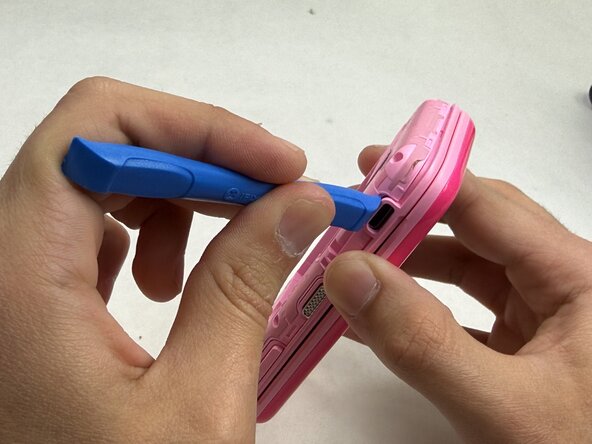
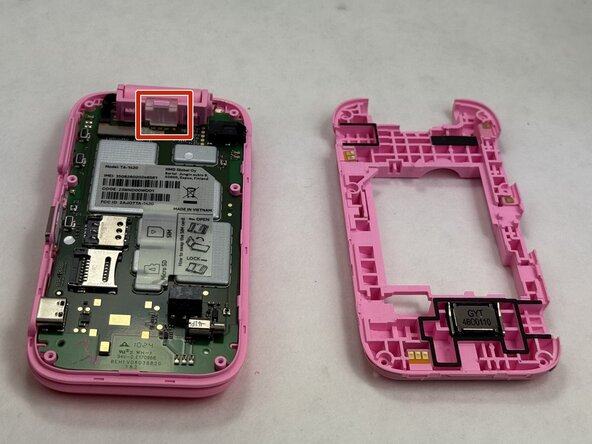
Use the opening tool to remove the clear plastic clip near the hinge of the phone securing the motherboard.
-
-
-
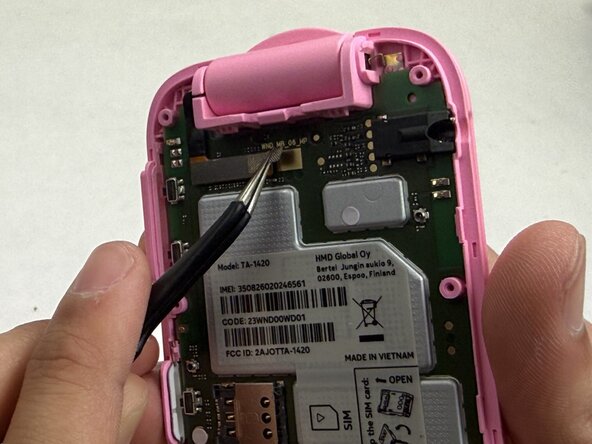
Use the tweezers to gently unstick the tape from the motherboard, leaving it stuck to the connector.
-
Use the tweezers to gently pull up on the connector until it disconnects from the motherboard.
-
-
-
-
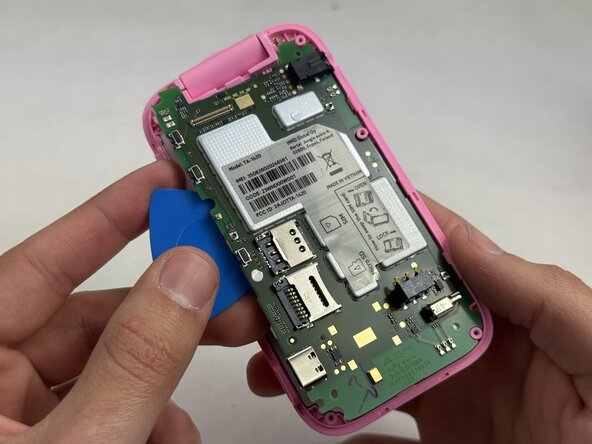
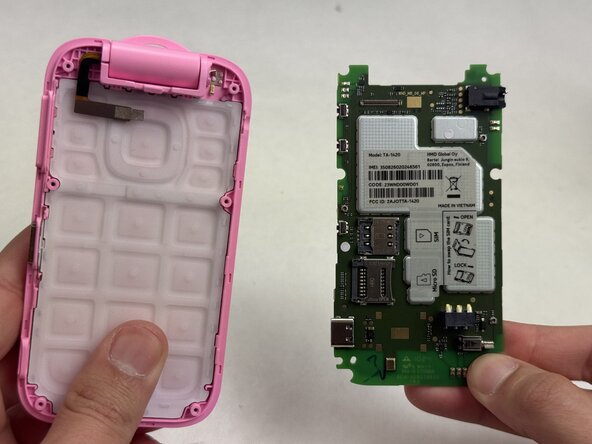
Beginning at the corner near where the video ribbon is located, insert an opening pick between the green motherboard and the pink housing.
-
Slowly work your way around the motherboard until it loosens enough that you can use your fingers to remove it.
-
-
-
-
-
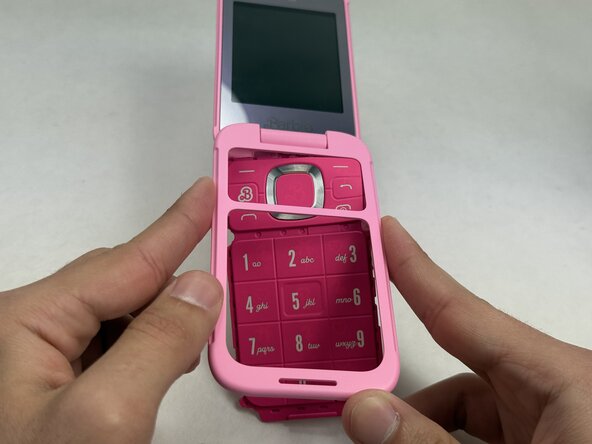
Push the keypad out of the outer casing from the front of the phone, outward.
-
-
-
-
-
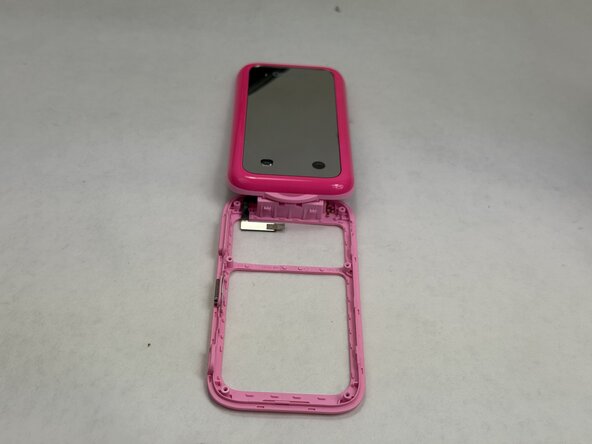
Remove all removable components from the device housing: the battery, inner backplate, motherboard, and keypad.
-
-













To reassemble your device, follow these instructions in reverse order.

Team

UMass Dartmouth, Team 6-2, Botvin Spring 2026 Member of UMass Dartmouth, Team 6-2, Botvin Spring 2026
UMASSD-BOTVIN-S26S6G2
3 Members
60 Guides authored
