Free Shipping on Domestic Orders $75+

Google Pixel 9a Front Camera Installation (Logic Board)

Prerequisite Only
This is a prerequisite-only guide! This guide is part of another procedure and isn’t meant to be used alone.
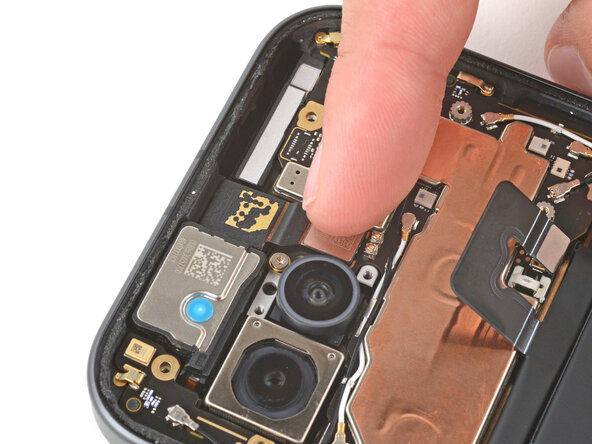
    1. Google Pixel 9a Front Camera Installation (Logic Board), Install the front camera: step 1, image 1 of 2 Google Pixel 9a Front Camera Installation (Logic Board), Install the front camera: step 1, image 2 of 2
      • Carefully peel up and remove the old copper foil from your front camera.

      • Place the camera into its recess.

      • Use your finger to press down and reconnect the camera press connector.

      Ask FixBot

      Add Comment

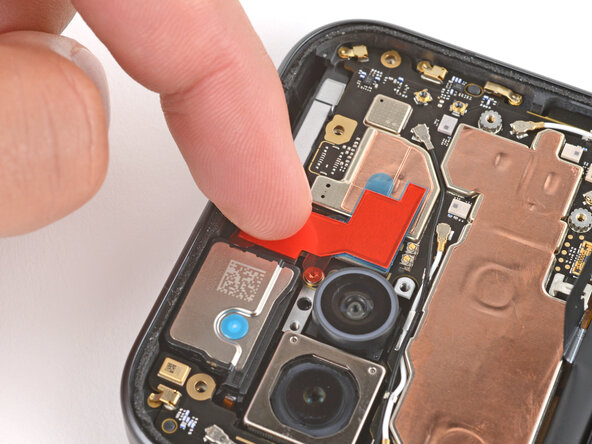
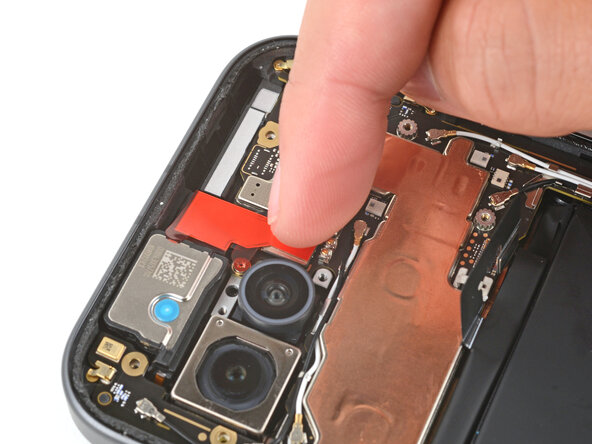
    2. Google Pixel 9a Front Camera Installation (Logic Board), Apply new copper foil: step 2, image 1 of 3 Google Pixel 9a Front Camera Installation (Logic Board), Apply new copper foil: step 2, image 2 of 3 Google Pixel 9a Front Camera Installation (Logic Board), Apply new copper foil: step 2, image 3 of 3
      • Remove the copper foil from its large clear liner and place it onto the front camera.

      • Don't remove any of the other liners yet.

      • Gently press down on the top section of the foil to secure it to the camera (the bottom section still has a plastic liner under it).

      Ask FixBot

      Add Comment

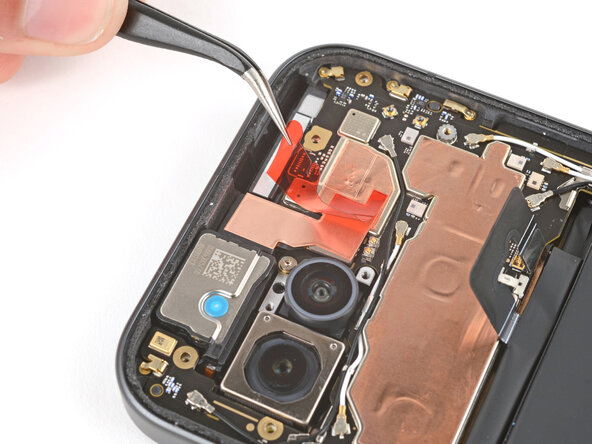
    3. Google Pixel 9a Front Camera Installation (Logic Board): step 3, image 1 of 3 Google Pixel 9a Front Camera Installation (Logic Board): step 3, image 2 of 3 Google Pixel 9a Front Camera Installation (Logic Board): step 3, image 3 of 3
      • Hold the top section of the copper foil in place with your finger, and use tweezers to slide the liner out from the bottom section of foil.

      • Gently press the bottom section of copper foil into place to secure it to the front camera press connector.

      Ask FixBot

      Add Comment

    4. Google Pixel 9a Front Camera Installation (Logic Board): step 4, image 1 of 3 Google Pixel 9a Front Camera Installation (Logic Board): step 4, image 2 of 3 Google Pixel 9a Front Camera Installation (Logic Board): step 4, image 3 of 3
      • Use tweezers to remove the remaining liner from the top of the copper foil.

      Ask FixBot

      Add Comment

Finish Line

Cancel: I did not complete this guide.

Spencer Day

Member since: 09/14/22

205,821 Reputation

1,267 Guides authored

Team

iFixit Member of iFixit

Staff

122 Members

72,401 Guides authored

0 Guide Comments

Add Comment

View Statistics:

Past 24 Hours: 0

Past 7 Days: 3

Past 30 Days: 20

All Time: 122