Free Shipping on Domestic Orders $75+

Google Pixel 9a Battery Connection

Prerequisite Only
This is a prerequisite-only guide! This guide is part of another procedure and isn’t meant to be used alone.

What you need

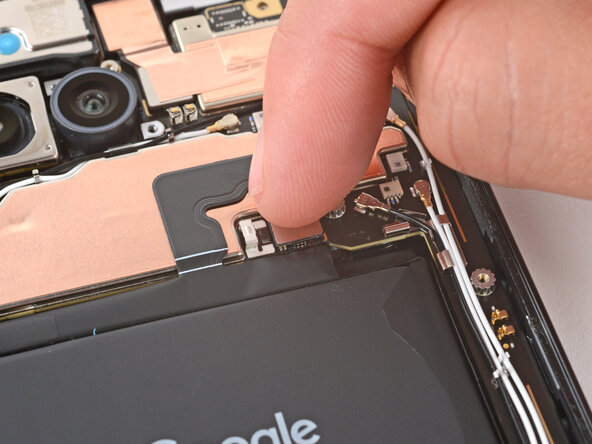
  1. Google Pixel 9a Battery Connection, Connect the battery press connector: step 1, image 1 of 2 Google Pixel 9a Battery Connection, Connect the battery press connector: step 1, image 2 of 2
    • Use your finger to align the battery press connector over its socket and press down to connect it.

    • Don't try to force the connector into place. If you're having trouble, reposition it and try again.

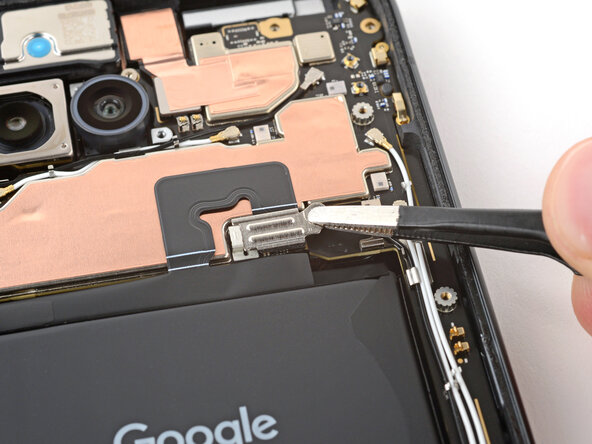
  2. Google Pixel 9a Battery Connection, Install the battery connector cover: step 2, image 1 of 3 Google Pixel 9a Battery Connection, Install the battery connector cover: step 2, image 2 of 3 Google Pixel 9a Battery Connection, Install the battery connector cover: step 2, image 3 of 3
    • Use tweezers to hook the left edge of the battery connector cover into place, then lay the cover down flat.

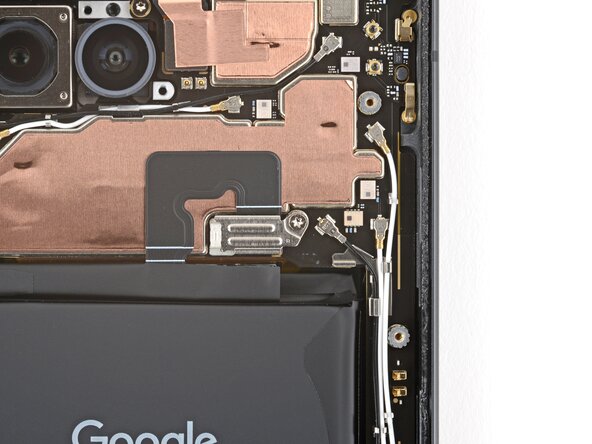
  3. Google Pixel 9a Battery Connection: step 3, image 1 of 2 Google Pixel 9a Battery Connection: step 3, image 2 of 2
    • Use a 3IP Torx Plus screwdriver to install the 1.7 mm‑long screw securing the battery connector cover.

Finish Line

Spencer Day

Member since: 09/14/22

163,418 Reputation

1,043 Guides authored

Team

iFixit Member of iFixit

Staff

124 Members

24,235 Guides authored

0 Guide Comments

Add Comment

View Statistics:

Past 24 Hours: 0

Past 7 Days: 1

Past 30 Days: 5

All Time: 59