Free Shipping on Domestic Orders $75+

GoPro Hero Motherboard Replacement

What you need

    1. GoPro Hero Motherboard Replacement, Casing: step 1, image 1 of 1
      • Power off your GoPro before beginning disassembly.

      • Unclip the black latch to the camera case and open the case.

      Ask FixBot

      Add Comment

    2. GoPro Hero Motherboard Replacement: step 2, image 1 of 1
      • Gently pry the back open by inserting a metal spudger between the case and back panel.

      Ask FixBot

      Add Comment

    3. GoPro Hero Motherboard Replacement: step 3, image 1 of 1
      • Disconnect the battery from the motherboard by unplugging the red, white, and black wires from the white adapter.

      Ask FixBot

      Add Comment

    4. GoPro Hero Motherboard Replacement: step 4, image 1 of 1
      • Disconnect the ribbon cable from the lens by lifting the black latch and gently pulling the ribbon cable from the socket.

      Ask FixBot

      Add Comment

    5. GoPro Hero Motherboard Replacement: step 5, image 1 of 1
      • Use a Phillips screwdriver (PH000) to remove the four screws around the white plastic piece.

      • Make sure to keep track of these screws as they are very small.

      Ask FixBot

      Add Comment

    6. GoPro Hero Motherboard Replacement: step 6, image 1 of 1
      • Carefully remove the motherboard and white plastic piece from the case.

      Ask FixBot

      Add Comment

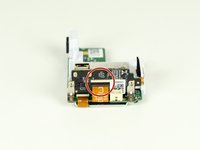
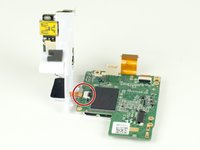
    1. GoPro Hero Motherboard Replacement, Motherboard: step 7, image 1 of 2 GoPro Hero Motherboard Replacement, Motherboard: step 7, image 2 of 2
      • Remove the larger ribbon cable from the daughter board by lifting the black latch and pulling the ribbon cable gently from the socket.

      • Disconnect the smaller ribbon cable leading from the white plastic piece by simply pulling it from the socket.

      Ask FixBot

      Add Comment

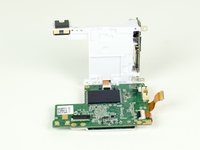
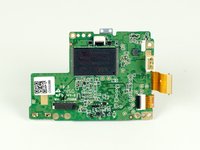
    2. GoPro Hero Motherboard Replacement: step 8, image 1 of 2 GoPro Hero Motherboard Replacement: step 8, image 2 of 2
      • Separate the white plastic piece from the motherboard.

      Ask FixBot

      Add Comment

Conclusion

To reassemble your device, follow these instructions in reverse order.

Cancel: I did not complete this guide.

4 other people completed this guide.

Zoe Tuggle

Member since: 04/01/15

179 Reputation

1 Guide authored

Team

Cal Poly, Team 12-2, Lancaster Spring 2015 Member of Cal Poly, Team 12-2, Lancaster Spring 2015

CPSU-LANCASTER-S15S12G2

4 Members

18 Guides authored

2 Guide Comments

So after doing all theses steps did it resolve the problem

Anita - Reply Share

Thanks so much I really needed this guide.

Thanks, Sam

Sam Liam Matthews - Reply Share

Add Comment

View Statistics:

Past 24 Hours: 0

Past 7 Days: 23

Past 30 Days: 99

All Time: 11,974